

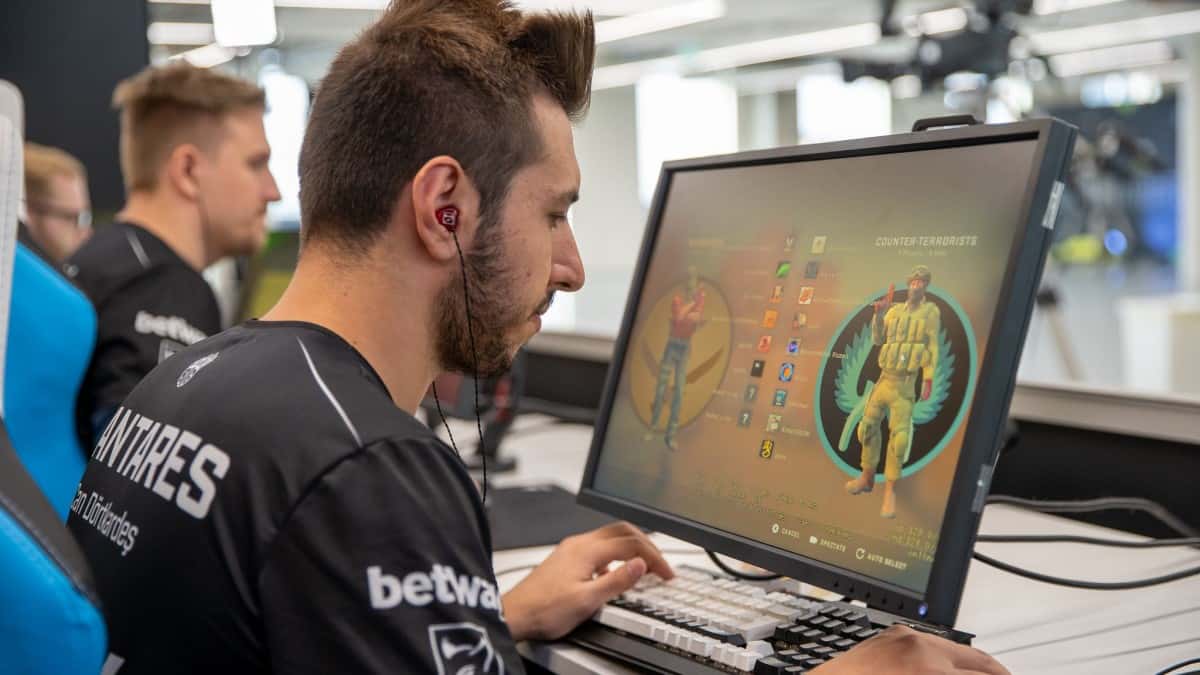
XANTARES plays CS:GO at 400 DPI and 2.00 sensitivity for an 800 eDPI on a ZOWIE FK1-B mouse.
- XANTARES uses a ZOWIE FK1-B mouse at 400 DPI and 2.00 sensitivity for an 800 eDPI, paired with a BENQ XL2540 monitor at 240Hz.
- s1mple plays on a LOGITECH G PRO X SUPERLIGHT at 400 DPI and 3.90 sensitivity, giving him a 1236 eDPI.
- The CS:GO console command cl_crosshairstyle changes the crosshair's look while cl_crosshairgap and cl_crosshairsize adjust its spacing and size.
We've listed the monitor and mouse brands, plus the resolution, DPI, sensitivity, crosshair, and aim settings of the most famous professional players of Counter Strike: Global Offensive, a cornerstone of esports since 2012, for you to draw inspiration from.
What Is the CS:GO Command Console?
The CS:GO command console is a software mechanism that lets you change your in-game settings more easily using codes.
How Do You Open the CS:GO Command Console?
- Open CS:GO.
- Click Settings and go into the in-game settings.
- Enable the "Developer/Enable Console" option.
- Assign a key you can easily reach your console with from the Game Controls settings.
All you need to do is copy the crosshair console codes we'll give below and paste them into the console.
What Do the CS:GO Crosshair Console Codes Mean?
-
cl_crosshairstyle = Changes the crosshair's state while walking or firing.
-
cl_crosshaircolor = Lets you change the crosshair's color.
-
cl_crosshairsize = Lets you choose the crosshair's size.
-
cl_crosshairthickness = Lets you choose the crosshair's thickness.
-
cl_crosshairgap = Lets you choose the crosshair's gap.
-
cl_crosshairusealpha = Turns crosshair transparency on or off.
-
cl_crosshairalpha = Lets you choose the crosshair's transparency level.
-
cl_crosshairdot = Adds a dot to the center of the crosshair.
-
cl_crosshair_drawoutline = Adds an outline around the crosshair.
-
cl_crosshair_outlinethickness = Sets the thickness of the crosshair's outline.
Professional CS:GO Players' Resolution, Sensitivity, Aim, and Crosshair Settings 2021
Can "XANTARES" Dörtkardeş
Mouse Settings
- Mouse Brand and Model: ZOWIE FK1-B
- DPI: 400
- Sensitivity: 2.00
- eDPI: 800
- HZ: 1000
- Zoom Sensitivity: 1.10
- Mouse Accel: 1.05
- Windows Sens: 6
- raw input: 1
Video Settings
- Monitor Brand and Model: BENQ XL2540
- Resolution: 1024×768
- Aspect Ratio: 4:3
- Scaling Mode: stretched
- HZ: 240
XANTARES Crosshair Code 2021
cl_crosshairalpha 255; cl_crosshaircolor 1; cl_crosshaircolor_b 50; cl_crosshaircolor_r 50; cl_crosshaircolor_g 250; cl_crosshairdot 0; cl_crosshairgap 0; cl_crosshairsize 3; cl_crosshairstyle 4; cl_crosshairusealpha 1; cl_crosshairthickness 0.5; cl_crosshair_drawoutline 0;
ZywOo
Mouse Settings
- Mouse Brand and Model: VAXEE ZYGEN NP-01 GLOSSY
- DPI: 400
- Sensitivity: 2.00
- eDPI: 800
- HZ: 1000
- Zoom Sensitivity: 1.10
- Mouse Accel: Off
- Windows Sens: 6
- raw input: 1
Video Settings
- Monitor Brand and Model: BENQ XL2540
- Resolution: 1920×1080
- Aspect Ratio: 16:9
- Scaling Mode:
- HZ: 240
ZywOo Crosshair Code 2021
cl_crosshairalpha 255; cl_crosshaircolor 1; cl_crosshairdot 0; cl_crosshairgap -4; cl_crosshairsize 1; cl_crosshairstyle 4; cl_crosshairusealpha 1; cl_crosshairthickness 1; cl_crosshair_drawoutline 0; cl_crosshair_sniper_width 0*; cl_crosshaircolor_r 255; cl_crosshaircolor_g 255; cl_crosshaircolor_b 255;
s1mple
Mouse Settings
- Mouse Brand and Model: LOGITECH G PRO X SUPERLIGHT
- DPI: 400
- Sensitivity: 3.90
- eDPI: 1236
- HZ: 1000
- Zoom Sensitivity: 1
- Mouse Accel: Off
- Windows Sens: 6
- raw input: 1
Video Settings
- Monitor Brand and Model: BENQ XL2540
- Resolution: 1280x960
- Aspect Ratio: 4:3
- Scaling Mode: Streched
- HZ: 240
s1mple Crosshair Code 2021
cl_crosshairalpha 255; cl_crosshaircolor 5; cl_crosshairdot 1; cl_crosshairgap -1; cl_crosshairsize 1; cl_crosshairstyle 5; cl_crosshairusealpha 1; cl_crosshairthickness 0; cl_crosshair_drawoutline 0; cl_crosshair_sniper_width 1; cl_crosshaircolor_r 255; cl_crosshaircolor_g 255; cl_crosshaircolor_b 255;
Brehze
Mouse Settings
- Mouse Brand and Model: RAZER VIPER MINI
- DPI: 400
- Sensitivity: 3
- eDPI: 1200
- HZ: 1000
- Zoom Sensitivity: 1
- Mouse Accel: Off
- Windows Sens: 6
- raw input: 1
Video Settings
- Monitor Brand and Model: ASUS ROG SWIFT PG259QN
- Resolution: 1024x768
- Aspect Ratio: 4:3
- Scaling Mode: Streched
- HZ: 360
Brehze Crosshair Code 2021
cl_fixedcrosshairgap -4.5; cl_crosshaircolor 4; cl_crosshairstyle 1; cl_crosshair_sniper_width 1;
EliGE
Mouse Settings
- Mouse Brand and Model: HK GAMING MIRA M WHITE
- DPI: 1600
- Sensitivity: 0.74
- eDPI: 1184
- HZ: 1000
- Zoom Sensitivity: 0.8
- Mouse Accel: Off
- Windows Sens: 6
- raw input: 1
Video Settings
- Monitor Brand and Model: ALIENWARE AW2521H
- Resolution: 1680x1050
- Aspect Ratio: 16:10
- Scaling Mode: Streched
- HZ: 360
EliGE Crosshair Code 2021
cl_crosshairalpha 255; cl_crosshaircolor 5; cl_crosshaircolor_b 200; cl_crosshaircolor_g 255; cl_crosshaircolor_r 255; cl_crosshairdot 0; cl_crosshairgap 0; cl_crosshairsize 1.5; cl_crosshairstyle 4; cl_crosshairthickness 0; cl_crosshair_drawoutline 1; cl_crosshair_outlinethickness 0.5; cl_crosshair_sniper_width 2;
GuardiaN
Mouse Settings
- Mouse Brand and Model: XTRFY M4 RETRO
- DPI: 400
- Sensitivity: 1.50
- eDPI: 600
- HZ: 1000
- Zoom Sensitivity: 1.20
- Mouse Accel: Off
- Windows Sens: 6
- raw input: 1
Video Settings
- Monitor Brand and Model: ALIENWARE AW2521H
- Resolution: 1024x768
- Aspect Ratio: 4:3
- Scaling Mode: black bars
- HZ: 240
GuardiaN Crosshair Code 2021
cl_crosshairalpha 255; cl_crosshaircolor 4; cl_crosshairdot 1; cl_crosshairgap -3; cl_crosshairsize 1; cl_crosshairstyle 4; cl_crosshairusealpha 1; cl_crosshairthickness 0; cl_crosshair_drawoutline 0; cl_crosshair_sniper_width 2; cl_crosshaircolor_r 0; cl_crosshaircolor_g 0; cl_crosshaircolor_b 255;
device
Mouse Settings
- Mouse Brand and Model: ZOWIE EC2 TYLOO EDITION
- DPI: 400
- Sensitivity: 1.90
- eDPI: 760
- HZ: 1000
- Zoom Sensitivity: 1.00
- Mouse Accel: Off
- Windows Sens: 6
- raw input: 1
Video Settings
- Monitor Brand and Model: ALIENWARE AW2521H
- Resolution: 1920x1080
- Aspect Ratio: 16:9
- Scaling Mode:
- HZ: 240
device Crosshair Code 2021
cl_crosshairstyle 4; cl_crosshaircolor 2; cl_crosshairsize 2; cl_crosshairgap -2; cl_crosshairthickness 1; cl_crosshairdot 0; cl_crosshair_drawoutline 1; cl_crosshair_sniper_width 1; cl_crosshairalpha 250; cl_crosshaircolor_b 0; cl_crosshaircolor_g 213; cl_crosshaircolor_r 126;
Ethan
Mouse Settings
- Mouse Brand and Model: RAZER VIPER ULTIMATE
- DPI: 400
- Sensitivity: 2.10
- eDPI: 840
- HZ: 1000
- Zoom Sensitivity: 0.77
- Mouse Accel: Off
- Windows Sens: 6
- raw input: 1
Video Settings
- Monitor Brand and Model: ALIENWARE AW2521H
- Resolution: 1024x768
- Aspect Ratio: 4:3
- Scaling Mode: Streched
- HZ: 240
Ethan Crosshair Code 2021
cl_crosshairalpha 255; cl_crosshaircolor 5; cl_crosshairdot 0; cl_crosshairgap -1; cl_crosshairsize 2; cl_crosshairstyle 4; cl_crosshairusealpha 1; cl_crosshairthickness 1; cl_crosshair_drawoutline 1; cl_crosshair_outlinethickness 0.5; cl_crosshair_sniper_width 1; cl_crosshaircolor_r 255; cl_crosshaircolor_g 84; cl_crosshaircolor_b 137;
Berk "Rip" Tepe
Mouse Settings
- Mouse Brand and Model: LOGITECH G PRO WIRELESS
- DPI: 800
- Sensitivity: 0.6
- eDPI: 840
- HZ: 1000
- Zoom Sensitivity: 1
- Mouse Accel: Off
- Windows Sens: 6
- raw input: 1
Video Settings
- Monitor Brand and Model: ASUS XG258Q
- Resolution: 1024x768
- Aspect Ratio: 4:3
- Scaling Mode: black bars
- HZ: 240
Berk Rip" Tepe Crosshair Code 2021
cl_crosshairstyle 4; cl_crosshairgap -2; cl_crosshairsize 2.2; cl_crosshaircolor 4
Comments (0)
Log in to leave a comment giriş yap.
No comments yet. Be the first!
Related Posts
All CS:GO →
CS:GO VAC Session Could Not Be Verified: How to Fix It
The CS:GO VAC session error usually stems from a connection issue with the VAC server, and can often be fixed by verifying game files or reinstalling CS:GO.

Most Expensive CS:GO Skins: Knives and AWPs
The Karambit Case Hardened in Blue Gem pattern is the most expensive CS:GO skin, worth around $2 million.

CS:GO Source 2 Update: What Are the Latest Leaks?
Valve plans to release CS:GO's Source 2 engine update as a beta at the end of March 2023, according to Richard Lewis.