

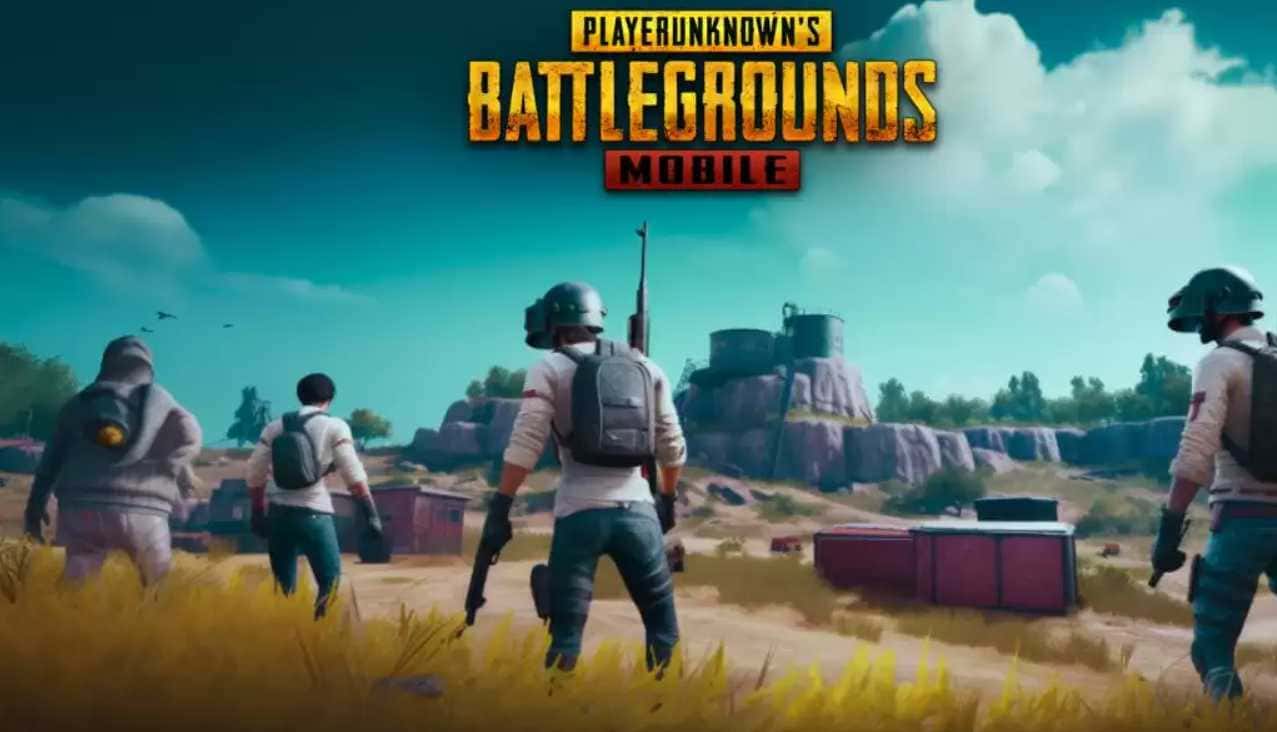
How Do You Download PUBG Mobile 3.2 Beta?
PUBG Mobile 3.2 Beta adds the Levitron and Armored Meka vehicles, the Steel Vault mode, and new Metro Royale collectibles, and can be downloaded via APK from the official Beta site.
- PUBG Mobile 3.2 Beta's new themed mode adds the Levitron vehicle, which switches between speed and vehicle form, and the four-seat Armored Meka.
- The Steel Vault stage lets players enter a giant warship that lands on Erangel to fight rivals inside it.
- PUBG Mobile 3.2 Beta can be downloaded as an APK from the official PUBG Mobile Beta website, starting April 11, 2024.
Download PUBG Mobile 3.2 Beta! Latest Beta Version Update!
PUBG Mobile has continued to be one of the leading titles in the mobile gaming industry since it launched. As millions of players jump into intense battles from their phones, demand for updates and new features keeps growing. PUBG Mobile Beta is a testing ground where players can try upcoming features before their official release. With the recently released PUBG Mobile 3.2 Beta update, plenty of changes have come to the game. So how do you download PUBG Mobile 3.2 Beta?
 3.2 Beta Update Details
Key Content 1: New Themed Mode (from April 11)
- New Meka
- Levitron: A brand-new, special vehicle that can switch between speed form and vehicle form. Its upper and lower body components can combine to form the Armored Meka.
- In speed form, top speed and glide height increase, the vehicle gains a "boost on collision" ability, and it won't slow down when it hits an obstacle. Instead, it uses its stored magnetic energy to accelerate.
- In vehicle form, top speed and glide height decrease, but it can activate a "magnetic arm" to grab and throw characters, vehicles, and certain objects.
- Wayfarer: A two-seat vehicle with a jump ability. It's armed with missiles used to bomb specific areas. You can restock its missiles at a Repair Station.
- Armored Meka: A four-seat vehicle obtained by combining a Levitron with a Wayfarer, or by calling one in from a Steel Vault.
- Levitron: A brand-new, special vehicle that can switch between speed form and vehicle form. Its upper and lower body components can combine to form the Armored Meka.
- Stage
- Steel Vault: A giant warship landing on Erangel. Players can enter the ship and fight other rivals inside it!
-
- Assembly Base: Several of these bases are scattered across the map.
- Stage Mechanics
- Repair Station: Approach a Repair Station while inside a stage to restock your health, fuel, and missiles.
- Quick Parachute Jump: While skydiving, once you reach a certain height in the air, the quick parachute jump button will appear. You can tap this button to open your parachute immediately, or ignore it.
- Character Items
- Backpack Rocket: Pick it up and equip it to increase your movement speed. It can hover in the air for a short time. It uses energy very quickly while airborne. Energy only recharges once you land. Once you reach a certain speed while moving forward, you can switch into speed form. Tapping the "Takeoff" button while switching into speed form triggers a special move. The Backpack Rocket has a health bar that protects you from back and leg damage. It's destroyed after taking a certain amount of damage.
- Personal Shock Device: If you're carrying this item, you can tap the self-rescue button after being knocked down to perform an action similar to reviving a teammate. If successful, you'll recover from being knocked down. Each player can only carry one of this item. Moving while using this item will interrupt the self-rescue process.
- Magnetic Weapon: A less powerful version of the magnetic arm. You can switch to it by tapping the weapon bar. It has the same abilities as the magnetic arm, but with lower values.
- Revival Flare: Works the same way as a flare. When fired and launched into the sky, teammates who have died are instantly revived and return by plane, but every one of them will have used up their revive.
Key Content 2: WOW Gameplay Updates (from April 18)
- New Game Devices
- Contest Object Device: Use this device to spawn a contest object. This is an object players can carry in their hands, just like in a "capture the flag" game.
- Contest Object Delivery Device: The contest object can be delivered to this device in exchange for a reward.
- Defense Tower Device: Use this device to build a stationary defense tower and configure its weapon type.
- Game Device Improvements
- Custom Vehicle Device: Added options for Meka vehicles.
- PvE Enemy Spawn Device: Used to configure the PvE enemy squad.
- Map Marker Device: Now supports showing icons and text during real-time gameplay.
- Game Parameter Improvements
- Shop Tokens can now be kept both within and between matches.
- Optimized the cost values of items.
- Other Improvements
- Added a Target Dummy, a Football, and other new objects.
- You can now team up with friends in Wonder City.
Key Content 3: Core Combat Improvements (from April 18)
- In-Game Marker: When marking supplies with the multi-purpose marker/quick chat, the marked supply's quantity will now also be shown.
- Customization Buttons: When customizing controls, you can now quickly copy the Arena Mode layout for use in Classic Mode.
- Auto Pickup: When you pick up a new melee weapon, you can now choose to either drop your previous melee weapon or store it in your backpack.
Key Content 4: Metro Royale (from April 20)
- New Honor Rewards: Chapter 20 Elite Avatar, Chapter 20 Hero Avatar Frame, and Chapter 20 Legendary Name Card. These rewards can be claimed once the corresponding Honor level is reached.
- Added an ammo limit for Frontline Clash and Old Blockade Zone in Basic Mode.
- Collection Cabinet Updates
3.1.1 Collection Cabinet Updates: Added Chapter 20 collectibles.
3.1.2 Certain Famous collectibles can be displayed in the player's Personal Space once obtained.
3.1.3 You can use special materials to unlock the home decoration perk, and place certain Famous collectibles after that.
- Player TP and Companion TP can now be earned from Metro Royale matches.
- New weapons: P90 (Cobra), P90 (Steel Front)
- Feature Improvements
- Improved weapon status during the preparation phase at the start of a match. Weapons will be loaded and set to full-auto fire mode by default.
- Added a feature to open multiple inventory gift packs at the same time.
SOURCE: pubgmobile.com
 Download PUBG Mobile 3.2 Beta! How Do You Download It?
- Visit the official PUBG Mobile Beta website and go to the downloads section. Find the APK file for PUBG Mobile 3.2 Beta (we'd like to note that we don't recommend using APKs) and start the download.
- Once the download is finished, find the APK file in your device's downloads folder. Before you proceed with installation, make sure your device allows installs from unknown sources. You can enable this option in your device's security settings by selecting 'Install from Unknown Source'.
- After enabling installs from unknown sources, tap the downloaded APK file to begin installation. Follow the on-screen instructions to install PUBG Mobile 3.2 Beta on your device.
- Once installation is complete, you'll find the PUBG Mobile 3.2 Beta icon on your device's home screen or app drawer. Tap the icon to launch the game.
- After launching the game, you may run into additional data downloads needed to update to the Beta version. Let the game finish these downloads; once done, PUBG Mobile 3.2 Beta will be ready to play.
For the latest news and new free games shared every day, follow Gamer Papers and our social media accounts. 🙂
Sources
External links cited in this article
Comments (0)
Log in to leave a comment giriş yap.
No comments yet. Be the first!
Related Posts
All Latest News →
Turkish Wordle Word of the Day Archive
Turkish Wordle's word for December 6, 2024 is "zülüf," and this archive lists every past daily answer plus tips for solving the puzzle.
Coin Master Free Spins Hack: Unlimited Spin Codes
Coin Master's free spins codes refresh daily and can be redeemed for 25 extra spins each, alongside tips like daily gifts, social follows, and friend invites to earn even more.
TFT 2025 Patch Schedule
Teamfight Tactics' projected 2025 patch schedule runs from Patch 14.1 on January 10 through Patch 15.1 on January 15, 2026, roughly every two weeks.