Berk Rip Tepe's CS2 Settings for 2024
Berk Rip Tepe's CS2 settings for 2024 include 800 DPI, 0.6 sensitivity, a green Classic Static crosshair, and a 1280x960 resolution at 87% brightness.

2 min read
In brief
AI summaryBerk Rip Tepe's CS2 mouse settings are 800 DPI with 0.6 sensitivity, giving an eDPI of 480.
Berk Rip Tepe's CS2 crosshair uses the Classic Static style in green, with a length of 2.2 and thickness of 0.6.
Berk Rip Tepe's CS2 video settings run 1280x960 resolution in a 4:3 stretched aspect ratio at 87% brightness.
Contents9 sections
Counter-Strike 2 (CS2) is the popular first-person shooter where players get their competitive online shooting experience. To get the best performance while enjoying the game, it's very important to get your settings right. In our article, we'll go into detail on how you can set up ideal settings for a player like Berk Rip Tepe in CS2. Here are Berk Rip Tepe's CS2 settings for 2024!
 Berk Rip Tepe CS2 Settings 2024
Mouse Settings
| DPI | 800 |
|---|---|
| Sensitivity | 0.6 |
| eDPI | 480 |
| Zoom Sensitivity | 1 |
| Hz | 1000 |
| Windows Sensitivity | 6 |
Crosshair Settings
| Style | Classic Static |
|---|---|
| Follow Recoil | NO |
| Dot | NO |
| Length | 2.2 |
| Thickness | 0.6 |
| Gap | -3 |
| Outline | NO |
| Color | Green |
| Red | 255 |
| Green | 255 |
| Blue | 255 |
| Alpha | Yes |
| Alpha Value | 255 |
| T Style | NO |
| Deployed Weapon Gap | NO |
| Sniper Width | 1 |
Video Settings
| Resolution | 1280x960 |
|---|---|
| Aspect Ratio | 4:3 |
| Scaling Mode | Stretched |
| Brightness | 87% |
| Display Mode | Fullscreen |
Advanced Video Settings
| Boost Player Contrast | Disabled |
|---|---|
| Wait for Vertical Sync | Disabled |
| Multisampling Anti-Aliasing Mode | 8x MSAA |
| Global Shadow Quality | High |
| Model / Texture Detail | Low |
| Texture Filtering Mode | Bilinear |
| Shader Detail | Low |
| Particle Detail | Low |
| Ambient Occlusion | High |
| High Dynamic Range | Performance |
| FidelityFX Super Resolution | Disabled (Highest Quality) |
| NVIDIA Reflex Low Latency | Enabled + Boost |
Who Is Berk Rip Tepe?
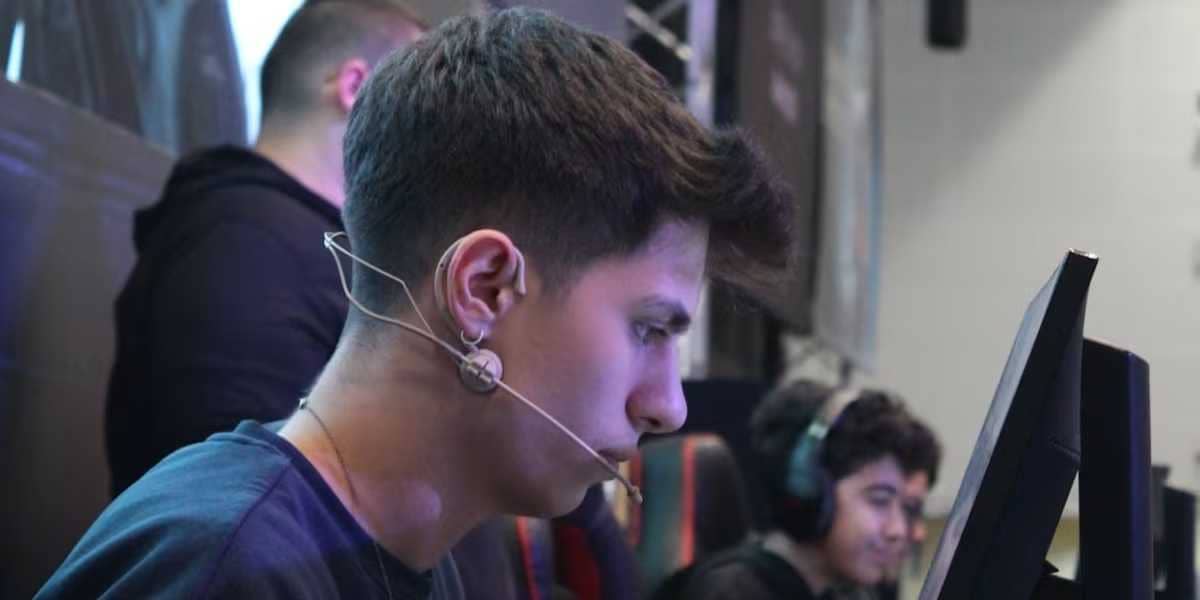
Berk "Rip" Tepe (born February 9, 1998) is a Turkish streamer currently working as a streamer for Fire Flux Esports.
Frequently Asked Questions About Berk Rip Tepe (FAQ)
Which Weapons Does Berk Rip Tepe Prefer?
Berk Rip Tepe generally prefers balanced and powerful weapons. However, he can also use different weapons depending on the game situation and strategy.
What Are Berk Rip Tepe's Best Maps?
Berk Rip Tepe generally prefers competitive maps. He particularly stands out on popular maps like Dust II, Mirage, and Inferno.
What Is Berk Rip Tepe's Favorite Game Mode?
Berk Rip Tepe generally prefers competitive game mode. He shows his best performance by playing strategically and tactically in competitive environments.
Getting the right settings for a player like Berk Rip Tepe in Counter-Strike 2 can significantly improve the gaming experience. Properly configuring your video, control, audio, and network settings gives you better performance and a competitive edge. By customizing these settings to your personal preferences, you can get the best experience suited to your playstyle.
For the latest news, follow our Gamer Papers website and our social media accounts. 🙂
Frequently asked questions
Questions answered in this article
Which Weapons Does Berk Rip Tepe Prefer?
Berk Rip Tepe generally prefers balanced and powerful weapons. However, he can also use different weapons depending on the game situation and strategy.
Go to sectionWhat Are Berk Rip Tepe's Best Maps?
Berk Rip Tepe generally prefers competitive maps. He particularly stands out on popular maps like Dust II, Mirage, and Inferno.
Go to sectionWhat Is Berk Rip Tepe's Favorite Game Mode?
Berk Rip Tepe generally prefers competitive game mode. He shows his best performance by playing strategically and tactically in competitive environments. Getting the right settings for a player like Berk Rip Tepe in Counter-Strike 2 can significantly improve the gaming experience. Properly configuring your video, control, audio, and network settings gives you better performance and a competitive edge. By customizing these settings to your personal preferences, you can get the best experience suited to your playstyle. For the latest news, follow our Gamer Papers website and our social media accounts . 🙂
Go to sectionSources
External links cited in this article
Bazen yazar, bazen tasarlar. Film bağımlısı, oyunlar hakkında yazmayı sever✨