

How to Clean a Computer or Laptop Monitor Screen
To clean a computer or laptop screen safely, power it off, wipe it with a microfiber cloth, and use distilled water or a screen cleaner, never tap water or paper towels.

3 min read
In brief
AI summaryAlways power off and unplug your monitor before cleaning it to stay safe and make dust easier to see on the black screen.
Use only a microfiber cloth and distilled water on a screen; tap water and paper towels can damage or scratch it.
For stubborn grime, a dedicated screen cleaner spray works on the display while a non-abrasive cleaner is fine for the rest of the casing.
Contents6 sections
Your computer's or monitor's screen can get pretty dirty pretty quickly from dust and fingerprints coming from outside. Especially if it hasn't been that long since you got your machine, you might keep running into the same buildup of grime. A dirty monitor can hurt your viewing performance on your computer, and it can also help germs spread quickly. That's why, just like with any other piece of tech, you need to pay attention to keeping your computer clean. We don't want germs spreading fast, right? :) Here are the most hygienic ways to clean your computer or laptop monitor/screen for gamers wondering how.
 How to Clean a Computer or Laptop Monitor/Screen? 2024
While reading these steps, you can also watch the computer cleaning video we made for you! ;)
What you'll need;
- Microfiber cloths
- Cleaning solution (screen cleaning spray)
- Distilled water (optional, if you have some on hand)
Unplug and Power Off Your Monitor
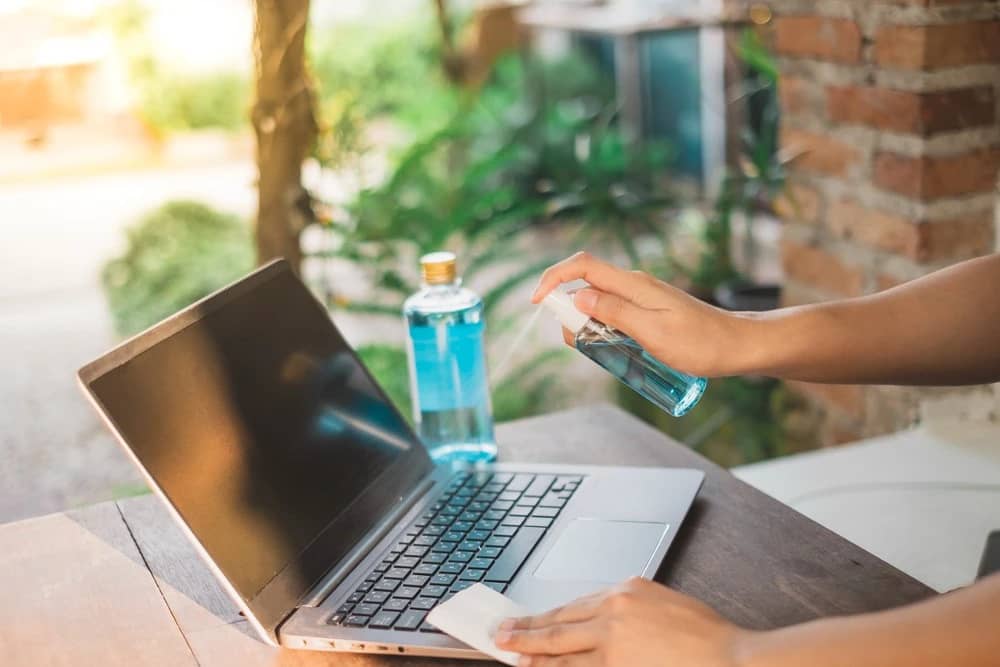
The first thing you need to do is turn off your monitor (or laptop screen) and unplug it. This is a very important step for safety. It also means the black screen will make dust stand out more, making cleaning easier.
Use a Microfiber Cloth
As you can see in the list of things you'll need, you'll want the help of microfiber cloths. You can start gently and carefully wiping the screen with the cloth. As you do this, make sure you're picking up every speck of dust and wiping stubborn spots a bit more firmly. Avoid using any paper towels or tissues to wipe the screen, as they can damage it.
Get Some Distilled Water
If you believe your monitor still has room to look better, get some distilled water. Remember to only use distilled water, since tap water can contain invisible minerals that could damage your monitor's screen.
Spray a little water onto your cloth and wipe. Don't spray water directly onto your monitor, or it could drip and get into the device's seams. Make sure you wipe down the entire monitor thoroughly.
Keep Cleaning!
If your monitor is still stubbornly dirty in places, get a screen cleaner for the screen and any non-abrasive cleaner for the rest of the monitor. Spray the screen cleaner onto your cloth and gently wipe your screen in circular motions.
You can use a regular cleaning solution for the rest of the casing, but you need to make sure it doesn't come into contact with the screen. While cleaning solutions give good results, they contain extremely harmful chemicals. Keep that in mind as well.Let Your Monitor Dry
Use a dry cloth to dry your monitor. If you have another microfiber cloth that isn't wet, you can use that on your screen. It's recommended that you let it air dry for a while before turning it back on, and make sure there's no moisture left inside.
Frequently asked questions
Questions answered in this article
How to Clean a Computer or Laptop Monitor/Screen? 2024
Microfiber cloths • Cleaning solution (screen cleaning spray) • Distilled water (optional, if you have some on hand) The first thing you need to do is turn off your monitor (or laptop screen) and unplug it. This is a very important step for safety. It also means the black screen will make dust stand out more, making cleaning easier.
Go to sectionLoL, TFT ve VALORANT sever bir oyun sever ve oyuncu. Mobil platformlarda ise tam bir Clash of clans hastası.


