How to Kick Yourself in CS:GO With Console Commands
To kick yourself in CS:GO, open the console, type status to find your number, then enter callvote kick followed by your number; the vote decides whether you are removed.
2 min read
In brief
AI summaryIn CS:GO, you can start a vote to kick yourself by opening the console, typing status to find your number and entering callvote kick with that number, for example callvote kick 290 4.
A CS:GO self-kick vote does not guarantee removal: like kicking a teammate, it is put to a vote and the result decides whether you are removed from the game.
CS:GO alternatives to a self-kick include surrendering with the esc menu, kicking a player, or calling a tactical timeout when a teammate drops or has hardware problems.
Contents3 sections
If your CS:GO competitive matches feel like torture, reach a painful point and you want to leave the game, we have the solution. Instead of begging your teammates to kick you from the game, instead of pleading ''Kick me pleeaase'', all you need to do is kick yourself and start the vote!
 Step-by-Step Self-Kick in CS:GO
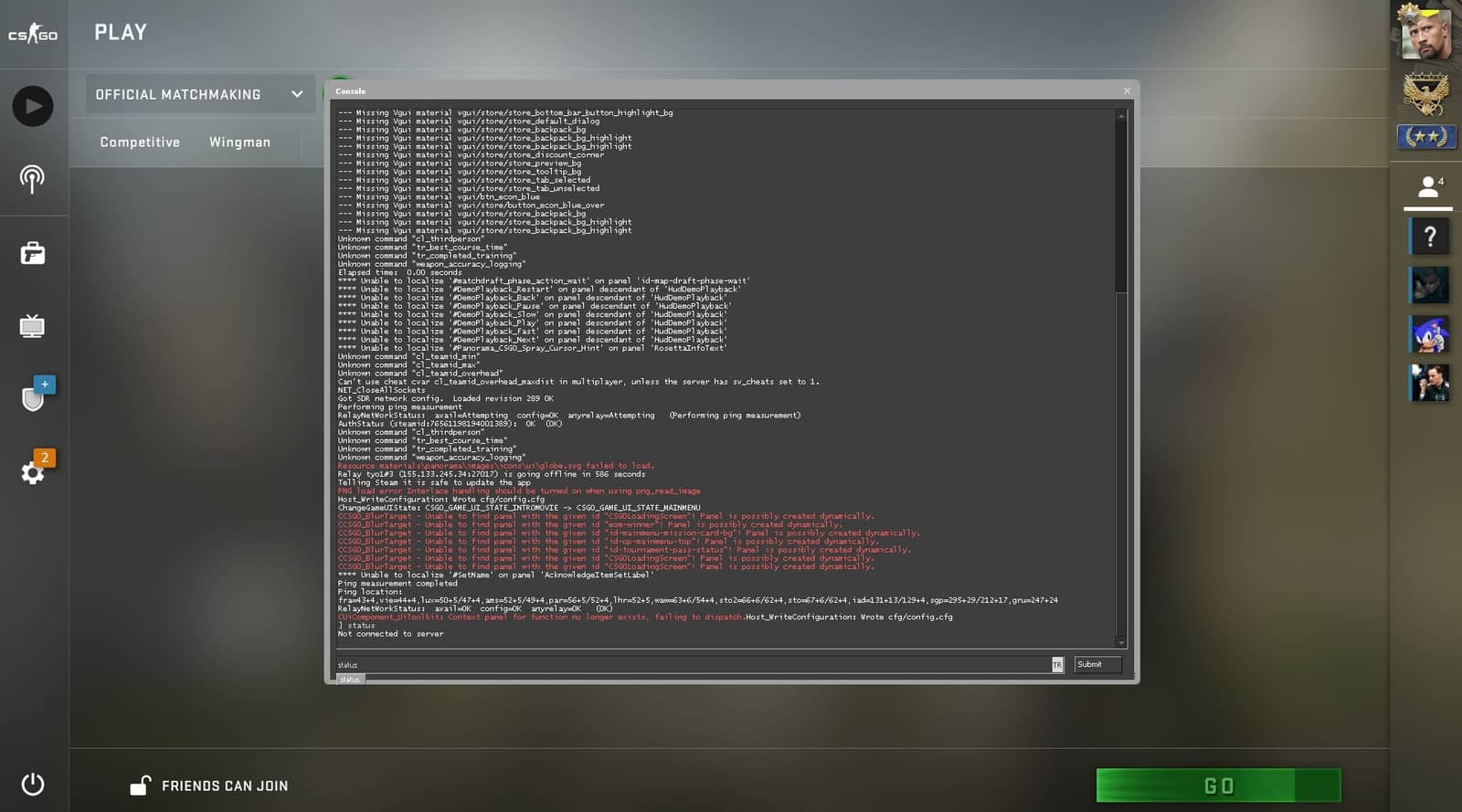
- Open the console. Enter the ''status'' command.
- You will see the names of the players on the server. Among the numbers next to these names, find the one that belongs to you.
- Then you can start the vote by typing ''callvote kick (your number)'' into the console. Example: ''callvote kick 290 4''
Note: Starting a vote to kick yourself does not mean you will definitely be kicked. As when you want to kick a teammate in CS:GO, it is put to a vote, and the result decides whether you are removed from the game.
Surrendering / Kicking a Player / Calling a Tactical Timeout in CS:GO
If you are going through exhausting matches in CS:GO and cannot get yourself kicked from the game, here are the options you have.
- Surrender
- Kick a Player
- Call a Tactical Timeout
During the match, it is enough to press the ''esc'' key on your keyboard and then act with the checkmark button.
What Is a Tactical Timeout in CS:GO?
It is a great option to use when a teammate drops from the game, their hardware such as mouse/keyboard is not working, in short when a teammate is unable to play. In the tactical timeout you take, you can wait for your friend or have talks with your teammates to turn around a game that is going badly.
Frequently asked questions
Questions answered in this article
What Is a Tactical Timeout in CS:GO?
It is a great option to use when a teammate drops from the game, their hardware such as mouse/keyboard is not working, in short when a teammate is unable to play. In the tactical timeout you take, you can wait for your friend or have talks with your teammates to turn around a game that is going badly.
Go to section