

How to Make Your Instagram 2022 Recap Reel
To make an Instagram 2022 Recap Reel, open the Reels tab, tap the camera icon, choose Templates, pick a Recap template, swap in your own clips and tap Share.

3 min read
In brief
AI summaryIn December 2022, Instagram launched Recap Reels, a customizable Reel for sharing your favorite memories of the year, similar to Spotify Wrapped, Apple Music Replay and Reddit Recap.
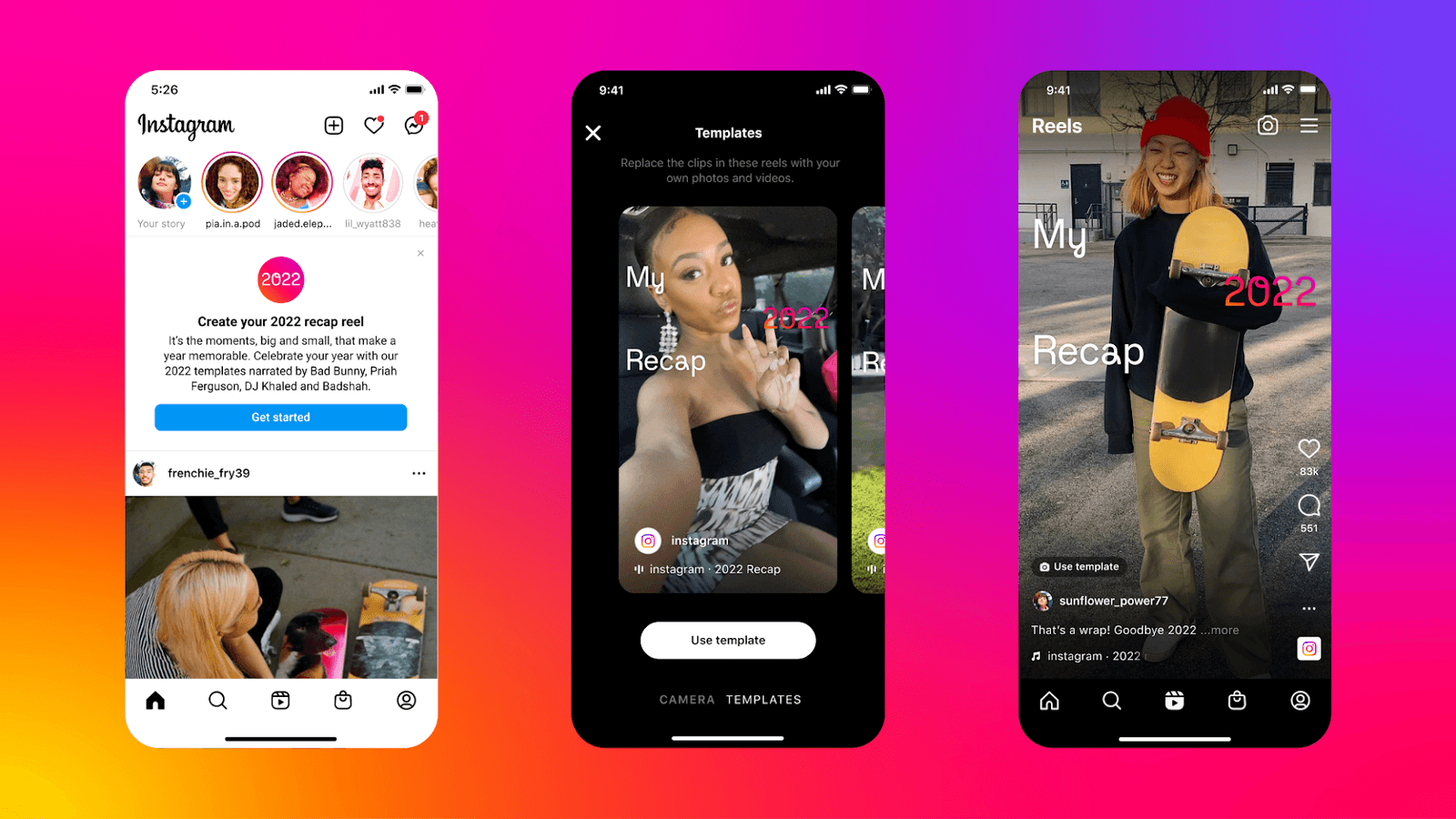
To make an Instagram Recap Reel, go to the Reels tab, tap the camera icon, select Templates, choose a Recap template such as one narrated by Bad Bunny, Priah Ferguson, DJ Khaled or Badshah, and tap Use template.
Replace the template's clips with your own photos and videos, preview, tap Next, add a caption and cover, then tap Share; Recap Reels were not yet available to all users in December 2022.
In 2022, Instagram became a new focal point for video content with its Reels feature. Although this shift is controversial, to say the least, many users enjoy the app's mix of photo and video content. Many apps such as Spotify Wrapped, Apple Music Replay and Reddit Recap offer users their own way to look back at the year they lived. Instagram is joining the fun with Recap Reels. Instagram Recap Reels is a customizable Reel you can use to share your favorite memories of the year, whether or not they were posted on Instagram. Here is everything you need to know about how to make your own Recap Reel.

How Do You Make an Instagram 2022 Recap Reel?
Like the rest of Instagram's Reel creation tools, making a Recap Reel is completely free and simple to do from your phone. It is worth noting that Recap Reels have not yet been rolled out to all Instagram users, so if you follow the steps below and do not have access to it, do not worry; you will have it soon. Check again later and you will have access in the coming days.
- Open Instagram and go to the Reels tab by selecting the Play button icon at the bottom of the screen.
- While on the Reels tab, select the camera icon in the top right corner of the screen to create a new Reel.
- With the Reel creation tools open, select Templates next to Reel at the very bottom of the screen.
- Here you will be able to access a handful of different Recap Reel templates, including narrations by Bad Bunny, Priah Ferguson, DJ Khaled and Badshah. After choosing the template you prefer, select the Use template button at the bottom of the screen.
- After choosing a template, you will be able to replace the video clips in the template with your own pictures and videos. The clips are listed at the bottom of the screen in the order they appear in the Reel template. Select a clip to replace it.
- After selecting a clip to replace, Instagram will pull up your camera roll. Choose the clips you want to use in place of the template footage, then select the Arrow button in the bottom right corner of the screen.
- With your clips selected, you will be given a preview of your Recap Reel. Adjust the clips as needed, then select the white button that says Next in the bottom right corner of the screen.
- You can now watch your Recap Reel in full screen and make any additional edits you want. The editing tools are the same as those found in normal photo and Reel sharing. After completing your edits, select Next.
- Add a caption to your Recap Reel by entering text in the Write a caption... text box, edit the Reel cover (the image people will see before choosing to watch the Reel) and add additional information such as locations and tags. When your Recap Reel is ready to send, select Share, and the Reel will be posted to your Instagram profile.
Just like that, you have made your own Instagram 2022 Recap Reel! While it is not exactly the same as Spotify Wrapped or Reddit Recap, it is another fun way to commemorate your year and look back at your biggest memories.
Frequently asked questions
Questions answered in this article
How Do You Make an Instagram 2022 Recap Reel?
Like the rest of Instagram's Reel creation tools, making a Recap Reel is completely free and simple to do from your phone. It is worth noting that Recap Reels have not yet been rolled out to all Instagram users, so if you follow the steps below and do not have access to it, do not worry; you will have it soon. Check again later and you will have access in the coming days. Just like that, you have made your own Instagram 2022 Recap Reel! While it is not exactly the same as Spotify Wrapped or Reddit Recap, it is another fun way to commemorate your year and look back at your biggest memories.
Go to section

