

How to Add Widgets to the iOS 16 Lock Screen
To add widgets to the iOS 16 lock screen, press and hold the lock screen, tap Customize, tap Add Widgets under the clock, pick up to four widgets and tap Done. Guide from September 2022.

2 min read
In brief
AI summaryWith iOS 16 (September 2022), iPhone users can add widgets such as Clock or Fitness directly to the lock screen to see alarms or daily step count.
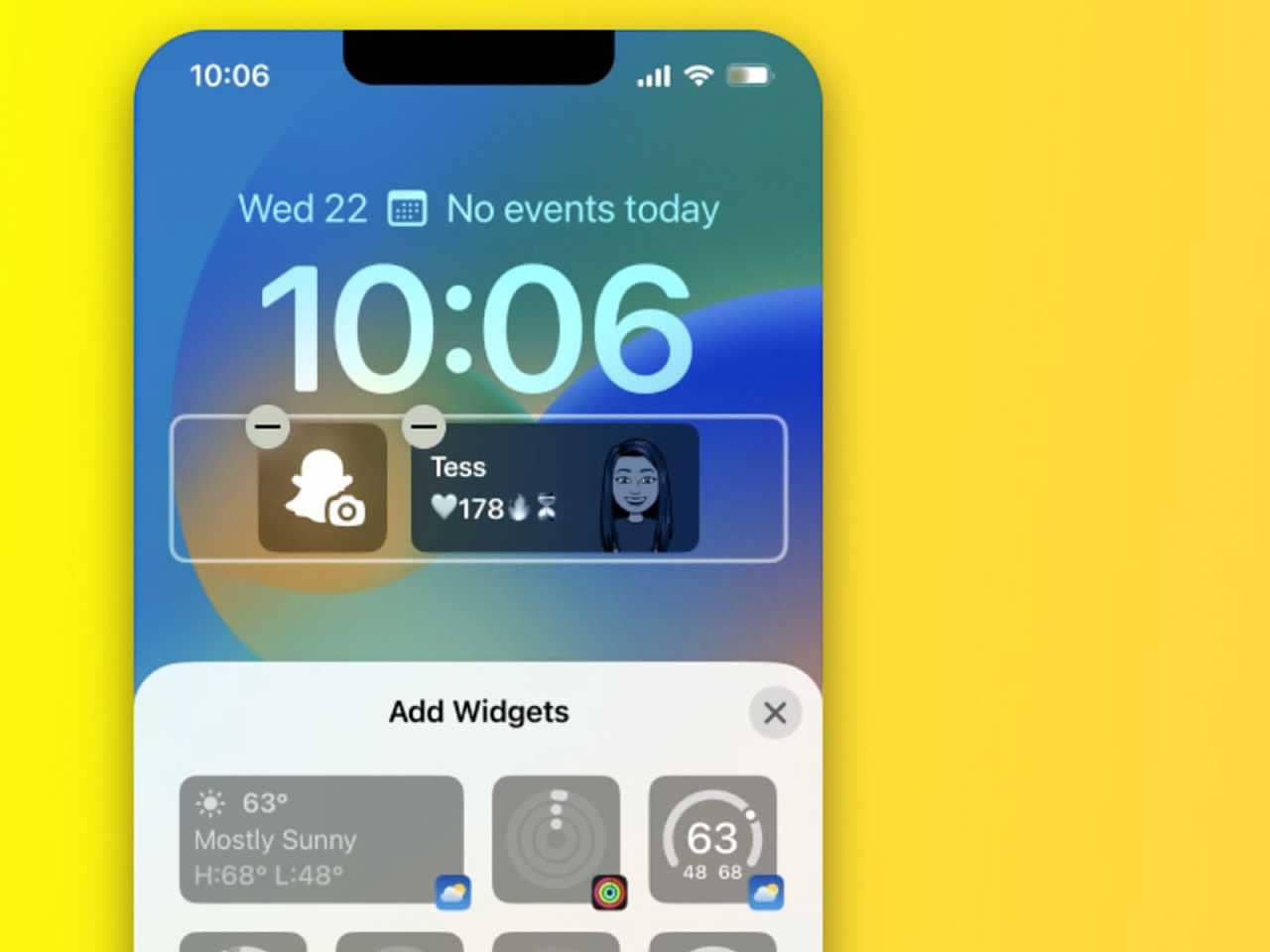
To add a lock screen widget in iOS 16, press and hold an empty area of the lock screen, tap Customize and tap the Add Widgets section under the Clock.
In iOS 16 you can select up to four widgets from the picker, with the configuration set by each widget's style; tap Done and Set as Wallpaper Pair to finish.
Contents2 sections
With iOS 16 you can now customize your device the way you want. With the new update, you will be able to add widgets directly to your lock screen. You can add an app such as Clock or Fitness to your lock screen and view your upcoming alarms or daily step count. In this article we cover how to use this feature. How do you add widgets in iOS 16? Let's look for the answer to this question together.
 How Do You Add Widgets in iOS 16? 2022
Adding widgets to your iPhone lock screen follows the same path as changing any part of the lock screen. You can follow these steps to add widgets to the lock screen:
- Go to your iPhone lock screen and press and hold any empty area to enter the lock screen menu.
- Then tap Customize.
- Under the Clock there will be an Add Widgets section. Tap it to start adding widgets.
- You will see a widget picker that shows all the widgets on your iPhone.
- You can select up to four. However, the configuration is determined by the style of the widget you choose.
- After choosing the widget selection you want, tap Done and, when prompted, tap Set as Wallpaper Pair.
More of Our Articles About iOS 16
Frequently asked questions
Questions answered in this article
How Do You Add Widgets in iOS 16? 2022
Adding widgets to your iPhone lock screen follows the same path as changing any part of the lock screen. You can follow these steps to add widgets to the lock screen: How Do You Download the iOS 16 Developer Beta? • How Do You Edit and Send Messages on iPhone With iOS 16? • How Do You Filter Unknown Messages in iOS 16? • How Do You Delete iOS 16 Lock Screen Wallpapers?
Go to sectionBazen yazar, bazen tasarlar. Film bağımlısı, oyunlar hakkında yazmayı sever✨


