

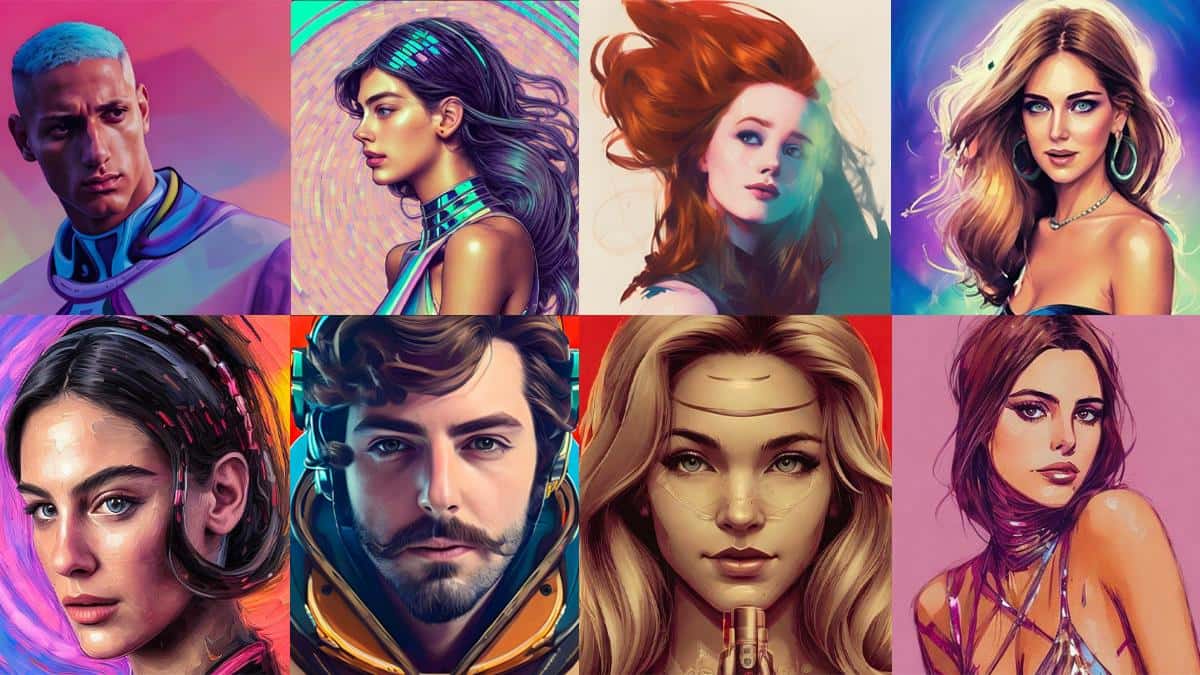
Lensa is an AI-powered photo editing app whose AI selfie generator now costs $8 for 50 selfies, up from $4 before December 8, 2022.

- Lensa is an AI-powered photo editing app whose AI selfie generator creates portraits from 10-20 uploaded photos.
- As of December 8, 2022, Lensa raised AI selfie prices to $8 for 50, $12 for 100, and $16 for 200 selfies.
- Lensa's premium subscription, priced around $40 a year, includes a 51% discount on AI selfie purchases.
Artificial intelligence is a term used a lot in the tech world, and while it isn't always the easiest thing to understand, it can have some genuinely impressive uses, like AI image generators in apps such as Lensa. So how do you use the Lensa app? How do you take AI selfies? How is a photo turned into AI art? Let's take a look!

What Is the Lensa App?
Lensa is an AI-powered photo editing app with a wide range of tools that let users remove objects from photos, fix flaws in their selfies, and much more. It's also the AI app you see everywhere on Twitter and Instagram, the one everyone is using.
Lensa's best and most popular feature is its AI selfie generator. The Lensa app uses artificial intelligence to create your own selfie portraits with just a few taps, and the results usually look genuinely impressive.
How Do You Use the Lensa App?
First of all, you'll need to download the Lensa app to your smartphone. It's available for both Android and iOS, so whether you have a Google Pixel 7 or an iPhone 14, you can get started the same way. Once you have the app, that's when the real fun begins.
- Open the Lensa app on your phone.
- Tap the Next button through the following pages to see how the Lensa app works.
- Once you finish these pages, tap Get Started.
- To use Lensa's AI selfie generator, you'll want to subscribe to its paid subscription. Fortunately, there's a free trial. Not sure yet? Tap the toggle next to it and enable the free trial.
- Tap the yellow Try for free and Subscribe button.
- After completing your subscription/free trial, select the yellow Try Now button.
- Select Continue.
- Read Lensa's photo instructions, tick the box next to "I agree to the Terms of Use, Privacy Policy," then tap Select 10-20 photos.
- Find and select 10-20 selfies of yourself.
- Wait for Lensa to import your photos.
- Select your gender.
- Choose how many AI avatars you want to buy.
- After choosing how many avatars you want, tap the Buy button at the bottom of the screen.
- Wait for the Lensa app to upload your photos.
- Once your photos are uploaded, the Lensa app needs some time to generate your AI selfie images. The Lensa app shows the time remaining in the middle of the screen. You can leave the app open there, or tap one of the two options below: Notify me when it's done or Hide this screen.
- Once your AI selfie avatars are ready, open the Lensa app again and tap the smiley face icon in the top-left corner.
- Tap your avatar pack.
- Have fun browsing through all the AI selfies Lensa has generated for you! The AI selfie images are organized into various categories, including Superhero, Mystic, Sci-Fi, and more.
- To save all the AI selfies to your phone, tap Save all avatars in the top-right corner. Alternatively, to save a single AI selfie, tap any photo and then the Save to Photos button.
Is the Lensa App Free?
Downloading the Lensa app itself doesn't cost anything at first. However, you'll need to set aside some money to get your AI selfies made.
So what do these selfies cost? On December 1, Lensa was selling 50 AI selfies for $4, 100 selfies for $6, and 200 selfies for $8. But as of December 8, prices went up. Now, 50 selfies cost $8, 100 selfies cost $12, and 200 selfies will run you $16.
One perk of signing up for Lensa's premium subscription is a 51% discount on these AI selfie purchases. There are numerous plans available for Lensa's premium subscription, with the most common ones costing around $40 a year.
Comments (0)
Log in to leave a comment giriş yap.
No comments yet. Be the first!
Related Posts
All News →
Turkey Game Industry Report 2024 Released
Turkey's 2024 Game Industry Report shows the country's gaming market grew to over $810M with 48M+ active players, alongside a new digital guide to local game companies.

Loldle Answers: Daily League of Legends Puzzle
Loldle is a daily League of Legends guessing game with five modes (Classic, Quote, Ability, Emoji, Splash); December 6, 2024's Classic answer was Fiddlesticks.

Monopoly GO Dice Links: Free Dice Rewards
Monopoly GO's free dice links refresh daily and can be redeemed instantly for 25 or 30 free dice each, plus tips like auto refills every 60 minutes, daily gifts, and sticker trading to earn even more.