

A forgotten League of Legends password is fixed from the official Riot site's "Can't Sign In?" page, which emails reset instructions to the account's linked address.
- League of Legends players who forget their password should go to the official site and click the "Can't Sign In?" button.
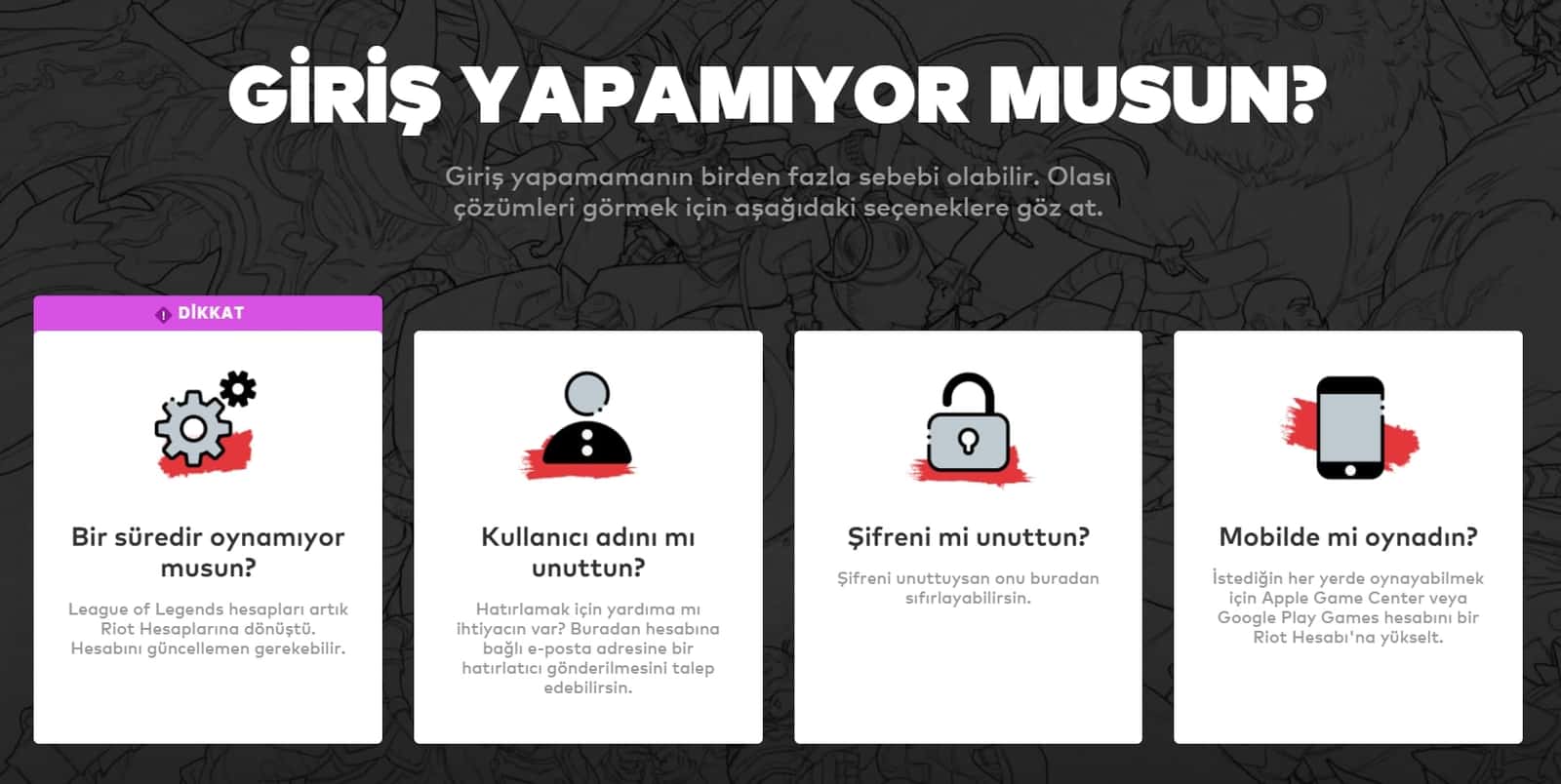
- The following page offers four options, including forgotten username and forgotten password, each with its own recovery steps.
- Riot Games sends password reset instructions to the email address linked to the League of Legends account.
In this piece, we wanted to show you how to change your LoL password. If you've forgotten your LoL account password don't worry, the fix is really easy! Just follow the LoL password reset steps we're about to list.
Updated 2021 Settings for the LoL Password Change/Reset Steps
- The first thing you need to do is go to the official League of Legends website and click "Can't Sign In?".

LoL Password Change Steps and Categories
- After clicking this option, a page like the one below will appear. On this page you'll see 4 different options: Haven't played in a while? - Forgot your username? - Forgot your password? - Did you play on mobile? If you've forgotten your username, entering your email will be enough. Once you receive the email linked to your account, following the steps in that email will help you change your password.

Those are the steps you can use to change your LoL password. Changing your password on League of Legends really isn't anything to be scared of. Just make sure to follow the LoL password change steps properly and pick the right issue when resetting your account.
Also;
Sources
External links cited in this article
Comments (0)
Log in to leave a comment giriş yap.
No comments yet. Be the first!
Related Posts
All News →
Turkey Game Industry Report 2024 Released
Turkey's 2024 Game Industry Report shows the country's gaming market grew to over $810M with 48M+ active players, alongside a new digital guide to local game companies.

Loldle Answers: Daily League of Legends Puzzle
Loldle is a daily League of Legends guessing game with five modes (Classic, Quote, Ability, Emoji, Splash); December 6, 2024's Classic answer was Fiddlesticks.

Monopoly GO Dice Links: Free Dice Rewards
Monopoly GO's free dice links refresh daily and can be redeemed instantly for 25 or 30 free dice each, plus tips like auto refills every 60 minutes, daily gifts, and sticker trading to earn even more.