How to Create a Mii in Nintendo Switch Sports
To use a Mii in Nintendo Switch Sports, open System Settings, scroll to Mii, choose Create/Edit Mii, then Create New Mii, and select Mii under Body in the game's Customize menu.

2 min read
In brief
AI summaryTo create a Mii for Nintendo Switch Sports, open System Settings on the Switch, go to the Mii tab, choose Create/Edit Mii and select Create New Mii.
Nintendo Switch Sports lets players create a Mii from scratch, pick a random lookalike or import a Mii from an Amiibo saved from the Nintendo 3DS or the Wii Mii Maker.
To play with your Mii in Nintendo Switch Sports, choose a game mode, open Customize, select Body and pick Mii, which functions the same as the game's own avatar.
Contents2 sections
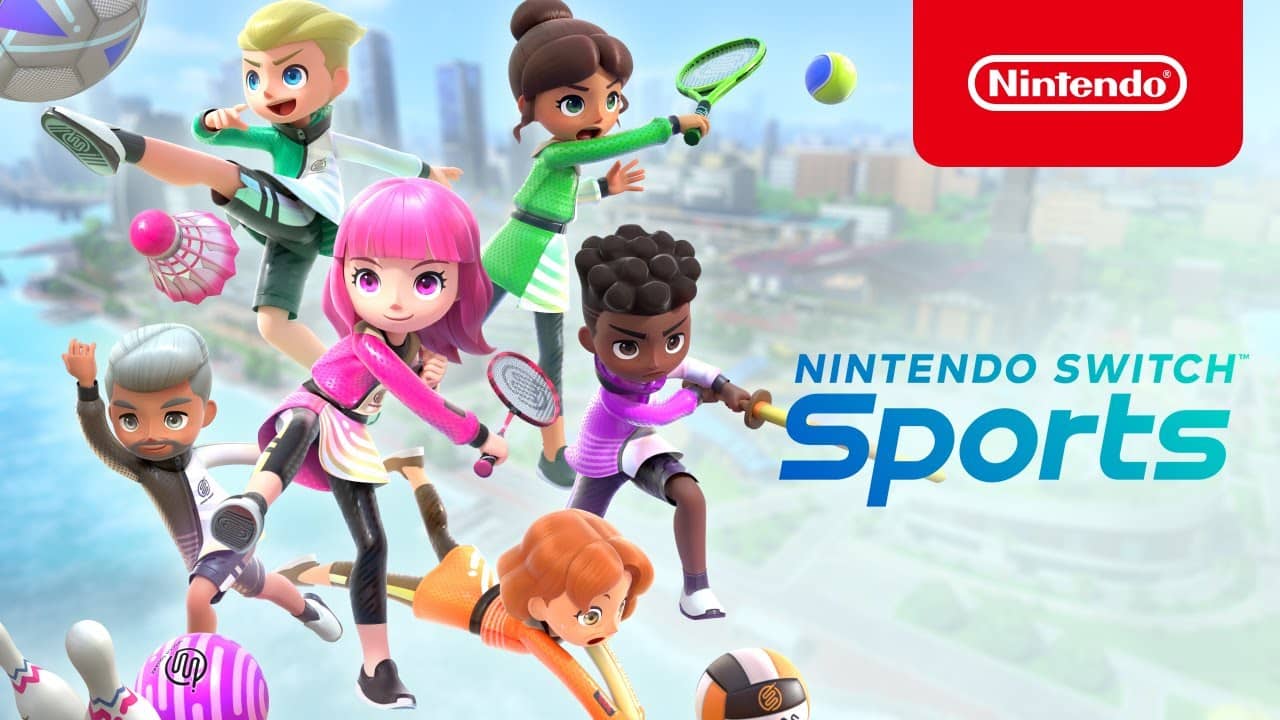
Many Nintendo fans will recognize a lot of Nintendo Switch Sports DNA from the iconic Wii Sports title released in 2006. Nintendo Switch Sports captures the nostalgia of Wii Sports in various ways. Still, Nintendo Switch owners may not have a Mii of their own yet, and will instead be asked to create a Nintendo Switch Sports avatar. So let's take a look at how you can create a Mii on the Switch and how you can play with your new character.

How Do You Create a Mii in Nintendo Switch Sports?
To create a Mii for Nintendo Switch Sports, open System Settings on your Switch, scroll to Mii, choose Create/Edit Mii and then Create New Mii. Although making a real Mii avatar is simple, you need to know which menus to navigate to get the job done:
- Load your Nintendo Switch console in docked or handheld mode.
- In the bottom bar, go to the gear icon labeled 'System Settings' and click the icon.
- Scroll down until you reach the 'Mii' tab, then click 'Create/Edit Mii'.
- Then select 'Create New Mii', which lets you make a Mii completely from scratch, choose a randomly generated lookalike or import a Mii from an Amiibo.
Choosing 'Start from Scratch' will allow full customization. Here players can choose a gender and customize their face, hair, height and weight to their liking. To import a past Mii from an Amiibo, players must have saved the previous Mii's data to a specific Amiibo from the Nintendo 3DS or the Wii Mii Maker.
How Do You Play With Your Mii in Nintendo Switch Sports?
Once you have created your Mii or chosen to import one, you can access that Mii while playing Nintendo Switch Sports.
- Launch Nintendo Switch Sports and select the game mode you want to play.
- If you haven't yet, you will be asked to create a Nintendo Switch Sports avatar. If you have already made one, select an avatar and click the 'Customize' option.
- From here, select 'Body' under 'Face and Hairstyle' and 'Clothes and Accessories'.
- Under 'Body', players can select 'Mii', which lets them use the Mii they created to play Nintendo Switch Sports.
Although there is functionally no difference between using a Mii and a Nintendo Switch Sports avatar, it is nice to have the option to use classic Miis. Players can now enjoy bringing a variety of different avatars to compete head to head with friends and family in Nintendo Switch Sports.
Frequently asked questions
Questions answered in this article
How Do You Create a Mii in Nintendo Switch Sports?
To create a Mii for Nintendo Switch Sports, open System Settings on your Switch, scroll to Mii, choose Create/Edit Mii and then Create New Mii. Although making a real Mii avatar is simple, you need to know which menus to navigate to get the job done: Choosing 'Start from Scratch' will allow full customization. Here players can choose a gender and customize their face, hair, height and weight to their liking. To import a past Mii from an Amiibo, players must have saved the previous Mii's data to a specific Amiibo from the Nintendo 3DS or the Wii Mii Maker.
Go to sectionHow Do You Play With Your Mii in Nintendo Switch Sports?
Once you have created your Mii or chosen to import one, you can access that Mii while playing Nintendo Switch Sports. Although there is functionally no difference between using a Mii and a Nintendo Switch Sports avatar, it is nice to have the option to use classic Miis. Players can now enjoy bringing a variety of different avatars to compete head to head with friends and family in Nintendo Switch Sports.
Go to section