

Best 14-Inch Laptops of 2022: MacBook Pro 14, Razer Blade 14
As of May 2022, the guide's best 14-inch laptops are the MacBook Pro 14 (M1 Pro or M1 Max), Asus ExpertBook B9450, Razer Blade 14 and Lenovo IdeaPad Slim 7i Pro.

4 min read
In brief
AI summaryAs of May 2022, the MacBook Pro 14 uses Apple's M1 Pro or M1 Max, with 16 GB to 64 GB RAM, up to 8 TB SSD and a 14.2-inch Liquid Retina XDR mini-LED 120 Hz display.
The Asus ExpertBook B9450 has a Core i7-10510U, 16 GB RAM and a 512 GB SSD, weighs about 2.2 pounds and Asus reports up to 24 hours of battery life.
The Razer Blade 14 pairs a Ryzen 5900HX with RTX 3060, 3070 or 3080 graphics, and the Lenovo IdeaPad Slim 7i Pro has a 14-inch 2.8K (2880 x 1800) 90 Hz IPS display.
Contents6 sections
A 14-inch laptop is smaller than even the best 13-inch laptops but has a noticeable screen size upgrade, which makes them better options for entertainment, gaming or professional design, while staying thin and portable enough to carry with you everywhere. So which is the best 14-inch laptop? Let's take a look!
Which Is the Best 14-Inch Laptop? 2022
MacBook Pro 14

It has a lot more in common with the larger machine, including running Apple's M1 Pro or M1 Max CPUs. In the MacBook Pro 14, these hybrid processors are offered with eight or ten CPU cores and 14, 16 or 32 GPU cores. RAM is configurable from 16 GB to 64 GB, and storage can be upgraded up to an 8 TB PCIe solid-state drive (SSD). The M1 Pro and M1 Max are not only incredibly fast chips but also efficient, which means the MacBook Pro 14 should also have superior battery life.
The laptop's screen is also first-class, using Apple's 14.2-inch Liquid Retina XDR mini-LED ProMotion panel. This display offers incredibly wide and accurate colors, inky blacks thanks to deep contrast, and a 120 Hz refresh rate. Apple has finally added slim bezels to the MacBook Pro 14, making it a smaller laptop. Finally, Apple has improved connectivity by adding an HDMI port and an SD card reader to the USB-C Thunderbolt 4 ports, and wireless connectivity is as fast as you can get today with Wi-Fi 6E.
Asus ExpertBook B9450

Can you have a lot of power without giving up the thin and portable build of 14-inch laptops? Asus thinks so, and this ExpertBook is proof. Inside, you will find a 10th-generation Intel Core i7-10510U processor, 16 GB of RAM and a 512 GB PCIe NVMe SSD. All of this is housed in a slim frame with military-grade durability and a touchpad that can double as a touch-based numeric keypad.
For connectivity, you have a USB-A, Thunderbolt 3/USB-C and HDMI, along with a microSD card reader. Asus also reports that the battery can last up to 24 hours with optimal settings. All of this comes in a laptop weighing about 2.2 pounds. The Asus ExpertBook B9450 is a great choice for on-the-go designers and video editors, or anyone who wants to push the power possibilities of a laptop this size.
Razer Blade 14

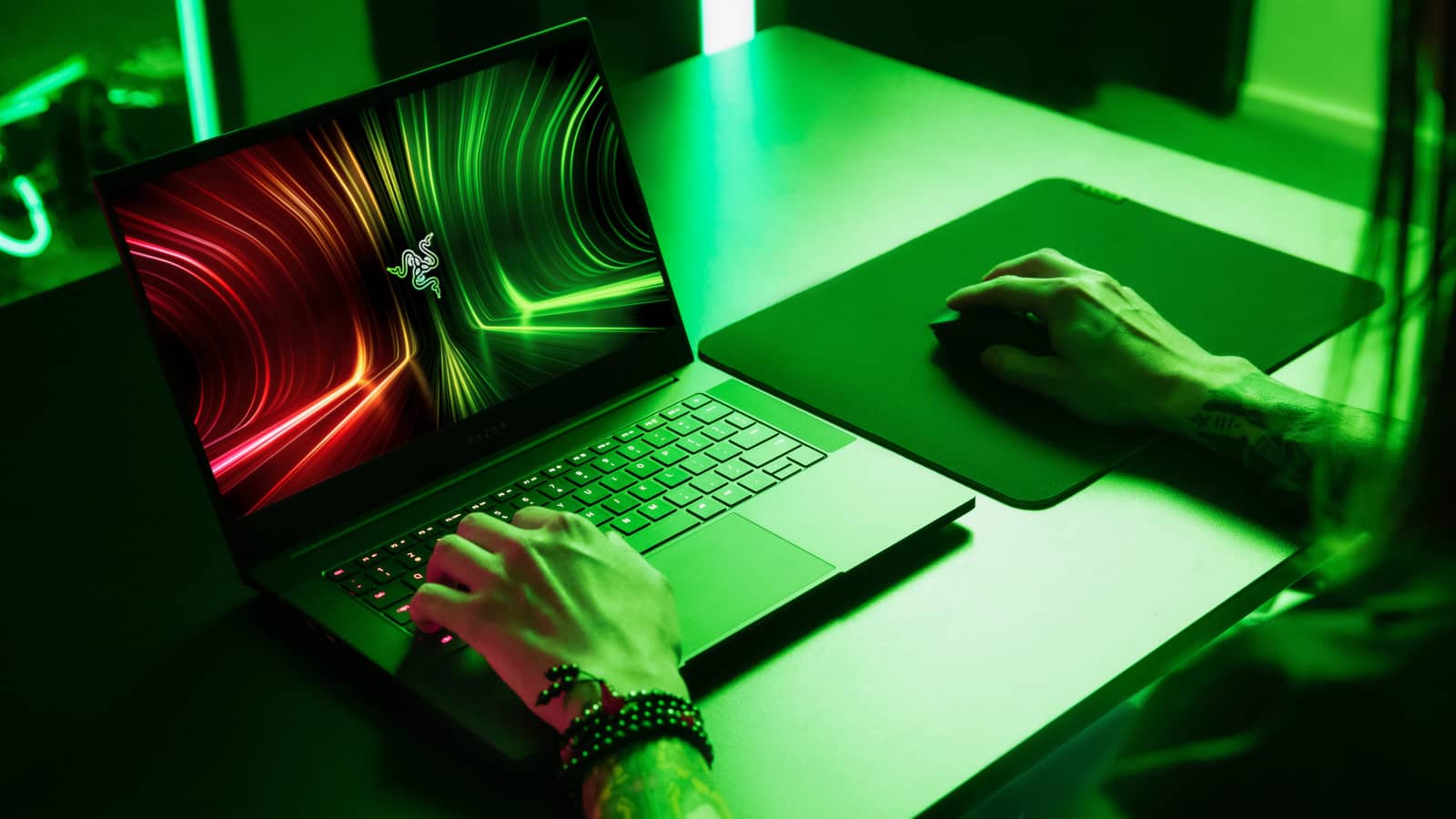
Most gaming laptops are massive things with aggressive vents and angles that make using them in lecture halls embarrassing. This is certainly not the Razer Blade 14, which stays true to Razer's conservative but elegant aesthetic, with an all-black chassis with clean lines and a single Razer logo on the lid. It is a gaming laptop you can proudly use anywhere.
Inside, you will find a powerful beast centered on the ultra-fast AMD Ryzen 5900HX CPU. GPU options include the Nvidia GeForce RTX 3060, 3070 and 3080, so you can fit a real powerhouse into this slim chassis.
Lenovo IdeaPad Slim 7i Pro

Lenovo's IdeaPad Slim 7i Pro is built around an exceptionally beautiful 14-inch IPS display with a productivity-friendly 16:10 aspect ratio and a high 2.8K (2880 x 1800) resolution. It offers wider and more accurate colors and higher contrast than typical thin-and-light productivity laptops, and it even runs at 90 Hz for smoother on-screen motion and animations. This is a 14-inch laptop where the 14-inch screen stands out.
You also get good performance from a 35-watt H-series CPU that is great for productivity and can meet even the needs of entry-level creative types. Up to 16 GB of RAM and up to 1 TB of fast PCIe SSD storage round out the package, giving you a laptop that can handle demanding productivity tasks.
More of Our Tech Articles
- Instagram Nickname Suggestions Are Here
- Instagram Posting Times 2022
- How Do You Create Instagram Filters?
- How Do You Change Your Instagram Username? 2022
- What Are the Instagram Photo Editing Tactics? 2022
- How Do You Add an Instagram Account on TikTok? 2022
- How Do You Create a Pinterest Business Account?
- Pinterest Account Finding Guide
- Pinterest Photo Download 2022
- Guide to Installing the Android Operating System on a PC 2022
- What Is ThrottleStop, What Does It Do and How Do You Use It?
- How Do You Fix the Throttlestop CPU Not Supported Error?
- Best Apple iPhone 13 Screen Protectors
Frequently asked questions
Questions answered in this article
Which Is the Best 14-Inch Laptop? 2022
It has a lot more in common with the larger machine, including running Apple's M1 Pro or M1 Max CPUs. In the MacBook Pro 14, these hybrid processors are offered with eight or ten CPU cores and 14, 16 or 32 GPU cores. RAM is configurable from 16 GB to 64 GB, and storage can be upgraded up to an 8 TB PCIe solid-state drive (SSD). The M1 Pro and M1 Max are not only incredibly fast chips but also efficient, which means the MacBook Pro 14 should also have superior battery life. The laptop's screen is also first-class, using Apple's 14.2-inch Liquid Retina XDR mini-LED ProMotion panel. This display offers incredibly wide and accurate colors, inky blacks thanks to deep contrast, and a 120 Hz…
Go to section

