

How to Block No Caller ID Calls on iPhone (Turkish Carriers)
You can't block 'No Caller ID' calls on an iPhone or Android phone with a setting; your carrier must turn them off, and for Turkish carriers Vodafone uses an SMS to 7046 while Turkcell and Türk…

2 min read
In brief
AI summaryAs of January 2023, hidden ('No Caller ID') calls can't be turned off with any iPhone or Android setting because they are carrier-based and your carrier must close them with your consent.
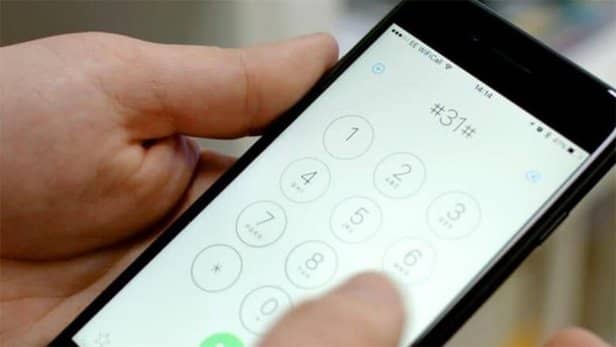
Turkish carriers' codes to block hidden calls: Vodafone, send the SMS 'GIZLI AC' to 7046; Turkcell and Türk Telekom, dial *253# in the dialer.
You can also ask your carrier's customer representative or use the carrier's online pages, apps or SMS to close your line to hidden calls.
GSM users can, if they wish, hide their phone numbers with a few settings on their phones and prevent their numbers from being shown to the people they call. How do you block hidden numbers on iPhone? How do you block "No Caller ID" calls on iPhone? How do you block private-number callers on iPhone? In this article, we showed how to block and turn off hidden calls that appear as "no caller ID" on iPhone. Here are the details..

How Do You Block Hidden Numbers on iPhone? 2023
Calls made this way are shown to phone users as private number, hidden number or no caller ID, depending on the brand and model. Although many phone users today have had their carrier turn off calls from hidden numbers, there are just as many users who still haven't.
Calls that come this way are usually made by people who want to bother the other party, or by people calling the other party for advertising and the like. Such calls sometimes come quite often and disturb users a great deal. For this reason, phone users who haven't had their carrier turn off hidden calls so far go looking for how to turn them off in situations like these.
So how are hidden calls such as 'No caller ID' turned off? Unfortunately, you can't turn off this kind of hidden call with any setting on your phone. Neither iPhone nor an Android smartphone can provide this service. Because these calls are carrier-based, they have to be turned off by your carrier with your consent.
You can do the relevant process very simply by calling the carrier you use (Vodafone, Turkcell, Türk Telekom). All you have to do is talk to your carrier's customer representative and say you want to close your line to hidden calls. In addition, you can also do this through the relevant carriers' online transaction pages or apps, by SMS and similar means.
The most practical ways to do this are usually the methods we have listed below for you. Below you can see how to turn off hidden calls on the carrier you use and apply this to your device.
| VODAFONE : ” GIZLI AC ” Send an SMS to 7046. |
| TURKCELL : Dial *253# in the dialer. |
| TURKTELEKOM: Dial *253# in the dialer. |
By applying the relevant process, you can immediately close your device to hidden (private) calls.
Frequently asked questions
Questions answered in this article
How Do You Block Hidden Numbers on iPhone? 2023
Calls made this way are shown to phone users as private number, hidden number or no caller ID, depending on the brand and model. Although many phone users today have had their carrier turn off calls from hidden numbers, there are just as many users who still haven't. Calls that come this way are usually made by people who want to bother the other party, or by people calling the other party for advertising and the like. Such calls sometimes come quite often and disturb users a great deal. For this reason, phone users who haven't had their carrier turn off hidden calls so far go looking for how to turn them off in situations like these. So how are hidden calls such as 'No caller ID' turned…
Go to sectionBazen yazar, bazen tasarlar. Film bağımlısı, oyunlar hakkında yazmayı sever✨


