

How to Change Apple AirPods Touch Controls (Double-Tap Settings)
To change AirPods touch controls, open your AirPods case, go to Settings > Bluetooth on your iPhone or iPad, tap the info button next to your AirPods and set Double-Tap on AirPod to Siri, Play/Pause…

3 min read
In brief
AI summaryOn Apple AirPods, a double-tap on the left or right earbud can be set to Siri, Play/Pause, Next Track or Previous Track, or turned off completely.
To change AirPods touch controls, open the charging case lid, connect the earbuds, go to Settings > Bluetooth on your iPhone or iPad and tap the info button (i in a circle) next to your AirPods.
Under 'Double-Tap on AirPod', tap the left or right earbud and choose an action; a blue checkmark appears beside the selected option when it is set.
Contents2 sections
Apple AirPods have become a part of our lives. AirPods, a technological innovation that saves us from tangled cables, let us listen to music and make phone calls wirelessly. How do you change AirPods controls? How do you change Apple AirPods touch controls? How do you set the AirPods double-tap? How do you adjust AirPods touch control? In this article, we showed how to change the actions that happen when you double-tap the earbud on Apple AirPods. Here are the details..

How Do You Change Apple AirPods Touch Controls? 2023
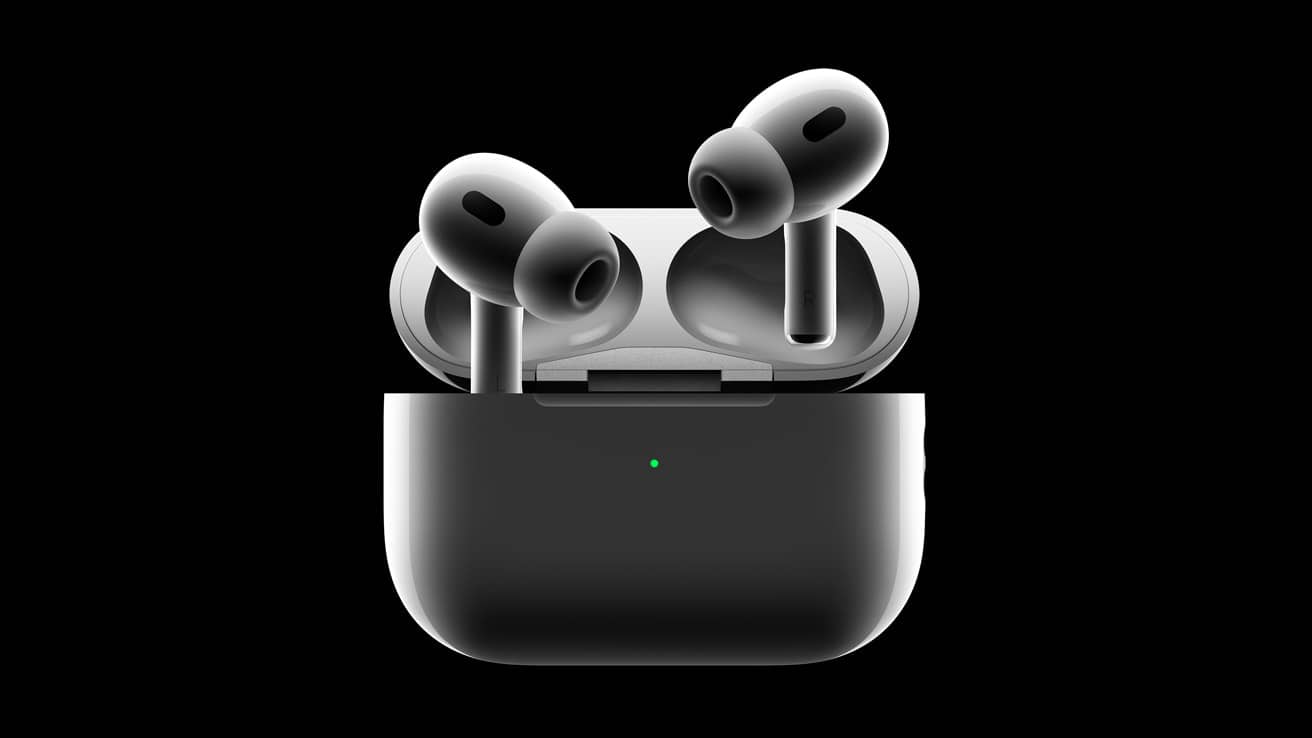
These fully wireless earbuds, which can even be charged wirelessly, can now be carried with us easily at any time and give us a long-lasting user experience. These earbuds, which offer many advantages in terms of being wireless, portability and performance, also offer many features besides all this.
In this article, we talked about one of the features Apple AirPods offer us. This feature, which many AirPods users don't know about, is the action performed when we touch our earbuds. On Apple AirPods, an action happens when we touch the left or right earbud. This action can be changed practically according to users' own wishes.
This feature, which is useful for many users especially while listening to music, lets many different actions happen when users double-tap either the left or right earbud while using their AirPods. These actions can be playing, stopping or pausing audio, or an instruction to skip to the previous or next track. Users can set these adjustments on their earbuds however they like. That way, when needed, users can stop the audio by touching their earbuds, or skip to the previous or next track in the album lists they are listening to by touching their earbuds.
This feature, which makes life easier for many users in many ways, is likely one you will like too. With the adjustment you make according to your own preference, you will be able to do certain things while listening to music just by touching your earbud. So where and how are these things done? Where and how are the AirPods touch controls set? Below, we showed you step by step where and how you can change the touch controls of your Apple AirPods. By following the steps below, you can decide which actions you want to happen when you touch your earbuds.
On your Apple AirPods, you can change the action that happens when you touch your earbud according to your own preference. To change and set the touch controls of your Apple AirPods:
- First, open the lid of your Apple AirPods charging case. Connect your earbuds to your device.
- Then go to "Settings" on your device (iPhone, iPad).
- Go to "Bluetooth" in Settings.
- In the list of Bluetooth devices, tap the info button next to your AirPods. (The letter i in a circle)
Then you can customize your earbuds in the section that appears. In this section you can set the actions of your left or right earbuds when touched.
How Do You Set the AirPods Double-Tap?
In the relevant section, tap one of the left and right earbuds under the "Double-Tap on AirPod" option. Then the section where you can set the action performed by double-tapping the left or right earbud you selected will appear. Here you can set one of the options "Siri, Play/Pause, Next Track, Previous Track" for either of your earbuds. If you like, you can also turn this feature off completely with the "Off" option.
After you set your selection according to your preference, a blue checkmark will appear to the right of the relevant option. Your process will now be complete. You can leave this page and, if you like, set up the other earbud as well.
Frequently asked questions
Questions answered in this article
How Do You Change Apple AirPods Touch Controls? 2023
These fully wireless earbuds, which can even be charged wirelessly, can now be carried with us easily at any time and give us a long-lasting user experience. These earbuds, which offer many advantages in terms of being wireless, portability and performance, also offer many features besides all this. In this article, we talked about one of the features Apple AirPods offer us. This feature, which many AirPods users don't know about, is the action performed when we touch our earbuds. On Apple AirPods, an action happens when we touch the left or right earbud. This action can be changed practically according to users' own wishes. This feature, which is useful for many users especially while…
Go to sectionHow Do You Set the AirPods Double-Tap?
In the relevant section, tap one of the left and right earbuds under the "Double-Tap on AirPod" option. Then the section where you can set the action performed by double-tapping the left or right earbud you selected will appear. Here you can set one of the options "Siri, Play/Pause, Next Track, Previous Track" for either of your earbuds. If you like, you can also turn this feature off completely with the "Off" option. After you set your selection according to your preference, a blue checkmark will appear to the right of the relevant option. Your process will now be complete. You can leave this page and, if you like, set up the other earbud as well.
Go to section

