CS:GO Launch Options Guide 2021
CS:GO launch options in 2021 include useful Steam codes like -novid, -tickrate 128, and -threads x.
2 min read
In brief
AI summaryCS:GO launch options are Steam codes that customize how the game starts and performs.
Launch options are set through Steam's game Properties menu under 'Set Launch Options'.
Useful 2021 codes include -novid, -console, +cl_forcepreload 1, -tickrate 128, -d3d9ex, -high, -nojoy, and -threads x.
Contents4 sections
What Are Launch Options? What Do They Do?
We've put together what CS:GO launch options mean and what they do. The launch options Steam offers players let you customize how the game behaves on startup or during gameplay based on your actions. They give you codes that let you control the interaction between the game and your computer, and help improve your overall enjoyment. Without further ado, let's take a look at the 2021 CS:GO launch options codes.
CS:GO Launch Options 2023
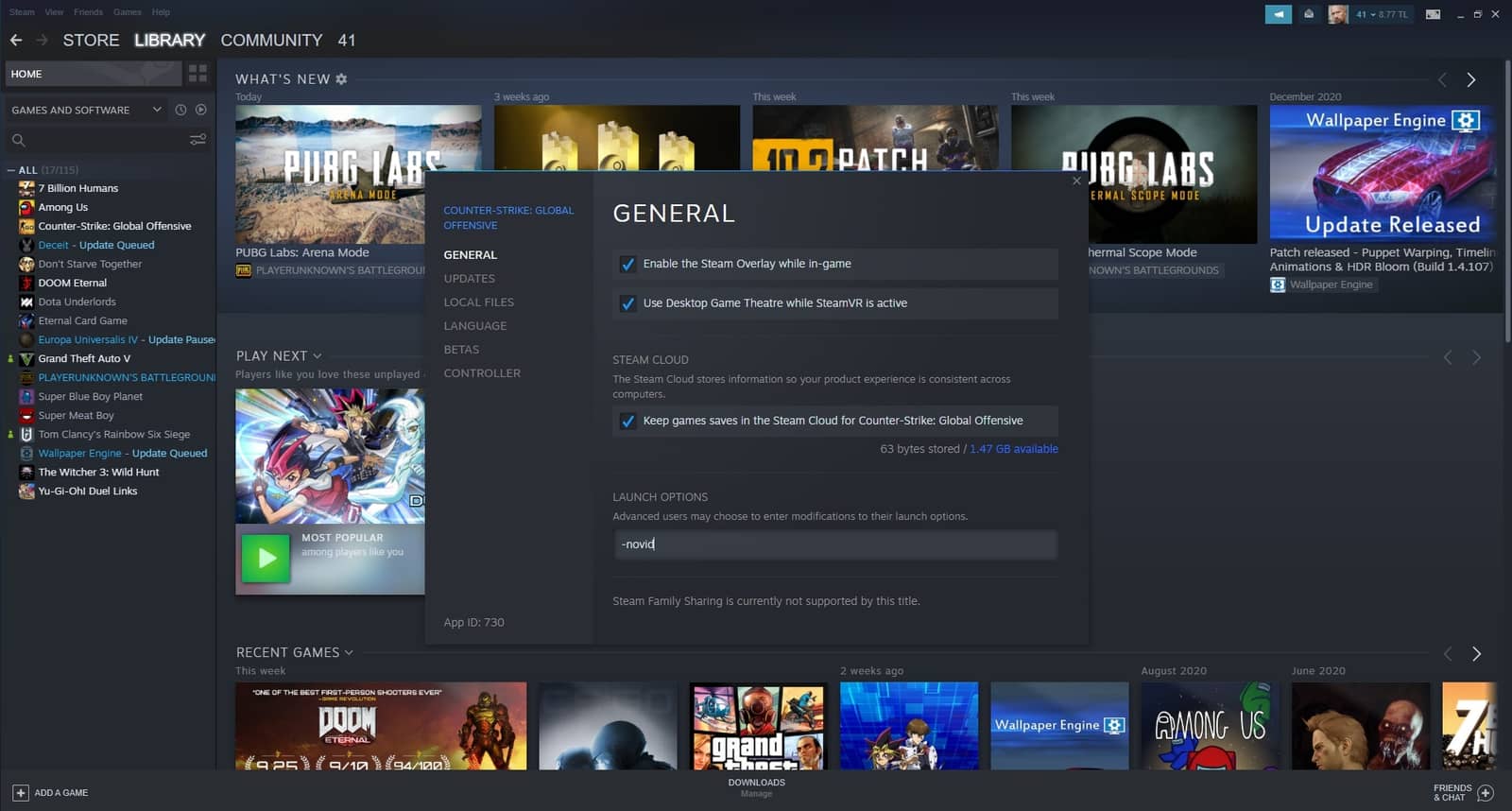
How Do You Turn On CS:GO Launch Options?
- Log into your Steam account.
- Hover over CS:GO in your Library.
- Right-click and select "Properties".
- In the section that follows, enter whichever of the codes below you want into "Set Launch Options".
CS:GO Launch Options 2021
Launch Option Codes
- -novid Removes the game's intro video that normally plays when CS:GO starts up.
- -console The console page will appear as soon as the game starts.
- +cl_forcepreload 1 Loads the entire map before you enter the game, preventing FPS drops you might otherwise experience during play.
- -tickrate 128 In your offline games, the game normally connects you to 64-tickrate servers. Entering this code will connect you to 128-tickrate servers instead of 64.
- -d3d9ex Shortens your alt+tab time in-game. This can be ideal for players using a single monitor. It used to be known as -nod3d9ex1, but that changed, so if you added it under the old name, don't forget to update it!
- -high A code that dedicates more of your computer's power to CS:GO to boost performance while you play. It cuts back the power given to programs running in the background.
- -nojoy Removes joystick support, freeing your computer from that unnecessary load.
- -threads x The number you put in place of X should be the number of cores your computer has. This code lets you set the number of cores CS:GO will use.
We hope our 2021 CS:GO launch options codes guide was useful to you.
How much does CS:GO's most expensive knife cost?
CS:GO launch options: new codes and everything you need to know!
Frequently asked questions
Questions answered in this article
What Are Launch Options? What Do They Do?
We've put together what CS:GO launch options mean and what they do. The launch options Steam offers players let you customize how the game behaves on startup or during gameplay based on your actions. They give you codes that let you control the interaction between the game and your computer, and help improve your overall enjoyment. Without further ado, let's take a look at the 2021 CS:GO launch options codes .
Go to sectionHow Do You Turn On CS:GO Launch Options?
Log into your Steam account. • Hover over CS:GO in your Library. • Right-click and select "Properties". • In the section that follows, enter whichever of the codes below you want into "Set Launch Options". We hope our 2021 CS:GO launch options codes guide was useful to you. How much does CS:GO's most expensive knife cost? CS:GO launch options: new codes and everything you need to know!
Go to section