

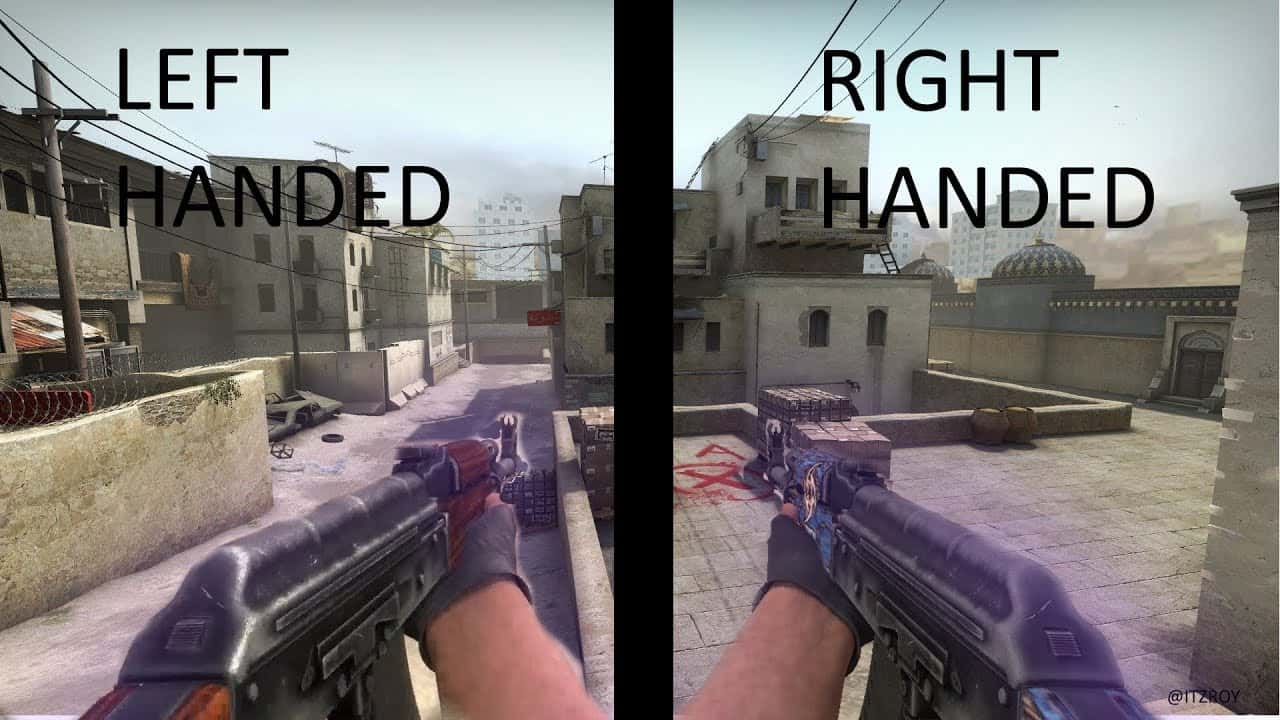
Typing cl_righthand 0 into the CS:GO console switches your weapon to the left hand, and cl_righthand 1 switches it back.

- The console command cl_righthand 0 moves a CS:GO player's weapon to the left hand, while cl_righthand 1 restores it to the right.
- Binding cl_righthand 0 or 1 to slot keys 1 through 5 lets players hold the knife or C4 in the left hand while keeping the primary weapon on the right.
- The command bindToggle n cl_righthand 0 lets a player switch the weapon's hand instantly with a single keypress.
CS:GO players have always wanted to hold their weapon or knife in the other hand. Using these codes, which matter for left-handed players, you can switch the weapon from the right hand to the left, hold the knife or bomb in the left hand while keeping the weapon in the right, and set up whatever style feels most comfortable for you. In this article we've covered these topics and tried to explain them in detail.
CS:GO Left-Hand Weapon Code and Settings 2021
- Open the game settings.
- Enable the developer console.
- Open the console and type "cl_righthand 0".

By following these steps you can use your weapon in your left hand. If you want to switch it back to your right hand, typing "cl_righthand 1" will be enough.
In detail:
- After entering the game, we open the console and type this code. "cl_righthand 0".
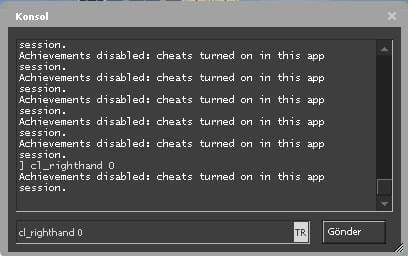
As shown in the image, we type "cl_righthand 0" and press "enter" to activate it. - This code is set to "cl_righthand 1" by default. If you noticed, it says "right hand," in other words "the right hand," and "1" means it's active, but we break the right hand's activation by setting it to "0," which lets us hold the weapon in our left hand.
CS:GO Knife in Left Hand, Weapon in Right Hand
Using these codes, you can hold the "Knife" and C4 in your left hand:
- bind 1 "slot1;cl_righthand 1"
- bind 2 "slot2;cl_righthand 1"
- bind 3 "slot3;cl_righthand 0"
- bind 4 "slot4;cl_righthand 1"
- bind 5 "slot5;cl_righthand 0"
Additionally, if you set the "righthand 1" part on the "slot 1" line to "righthand 0," you can also use your primary weapon in your left hand. You can edit the others as you like and use them just as easily.

CS:GO Left-Hand Weapon Bind 2021
Using this code, by binding it to any key on your keyboard or mouse, you can instantly switch the weapon to the right hand and back to the left with the key you've bound. With a CS:GO bind code, you'll be able to switch which hand the weapon goes to with a single key.
By using the code "bindToggle n cl_righthand 0" and binding it to the "n" key on your keyboard, you can change the weapon's position with a single key press. The "n" we entered in the code is just an example. You can bind any key you want and decide which hand the weapon stays in with a single key.
Sources
External links cited in this article
Comments (0)
Log in to leave a comment giriş yap.
No comments yet. Be the first!
Related Posts
All CS:GO →
CS:GO VAC Session Could Not Be Verified: How to Fix It
The CS:GO VAC session error usually stems from a connection issue with the VAC server, and can often be fixed by verifying game files or reinstalling CS:GO.

Most Expensive CS:GO Skins: Knives and AWPs
The Karambit Case Hardened in Blue Gem pattern is the most expensive CS:GO skin, worth around $2 million.

CS:GO Source 2 Update: What Are the Latest Leaks?
Valve plans to release CS:GO's Source 2 engine update as a beta at the end of March 2023, according to Richard Lewis.