

How to Use Apple Music Replay 2022 and See Your Playlist
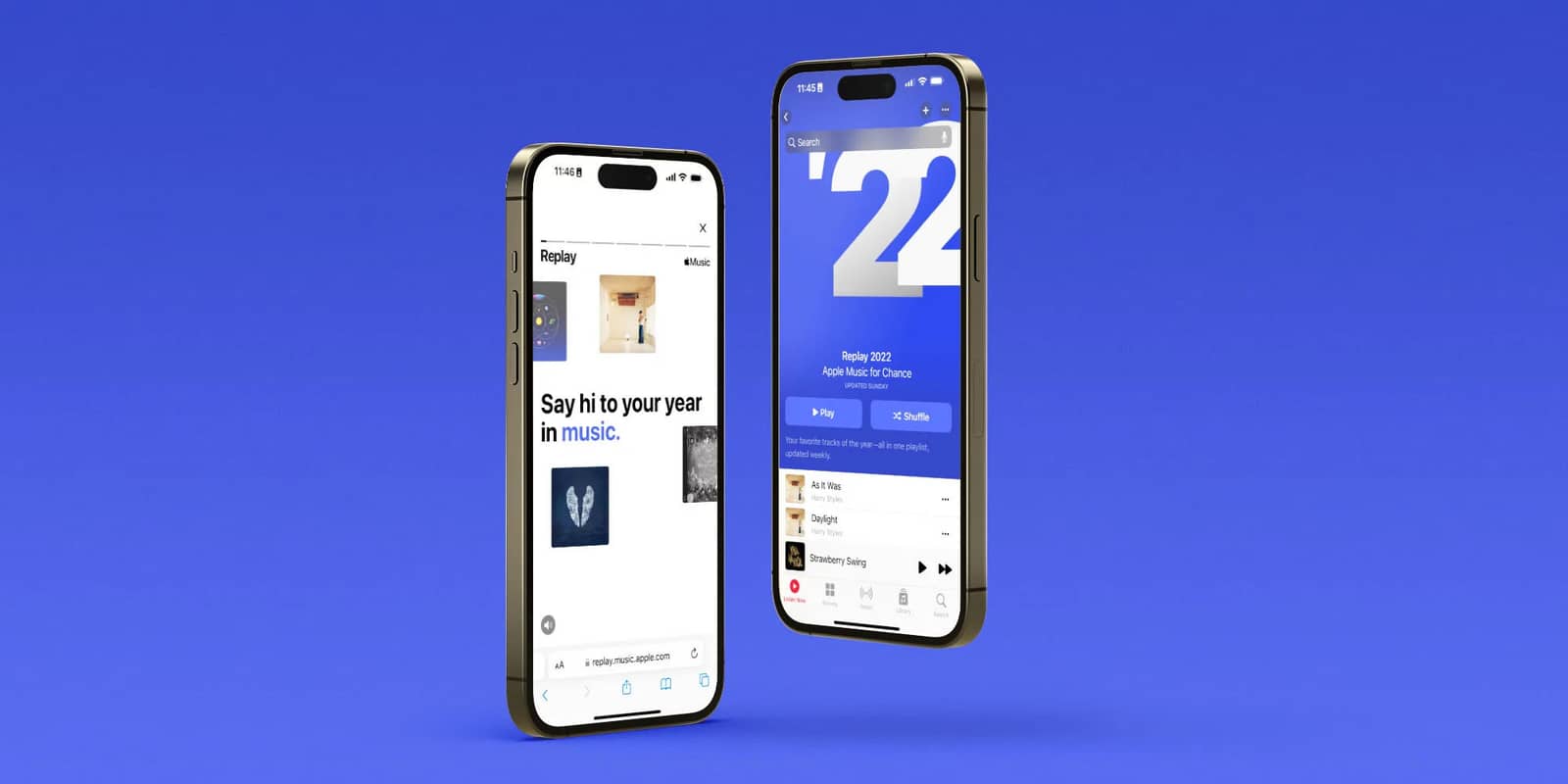
As of November 2022, you can see Apple Music Replay 2022 in the Apple Music app, tap Get Started to play your highlight reel, and find the Replay 2022 playlist at the end of the Listen Now page.

2 min read
In brief
AI summaryAs of November 30, 2022, Apple Music Replay 2022 can be found in the Apple Music app under the Just Launched section or via the Browse tab, on iPhone and Android.
Apple Music Replay 2022's site shows an Instagram Stories-like highlight reel with minutes listened in 2022, your top song, top artists and top genres, plus your top 10 songs, artists and albums.
To get the Apple Music Replay 2022 playlist, scroll to the end of the Listen Now page and tap Replay 2022 under Replay: Your Favorite Songs by Year.
Contents2 sections
The end of the year is an exciting time for a few different reasons. There are family gatherings for the holidays, gifts to give and receive, and the chance to look back at your music listening stats with Apple Music Replay. Apple Music is one of our favorite music streaming apps, and toward the end of every year, Apple lets users review last year's listening history with the Apple Music Replay experience. This is something Spotify has been doing for years with Spotify Wrapped, and it has often done a much better job at it. For Apple Music Replay 2022, however, Apple revamped the entire experience with a new interface and improved listening stats. Do you want to see your own Apple Music Replay for 2022 but aren't sure where to find it or how to view it? Here is a quick guide to walk you through the whole process.

How Do You Use Apple Music Replay 2022?
For most people, the easiest way to find Apple Music Replay 2022 is through the Apple Music app on their phones. The screenshots below were taken on an iPhone, but they work exactly the same way if you use the Apple Music app on an Android phone.
- Open the Apple Music app on your phone.
- Scroll down in the app until you find the Apple Music Replay 2022 title under the Just Launched section.
- Alternatively, tap the Browse tab and then the Apple Music Replay 2022 title from there.
- Once the Replay site loads in your web browser, tap Get Started.
- Tap Play your highlight reel.
- From here, the Apple Music Replay site will take you to an Instagram Stories-like experience. It shows how many minutes of music you listened to in 2022, your top song, top artists and top genres.
- When the highlight reel is over, tap the X icon at the top right.
- If you scroll down the page, you will find your top 10 songs, artists, albums and so on.
How Can You See Your Apple Music Replay 2022 Playlist?
In addition to the Apple Music Replay 2022 website, you also get a custom-made album containing all of your top songs. Here is how to find it:
- Open the Apple Music app on your phone.
- Now scroll to the very end of the Listen Now page.
- Tap the Replay 2022 playlist under the Replay: Your Favorite Songs by Year section
And that is it! Apple Music Replay 2022 is still not as comprehensive as Spotify Wrapped, but this year's is the best one so far.
Frequently asked questions
Questions answered in this article
How Do You Use Apple Music Replay 2022?
For most people, the easiest way to find Apple Music Replay 2022 is through the Apple Music app on their phones. The screenshots below were taken on an iPhone, but they work exactly the same way if you use the Apple Music app on an Android phone.
Go to sectionHow Can You See Your Apple Music Replay 2022 Playlist?
In addition to the Apple Music Replay 2022 website, you also get a custom-made album containing all of your top songs. Here is how to find it: And that is it! Apple Music Replay 2022 is still not as comprehensive as Spotify Wrapped, but this year's is the best one so far.
Go to sectionLoL, TFT ve VALORANT sever bir oyun sever ve oyuncu. Mobil platformlarda ise tam bir Clash of clans hastası.


