Minecraft commands list: the most useful cheats explained
Minecraft commands list: how to enable cheats, /give, /tp, /gamemode, keepinventory and command blocks, with Java and Bedrock differences explained.

7 min read
Contents13 sections
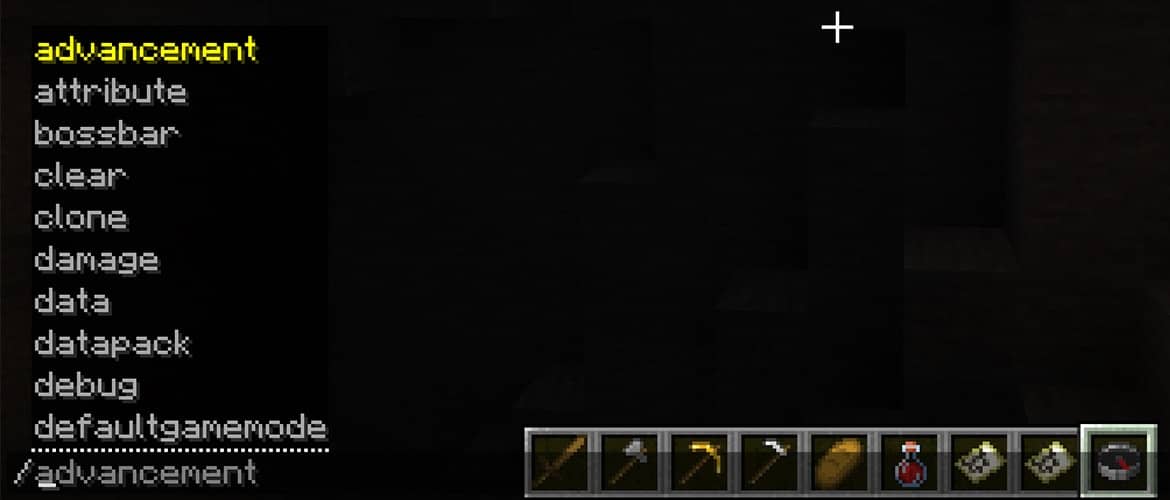
Minecraft commands are short instructions you type into chat after a forward slash to change the game instantly. According to Mojang's official guide to Minecraft commands, they let you teleport, spawn items, change the weather and time, and find structures.
This guide collects the most useful commands with examples. It also covers how to turn cheats on and where Java and Bedrock differ. If you want the code behind your world, see our guide on how to find your Minecraft seed.
How do you enable Minecraft commands?
Most commands depend on the cheats setting. If it is off, nothing you type will run. The way to turn it on depends on your edition.
- Java (singleplayer): Turn on "Allow Commands" when you create a world. In an existing world, enable the same option from the World Options screen.
- Java (for friends): Choose "Open to LAN" in the game menu and allow commands under "Settings for Other Players".
- Bedrock: Turn on "Activate Cheats" in the world settings. If needed, open the pause menu, select the icon next to your player and enable "operator commands".
- Servers and Realms: You need a high enough permission level. On your own server you have it by default.
One warning: Microsoft's Bedrock commands documentation notes that cheats disable achievements in that world. If you hunt achievements, test commands in a separate world. If you plan to host your own server, our guide to free Aternos server hosting can help.
Minecraft commands at a glance
- Every command starts with a forward slash (/) and goes into chat.
- Most commands need cheats turned on.
- The Tab key autocompletes commands and options.
- The up arrow brings back the last command you typed.
- In Bedrock, cheats permanently turn off achievements in that world.
The most useful Minecraft commands list
The table below shows the commands that help most in everyday play. In the examples, @s means you and @p means the nearest player. You can also type a player name as the target.
| Command | What does it do? | Example |
|---|---|---|
| /gamemode | Changes your game mode | /gamemode creative |
| /give | Gives a player an item | /give @s minecraft:diamond 10 |
| /tp | Teleports (long form /teleport) | /tp @s 100 64 -200 |
| /time set | Sets the time of day | /time set day |
| /weather | Changes the weather | /weather clear |
| /difficulty | Sets the difficulty | /difficulty peaceful |
| /locate | Finds the nearest structure or biome | /locate structure minecraft:stronghold |
| /summon | Spawns a mob or entity | /summon minecraft:zombie |
| /kill | Kills the target, handy when stuck | /kill @s |
| /setworldspawn | Sets the world spawn point | /setworldspawn |
| /spawnpoint | Sets a player's own spawn point | /spawnpoint @s |
| /clear | Clears the inventory or one item | /clear @s |
Game mode has four options: survival, creative, adventure and spectator. For time you can type day, night, noon or midnight instead of a number. In Mojang's own example, /time set 1000 sets the time to morning.
Which commands make survival easier?
Some commands do not change the whole game. They just remove the annoying moments. The favorite example is keeping your items when you die.
- /gamerule keepinventory true: Your inventory stays with you when you die. Rule names can change in newer Java versions, so type /gamerule and let autocomplete show the current name.
- /effect: Gives effects such as night vision. In Java type /effect give @s minecraft:night_vision 600, in Bedrock /effect @s night_vision 600.
- /xp: Adds experience. In Bedrock, /xp 30L @s gives 30 levels. In Java the same job is done with /experience add @s 30 levels.
- /enchant: Enchants the item in your hand, for example /enchant @s efficiency 5. We cover which ones are worth it in our best Minecraft pickaxe enchantments guide.
Commands also save time when trading with villagers. Use /locate structure village in Bedrock or /locate structure #minecraft:village in Java to find the nearest village, then /tp to get there. For jobs and trades, read our Minecraft villager professions and trading guide.
What do target selectors do?
Target selectors decide who a command affects. You use them instead of a player name, and they work in both editions.
- @p: The nearest player.
- @a: All players in the world.
- @r: A random player.
- @s: Whoever runs the command, which is you.
- @e: All entities. Be careful: /kill @e also removes dropped items and animals.
How do you get a command block?
A command block is a special block that runs commands automatically with a redstone signal. It is not in the creative inventory, so you can only get it with a command. Microsoft's command block guide says you just type /give @p command_block in chat. You need creative mode to edit the block.
The guide lists three types. Impulse runs once when it gets a signal. Chain runs after the block that points into it. Repeat runs every tick while it has a signal. Minecraft runs at 20 ticks per second.
What are the server admin commands?
If you run a server, you should know three commands. /op gives a player operator rights. /kick removes a player from the server. /ban bans them for good. These only work for players with permission.
For colored chat text and signs, see our Minecraft color codes list. For new items coming to Bedrock, read our Minecraft throwing disc news.
Frequently asked questions
Where do you type Minecraft commands?
You type them in the chat window. On PC, open chat with T or /, start the command with a forward slash and press Enter. Commands can also run from command blocks and server consoles.
Do cheats disable achievements?
In Bedrock Edition, yes. Mojang says turning on cheats in a world permanently stops achievements in that world, even if you turn cheats off later. Java Edition uses advancements instead, and commands do not switch them off.
Why does my command give an error?
The two most common reasons are that cheats are off in the world or that the command has a typo. In Bedrock you also need the operator commands permission. On servers, commands only work with a high enough permission level.
Are Java and Bedrock commands the same?
Most basic commands share the same name in both editions, such as /give, /tp, /time, /weather, /gamemode and /summon. Some are written differently. For example /effect and /xp use different syntax, and /seed only exists in Java.
Sources
Frequently asked questions
Questions answered in this article
Sources
External links cited in this article
- 01According to Mojang's official guide to Minecraft commandsminecraft.net (opens in a new tab)
- 02Microsoft's Bedrock commands documentationlearn.microsoft.com (opens in a new tab)
- 03Mojang / Minecraft.netminecraft.net (opens in a new tab)
- 04Microsoft's command block guidelearn.microsoft.com (opens in a new tab)
- 05Minecraft Wiki: Commandsminecraft.wiki (opens in a new tab)
Newsletter
The week's biggest gaming news, every Friday morning
One email every Friday: the week's most-read stories and what's new. No spam, unsubscribe anytime.
LoL, TFT ve VALORANT sever bir oyun sever ve oyuncu. Mobil platformlarda ise tam bir Clash of clans hastası.