How to Play Steam Games on Android With Steam Link
You can play Steam games on Android or iOS by installing the Steam Link app, pairing it with your PC using a code and connecting a controller; your PC must be on and running Steam.

4 min read
In brief
AI summaryThe Steam Link app lets you play Steam games on Android and iOS devices by streaming them from your PC, which must be on and running Steam.
To set up Steam Link on Android: download the app from Google Play, connect your PC with the code shown, pair a controller by cable or Bluetooth, run the network test and tap Start playing.
Steam Link streams games processed on your computer, so it cannot stream games your PC cannot run; Steam has been a major PC gaming platform since 2003.
Contents2 sections
Steam is a very large platform that hosts many different game categories and many games. So much so that, since its release in 2003, the platform has been one of the most important and preferred platforms for players who want to download and install games on PC. The Steam Link app also allows Steam games to be played on mobile devices such as Android and iOS. So, can Steam games be played on Android and iOS? How do you play Steam games on Android? Let's look at the answers to these questions together:
 How Do You Play Steam Games on Android? 2022
Every game, from the most popular Steam games to the least preferred ones, works with Steam Link. Even if you don't have a big Steam account or PC, you can still access games from your Android phone. How? The process consists of several steps. The steps are as follows:
- First, download the Steam Link app to your Android device, making sure that your computer is on and running the Steam app while you do this.
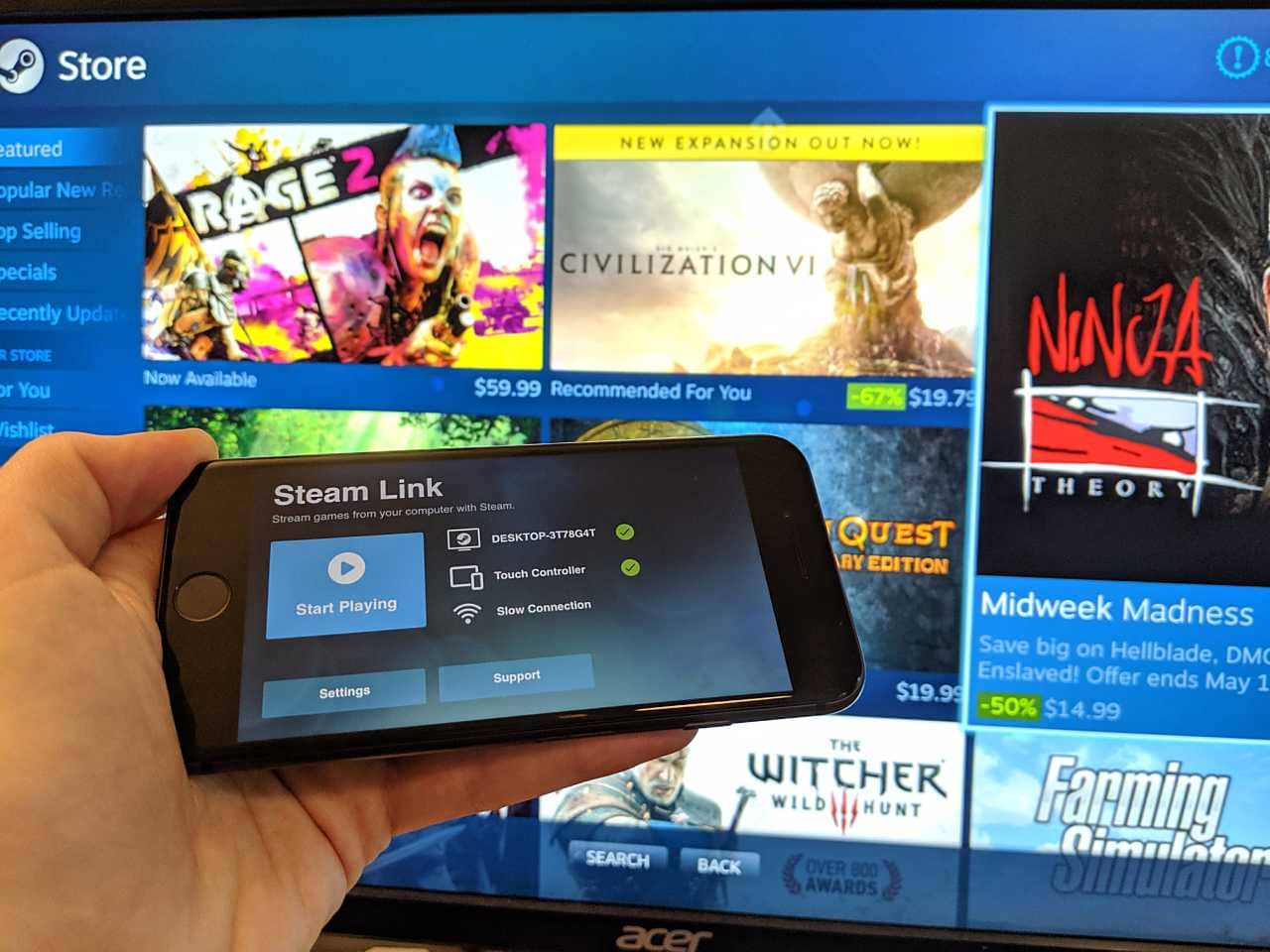
- Complete the setup and connect your computer to Steam Link using the code you are given.
- Pair your controller with your Android device via a cable or Bluetooth.
- Open the Steam Link app and run a network test. (You can find the network test in the settings section)
- Click "Start playing".
 With the steps above you can start playing Steam games on Android, but there are a few more details you should know about using Steam Link. Steam Link only streams games from your PC, and to stream games to your phone you need to make sure your computer is running Steam. Since the game is processed on your computer, you can't stream games that your main PC can't run. So you must definitely make sure your computer is running the Steam app.
Next, you should go to the Google Play Store on your Android device and download the Steam Link app. After installing the app, you need to choose whether you want to pair a Steam Controller or a different controller and carry out the pairing. If you are using an official Steam Controller, the app will guide you through the pairing process. If you are not, you need to refer to your controller's user manual for specific pairing instructions. To enter pairing mode, you must turn on Bluetooth on both devices.
After connecting your controller correctly, select your computer from the list of available options, which will bring up some information about your network. You also need to authorize your device. After you run the connection test, the Steam Link app will send you a code. Enter this code into the Steam app on your computer to authenticate your device.
If your connection works well, you can tap "Start playing". Use the toolbar at the top of the page that opens to go to your Steam Library, and after choosing which game to play, press "Play".
The Steam Link app lets you stream games from the network you choose to your operating system, even if each device is connected to a different network. But once again, if you want to stream a game from your computer to a different operating system, your computer must be on and running the Steam app. Stay tuned for this and similar tech guide articles! :)
More Tech Articles
- Instagram Nickname Suggestions Are Here
- Instagram Post Times 2022
- How Do You Create Instagram Filters?
- How Do You Change Your Instagram Username? 2022
- What Are the Instagram Photo Editing Tactics? 2022
- How Do You Add an Instagram Account to TikTok? 2022
- How Do You Create a Pinterest Business Account?
- Pinterest Account Finder Guide
- Downloading Pinterest Photos 2022
- Guide to Installing the Android Operating System on a Computer 2022
- What Is ThrottleStop, What Is It Used For and How Do You Use It?
- How Do You Fix the Throttlestop CPU Not Supported Error?
- Best Apple iPhone 13 Screen Protectors
Frequently asked questions
Questions answered in this article
How Do You Play Steam Games on Android? 2022
Every game, from the most popular Steam games to the least preferred ones, works with Steam Link. Even if you don't have a big Steam account or PC, you can still access games from your Android phone. How? The process consists of several steps. The steps are as follows: With the steps above you can start playing Steam games on Android, but there are a few more details you should know about using Steam Link. Steam Link only streams games from your PC, and to stream games to your phone you need to make sure your computer is running Steam. Since the game is processed on your computer, you can't stream games that your main PC can't run. So you must definitely make sure your computer is…
Go to sectionBazen yazar, bazen tasarlar. Film bağımlısı, oyunlar hakkında yazmayı sever✨