

What Is Driver Booster? Download, Setup and Requirements
Driver Booster is Windows software that scans your PC, lists outdated drivers and updates them with one click; the Free version updates drivers and Pro adds support for up to three PCs.

3 min read
In brief
AI summaryDriver Booster is software that finds and updates drivers on a computer, listing outdated ones and updating them with a single click via its cloud-based version tracking.
Driver Booster comes in Free and Pro versions; Pro adds technical support for up to three computers, and the program supports Windows 7, 8, 8.1 and 10.
Driver Booster requires a 1 GHz or faster processor, 512 MB of memory (minimum) and 50 MB of free hard disk space.
Contents6 sections
What Is Driver Booster? What Does It Do? How Do You Use It? Where Can You Download It? What Are the System Requirements? Which Operating Systems Does It Work On?
Driver Booster is, put simply, software used to find and update the drivers on your computer. In this article, we explain Driver Booster software in more detail. What is Driver Booster? What does Driver Booster do? How do you use Driver Booster? Let's find out!

What Is Driver Booster? What Does It Do? (2022)
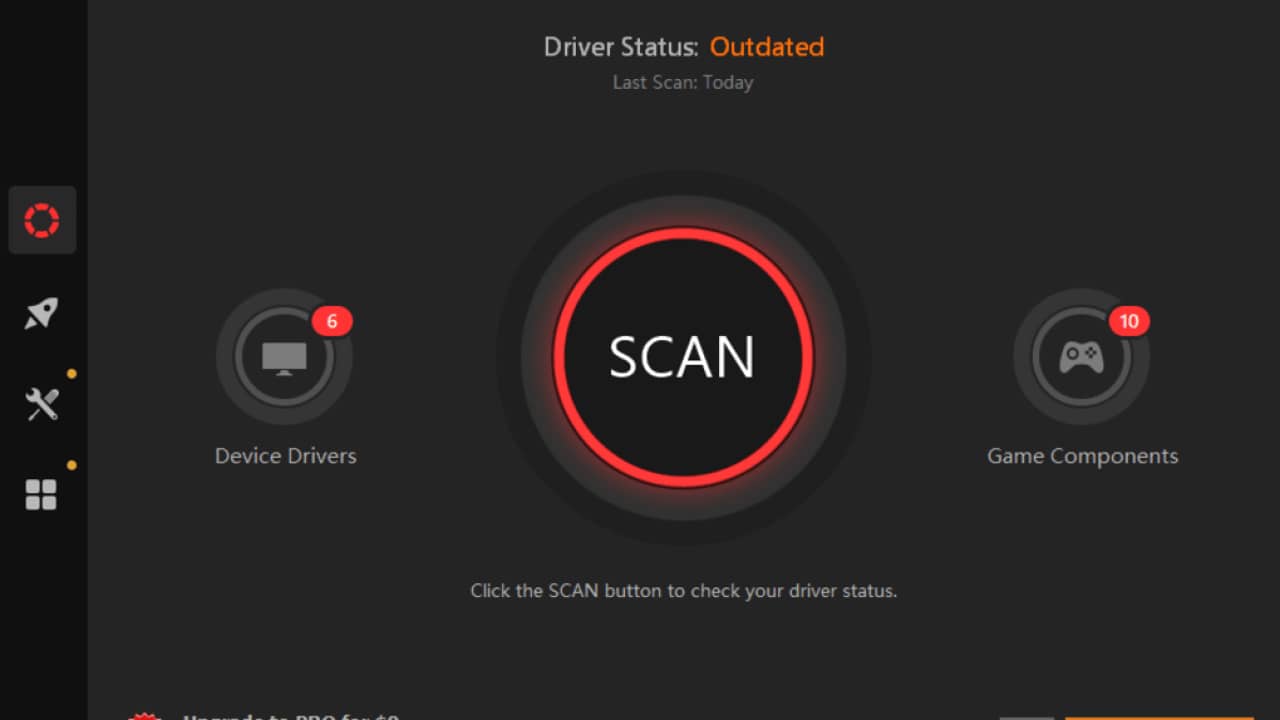
Driver Booster analyzes your computer, lists the drivers that need updating and lets you update them with one click. This way, you don't have to check the drivers for your graphics card, sound card, network card and other cards one by one on the manufacturers' sites. With its cloud-based structure, it tracks the latest versions of drivers and notifies you.
Driver Booster comes in two versions: the free Driver Booster Free lists the drivers that need updating and lets you install them. Driver Booster Pro, in addition to these features, offers technical support for up to three computers. Outdated drivers cause many problems in the operating system, the most common being errors such as " graphics card stopped responding" or "Graphics card stopped working".
Where Can I Download Driver Booster for Free?
Driver Booster supports Windows 7, Windows 8, Windows 8.1 and Windows 10. You can download the free version of Driver Booster from Download Driver Booster Free.
How Do You Use Driver Booster?
Install the free version of Driver Booster that you downloaded from the address above.
- Installing Driver Booster is quite simple. After downloading the Driver Booster software from the address above, click the setup file. The Driver Booster Setup Wizard will appear. Click Next.
- On the Driver Booster License Agreement screen, click Accept. This screen contains the standard user agreement.
- On the Free IObit Apss Toolbar screen, click Decline. If you click Accept and Install, it will install an extra piece of software on your computer. Driver Booster doesn't need this software to work.
- In the Select Destination Location section, just click Next.
- On the Select Additional Tasks screen, click Next.
- When the Driver Booster Setup Wizard is completing, uncheck "Instal AdvancedCare". Click Finish.
- After setup finishes, Driver Booster will run. Click the Update All button to start updating the drivers on your computer.
- On the Setup mode screen, click OK.
Driver Booster will scan your computer and list the old drivers. If there are new drivers for this hardware, it will download and install them. After updating drivers, Driver Booster may want to restart your computer. Restart your computer once the driver installations are finished. After the restart, the driver installation will be complete. Up-to-date drivers are a must for games. Updating drivers is essential for your computer to run more efficiently and perform better. Updating your drivers with Driver Booster is made quite easy.

What Are the Driver Booster System Requirements?
Hardware required for Driver Booster
- 1 GHz or faster processor
- 512 MB memory (minimum)
- 50 MB free hard disk space
Which Operating Systems Does Driver Booster Work On?
- Windows 10 (32-bit and 64-bit)
- Microsoft® Windows® 8.1 (32-bit and 64-bit) Professional/Enterprise
- Microsoft® Windows® 8 (32-bit and 64-bit) Core/Professional/Enterprise
- Microsoft® Windows® 7 (32-bit and 64-bit) Starter/Home Basic/Home Premium/Professional/Ultimate
- Microsoft® Windows® Vista (32-bit and 64-bit) Starter/Home Basic/Home Premium/Business/Ultimate
- Microsoft® Windows® XP (32-bit and 64-bit) with SP2/SP3 and Home/Professional/Media Center
More Tech Articles
Frequently asked questions
Questions answered in this article
What Is Driver Booster? What Does It Do? (2022)
Driver Booster analyzes your computer, lists the drivers that need updating and lets you update them with one click. This way, you don't have to check the drivers for your graphics card, sound card, network card and other cards one by one on the manufacturers' sites. With its cloud-based structure, it tracks the latest versions of drivers and notifies you. Driver Booster comes in two versions: the free Driver Booster Free lists the drivers that need updating and lets you install them. Driver Booster Pro, in addition to these features, offers technical support for up to three computers. Outdated drivers cause many problems in the operating system, the most common being errors such as "…
Go to sectionWhere Can I Download Driver Booster for Free?
Driver Booster supports Windows 7, Windows 8, Windows 8.1 and Windows 10. You can download the free version of Driver Booster from Download Driver Booster Free .
Go to sectionHow Do You Use Driver Booster?
Install the free version of Driver Booster that you downloaded from the address above. Driver Booster will scan your computer and list the old drivers. If there are new drivers for this hardware, it will download and install them. After updating drivers, Driver Booster may want to restart your computer. Restart your computer once the driver installations are finished. After the restart, the driver installation will be complete. Up-to-date drivers are a must for games. Updating drivers is essential for your computer to run more efficiently and perform better. Updating your drivers with Driver Booster is made quite easy.
Go to sectionWhich Operating Systems Does Driver Booster Work On?
Windows 10 (32-bit and 64-bit) • Microsoft® Windows® 8.1 (32-bit and 64-bit) Professional/Enterprise • Microsoft® Windows® 8 (32-bit and 64-bit) Core/Professional/Enterprise • Microsoft® Windows® 7 (32-bit and 64-bit) Starter/Home Basic/Home Premium/Professional/Ultimate • Microsoft® Windows® Vista (32-bit and 64-bit) Starter/Home Basic/Home Premium/Business/Ultimate • Microsoft® Windows® XP (32-bit and 64-bit) with SP2/SP3 and Home/Professional/Media Center
Go to sectionSources
External links cited in this article


