FIFA 21 Pro Clubs Guide: Player Creation and Skill Points
In FIFA 21 Pro Clubs you create a player, earn skill points from match results and can build up to 5 players who share those points; a win is worth 3 points in divisions 10 to 1.

9 min read
In brief
AI summaryFIFA 21 Pro Clubs lets you create your own player, play online matches with friends and raise skill points with the points earned in matches.
FIFA 21 Pro Clubs divisions run from Division 10 to Division 1; a win gives 3 points, a draw 1 and a loss 0, and in Division 3 you get 12 to stay, 18 to be promoted and 21 to go up as champion.
FIFA 21 Pro Clubs allows 5 created players that share skill points, and you set tactics and set piece takers from the Club menu before pressing play match.
Contents12 sections
FIFA has added many innovations to the game in recent years. Game modes you can play online and offline, Ultimate Team above all, have multiplied FIFA players' interest in the game. In the older days of PES and FIFA we created our own player and played against the computer; in recent years we have gained the chance to play that mode with our friends against other people, and this fun mode is called Pro Clubs.
In this article, where we create our own player or players and compete online against other people's teams, we will try to cover all the features of this mode, including how to develop our players, how to set up correctly and, in general, the depths of Pro Clubs.
What Is FIFA 21 Pro Clubs and How Do You Play It?
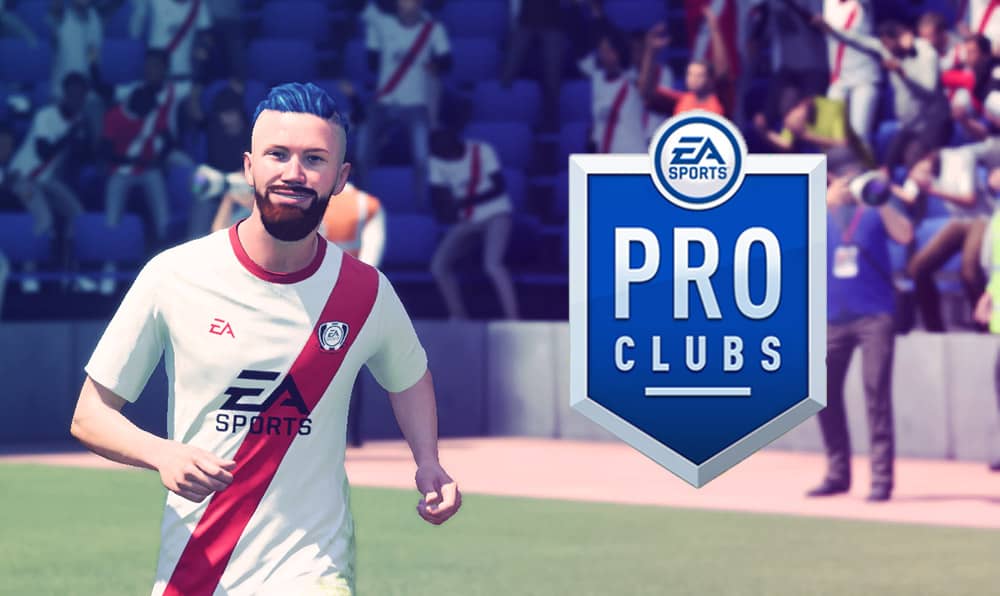
As we mentioned at the start of the article, Pro Clubs is one of the FIFA 21 modes in which we play online as a single player. It lets us adjust everything from the player's name and appearance to shooting style and running style, and we can raise our player's skill points with the points we earn in the matches we play.
FIFA 21 Pro Clubs Team Creation
If you are not yet on a team or have never opened Pro Clubs, there are three different ways to play. One of them is to jump into a casual match from the My Pro tab after opening the mode and setting up your player. When you enter this option, you join a team of your choice from a pool of players who, like you, want to play a casual match, and then the players pick their teams and the match starts. The biggest disadvantage of this approach, in which everyone enters alone, is that because you don't know the people you play with, you will run into people who show off too much or never pass, and situations like this can annoy you.
Joining a Friend's Team in FIFA 21 Pro Clubs
That is why my advice to those who will play Pro Clubs is to form a team with your group of friends and play together.
After one of your friends or you create your team, you can invite your friends from the transfers section. Once your friend accepts the transfer offer, they have joined your team. This way, you can shape your team by adding the people you want to see on it.
Pro Clubs Divisions
In the divisions running from the 10th Division to the 1st Division, you can be relegated, promoted to a higher division or win the best placement and be promoted to the league above as champion, based on the points you earn during the season. So that your level is determined when you first open it, you play 5 placement matches. Based on your result there, the game places you in a division.
Suppose you start in Division 3; you have 10 matches per season. As in real life, each win counts as 3 points, each draw as 1 point and each loss as 0 points. If you get 12 points you stay in the league, with 18 points you are promoted to the league above, and if you collect 21 points or more you are promoted to Division 2 as champion. The thresholds I have given vary depending on the division you are in, going up or down.
How Do Skill Points Increase for Created Players in FIFA 21 Pro Clubs?
The level rating your player finishes a match with is determined by the wins you get and the stats you put up in the matches you play, and your skill points increase accordingly. Because a newly created player has a low rating, you get skill points faster and in greater amounts; as your player develops and their rating rises, the speed and number of skill points you receive decrease.
Creating a Pro Clubs Player
In the My Pro tab there is a section where your player's name is written. When you enter that section, 5 sections appear:
- Info
- Physique
- Head
- Kit
- Animations
In the Info section, you can set your first name, last name, nickname, the commentary name you want the announcer to call you while playing, the name you want printed on the shirt, your number, your nationality/region and your age.
 In the Physique section, you can adjust the player's height and weight. Based on your settings, the algorithm automatically generates your attributes. For example, if you make a short, thin player, you start as a faster, more agile but weaker player.
In the Head section, you can edit the player's face, skin tone, eyes, eyebrows, nose, mouth, hair, in short, everything.
In the Kit section, you cannot edit your team's kit. That is a feature set up from the start by the person who created the team (you can change it whenever you want). Here you can choose your boots and accessories, wear gloves and decide whether your shirt is worn untucked or tucked in.
In the Animations section, you can edit your goal celebration, set piece style and running style.
How Do You Earn Skill Points in FIFA 21 Pro Clubs?
As I mentioned above, you earn skill points as you play matches, but the game gives you a certain number of skill points when you start. By spending these on the areas you want your player to improve, you both raise the overall rating and raise the level in the area you invested in.
 In the Attributes section, 5 sections will appear: Physical, Defending, Dribbling, Passing, Shooting and Pace
- From the Physical section, you can develop the player's Jumping, Stamina, Strength, Reactions and Aggression attributes
- From the Defending section, you can develop the player's Interceptions, Defensive Awareness, Standing Tackle and Sliding Tackle attributes
- From the Dribbling section, you can develop the player's Agility, Balance, Attacking Position, Ball Control and Dribbling attributes and Skill Moves star level
- From the Passing section, you can develop the player's Vision, Crossing, Long Passing, Short Passing and Curve attributes
- From the Shooting section, you can develop the player's Finishing, Free Kick Accuracy, Heading Accuracy, Shot Power, Long Shots, Volleys and Penalties attributes and Weak Foot star level
- From the Pace section, you can develop the player's Acceleration and Sprint Speed attributes
- From the Goalkeeping section, you can develop the player's Diving, Handling, Kicking, Reflexes and Positioning attributes.
How Should You Distribute Skill Points in FIFA 21 Pro Clubs?
There is no exact answer to this, but it varies depending on your play style, your team setup and the player's build. If you made a winger and you play fast, putting points into pace and dribbling will let your player reach the balls you play behind the defense more easily. If you are a midfielder and the battling part of the game mostly falls to you, you should keep your player's stamina high and leave them with energy at the end of matches. We can multiply examples like this, and it all comes down to this: you decide your player's style and build on it. Also, you don't need to think too much about where you put your skill points, because you can take the points back at any time and add them to another attribute. This gives you plenty of chances to experiment.
How Many Players Can I Create in Pro Clubs?
In Pro Clubs, you can create 5 players with separate attributes. For example, if you want to play as a winger in one match, you can choose the player you built as a winger, and if you will play in defense in another match, you can choose your right-back. The skill points you put into one player carry over to your other players. All of these players are actually a single player. Whichever you choose, you take the field with the appearance of the player you created first. However, you can change the physical attributes of the player you selected from the "Select Default Play Style" tab in the "Player Development" section. What I mean is that your striker can be short while your defender is tall; only the appearance stays the same.
Playing a Match in Pro Clubs
After pressing "Play Match" in the Club section, your player automatically appears on the substitutes bench. After you place your player in the position you want, if everyone on the team is ready, you can start the match by pressing the "play match" button.
Before the match starts, you can set the formation you want in the "Tactics" section, and in the "Roles" section you can assign your corner, free kick and penalty takers.
Being the Captain in Pro Clubs
The captain in Pro Clubs is the person who makes the settings we just described. The person who starts as captain also controls technical options during the match, such as pressing and pushing into the penalty area, and pulls your goalkeeper off his line if your goalkeeper is not a player.
 As we will explain below, if you have a friend who selects the whole team, give the captaincy to them. Since they manage the whole team, it will work in your favor for them to make in-match team adjustments.
What Are the Defensive Setups in FIFA 21 Pro Clubs?
You can go into matches with two kinds of defense. In the first, everyone picks their position and the match starts; if the whole team is not selected and your team does not consist of 11 people, the computer controls the remaining players. When those players get the ball at their feet, you have a chance to direct them with the commands you give. If you press the pass button while you have the ball, the player tries to pass to the person who pressed the pass button. The same applies to crosses and shots. The advantage of this type of defense is that the opposing player cannot use the dribbling moves they would normally use against the computer and struggles, and the disadvantage is that, because it is under computer control, people who pass accurately and play good team football can easily find goals. My advice is that if there is someone on your team who can defend well, give the whole team to them so you can play in a more organized way.
If you leave it to the computer, a pass may be requested at the same time and your game speed may slow down with robotic movements. But unless your team is very good at defending, don't put much effort into taking the whole team; trust me, the computer's standard will turn out better than you expect.
We have shared the FIFA 21 Career Mode players with the most potential .
Here are the best cards you can buy cheaply in FIFA 21 Ultimate Team!!!
Frequently asked questions
Questions answered in this article
What Is FIFA 21 Pro Clubs and How Do You Play It?
As we mentioned at the start of the article, Pro Clubs is one of the FIFA 21 modes in which we play online as a single player. It lets us adjust everything from the player's name and appearance to shooting style and running style, and we can raise our player's skill points with the points we earn in the matches we play.
Go to sectionHow Do Skill Points Increase for Created Players in FIFA 21 Pro Clubs?
The level rating your player finishes a match with is determined by the wins you get and the stats you put up in the matches you play, and your skill points increase accordingly. Because a newly created player has a low rating, you get skill points faster and in greater amounts; as your player develops and their rating rises, the speed and number of skill points you receive decrease.
Go to sectionHow Do You Earn Skill Points in FIFA 21 Pro Clubs?
As I mentioned above, you earn skill points as you play matches, but the game gives you a certain number of skill points when you start. By spending these on the areas you want your player to improve, you both raise the overall rating and raise the level in the area you invested in. In the Attributes section, 5 sections will appear: Physical, Defending, Dribbling, Passing, Shooting and Pace
Go to sectionHow Should You Distribute Skill Points in FIFA 21 Pro Clubs?
There is no exact answer to this, but it varies depending on your play style, your team setup and the player's build. If you made a winger and you play fast, putting points into pace and dribbling will let your player reach the balls you play behind the defense more easily. If you are a midfielder and the battling part of the game mostly falls to you, you should keep your player's stamina high and leave them with energy at the end of matches. We can multiply examples like this, and it all comes down to this: you decide your player's style and build on it. Also, you don't need to think too much about where you put your skill points, because you can take the points back at any time and add…
Go to sectionHow Many Players Can I Create in Pro Clubs?
In Pro Clubs, you can create 5 players with separate attributes. For example, if you want to play as a winger in one match, you can choose the player you built as a winger, and if you will play in defense in another match, you can choose your right-back. The skill points you put into one player carry over to your other players. All of these players are actually a single player. Whichever you choose, you take the field with the appearance of the player you created first. However, you can change the physical attributes of the player you selected from the "Select Default Play Style" tab in the "Player Development" section. What I mean is that your striker can be short while your defender is…
Go to sectionWhat Are the Defensive Setups in FIFA 21 Pro Clubs?
You can go into matches with two kinds of defense. In the first, everyone picks their position and the match starts; if the whole team is not selected and your team does not consist of 11 people, the computer controls the remaining players. When those players get the ball at their feet, you have a chance to direct them with the commands you give. If you press the pass button while you have the ball, the player tries to pass to the person who pressed the pass button. The same applies to crosses and shots. The advantage of this type of defense is that the opposing player cannot use the dribbling moves they would normally use against the computer and struggles, and the disadvantage is that,…
Go to section