

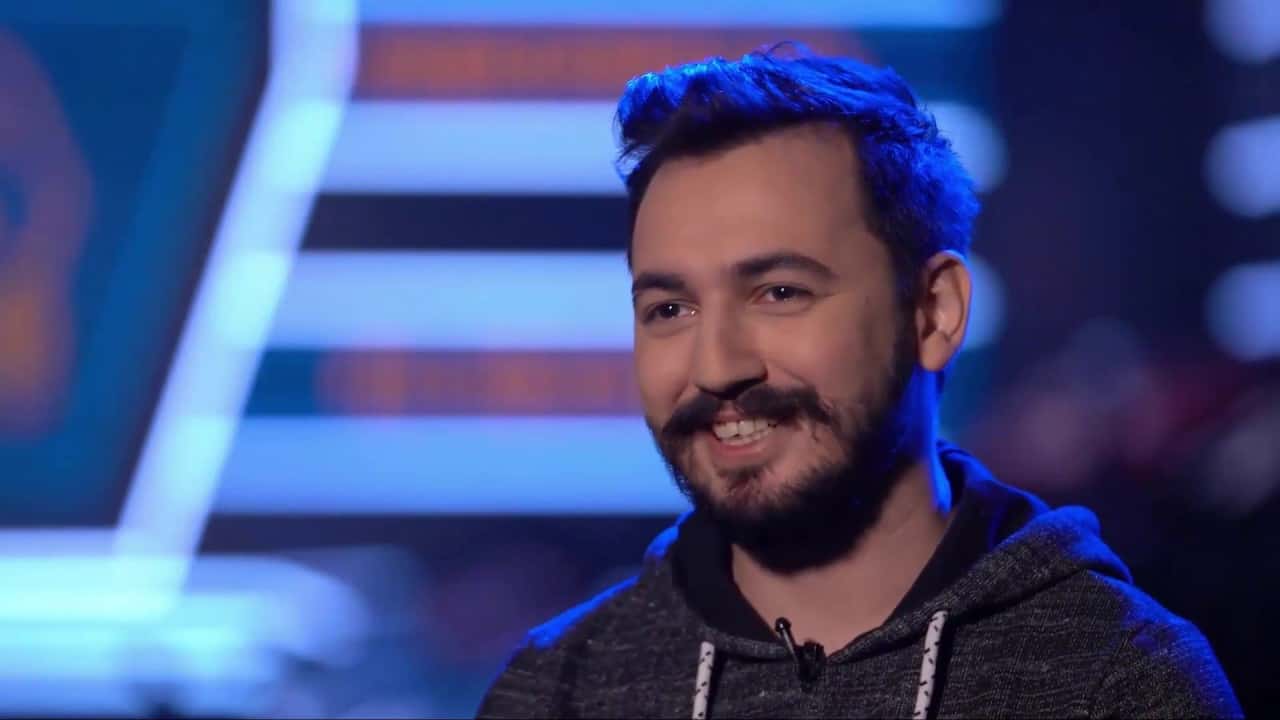
Turkish Twitch streamer Mithrain (Cem Karakoç) plays PUBG at 800 DPI, 49 general sensitivity, and 144 Hz refresh rate.

- Cem Karakoç, born May 8, 1992, in Istanbul, is a Twitch streamer known as Mithrain.
- Mithrain started his streaming career playing H1Z1 before becoming better known for PUBG.
- Mithrain's PUBG settings include 800 DPI mouse sensitivity and a 144 Hz refresh rate.
Who Is Mithrain?
Cem Karakoç (Mithrain) was born on May 8, 1992, in Istanbul. Cem Karakoç, who rose to fame through his Twitch streams, has achieved great success in battle royale games. He started his career playing "H1Z1" in his first Twitch streams. After PUBG came out, he became better known by streaming mostly PUBG on Twitch. He also plays various other battle royale games.

What Is Mithrain's Twitter Account?
You can reach Mithrain's Twitter account here.
Mithrain PUBG Settings 2022
Mithrain Mouse Settings
|
DPI
800
|
Vertical Sensitivity
1.00
|
General Sensitivity
49
|
|
ADS Sensitivity
49
|
Vehicle Sensitivity
49
|
Iron Sight Sensitivity
49
|
|
2x Scope
49
|
3x Scope
49
|
4x Scope
49
|
|
6x Scope
49
|
8x Scope
49
|
15x Scope
49
|
Mithrain Video Settings
|
Refresh Rate
144 Hz
|
Resolution
1920×1080
|
Field of View
103
|
|
Brightness
57
|
Screen Scale
100
|
Anti-Aliasing
High
|
|
Post-Processing
Very Low
|
Shadows
Very Low
|
Textures
High
|
|
Effects
Very Low
|
Foliage
Very Low
|
View Distance
Very Low
|
|
V-Sync
Off
|
Motion Blur
Off
|
Sharpen
_
|
Mithrain Keybinds
|
Forward
W
|
Backward
S
|
Right
D
|
Left
A
|
|
Walk Left
Ctrl
|
Sprint
Left Shift
|
Space Bar to Jump
|
Crouch
C
|
|
Lean
Z
|
Interact
E
|
Camera
V
|
Auto Run
Caps Lock / Num Lock
|
|
Free Look
Left Alt
|
Fire
Left Mouse Button
|
Aim (Hold)
Right Mouse Button
|
ADS (Click)
Right Mouse Button
|
|
R to reload
|
Next Weapon
Default
|
Previous Weapon
Default
|
Primary Weapon 1
1
|
|
Primary Weapon 2
2
|
Sidearm
3
|
Melee Weapon
4
|
Throwables
5
|
|
Fire Mode
B
|
Look Left
Q
|
Look Right
F
|
X to Disable
|
|
Zero In
Page Up
|
Zero Out
Page Down
|
Change Firing Stance
Right Mouse Button
|
Cook Grenade
R
|
|
Med Kit
7 / Numpad 2
|
Use First Aid Kit
8 / Numpad 1
|
Use Bandage
9 / Numpad 0
|
Use Energy Drink
0
|
|
Healing Item
Hyphen
|
Boost Item
0 / Numpad 0
|
Map
M
|
Inventory
I / Tab
|
|
Item Quantity Control
Left Ctrl
|
Toggle UI
Ctrl + U
|
My Marker
Delete
|
Push to Talk
T
|
Sources
External links cited in this article
Comments (0)
Log in to leave a comment giriş yap.
No comments yet. Be the first!
Related Posts
All News →
Turkey Game Industry Report 2024 Released
Turkey's 2024 Game Industry Report shows the country's gaming market grew to over $810M with 48M+ active players, alongside a new digital guide to local game companies.

Loldle Answers: Daily League of Legends Puzzle
Loldle is a daily League of Legends guessing game with five modes (Classic, Quote, Ability, Emoji, Splash); December 6, 2024's Classic answer was Fiddlesticks.

Monopoly GO Dice Links: Free Dice Rewards
Monopoly GO's free dice links refresh daily and can be redeemed instantly for 25 or 30 free dice each, plus tips like auto refills every 60 minutes, daily gifts, and sticker trading to earn even more.