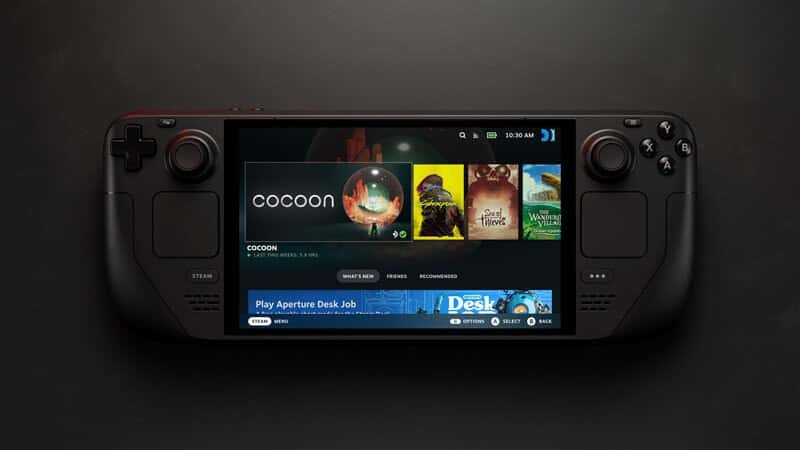
Steam Deck FPS data now shows on Steam store pages
Steam Deck FPS data is now on the Steam store. Valve shows each game's average framerate and a histogram. Here is where to find it and how it is measured.

4 min read

Contents10 sections
Steam Deck FPS data is now on the Steam store. Valve's November 10 Steam Deck framerate announcement says store pages now show the average framerate players get on Steam Deck, along with a new histogram.
The post went live at 00:38 UTC on November 10. It is the latest in a run of SteamOS and Steam changes, after news that Epic Games Launcher support for SteamOS is on the way.

How does the Steam Deck FPS data work?
The average comes from players who opted in to sharing anonymized framerate data. Valve says most Steam Deck players have opted in. The data only covers games that were tested for Deck compatibility, so Verified, Playable and Unsupported titles. Thousands of games already have data, and that number will grow.
To find it, open a game's store page, go to Steam Deck Compatibility and click Learn more. If you use the Steam Client Beta, the same data also shows up in your Library.
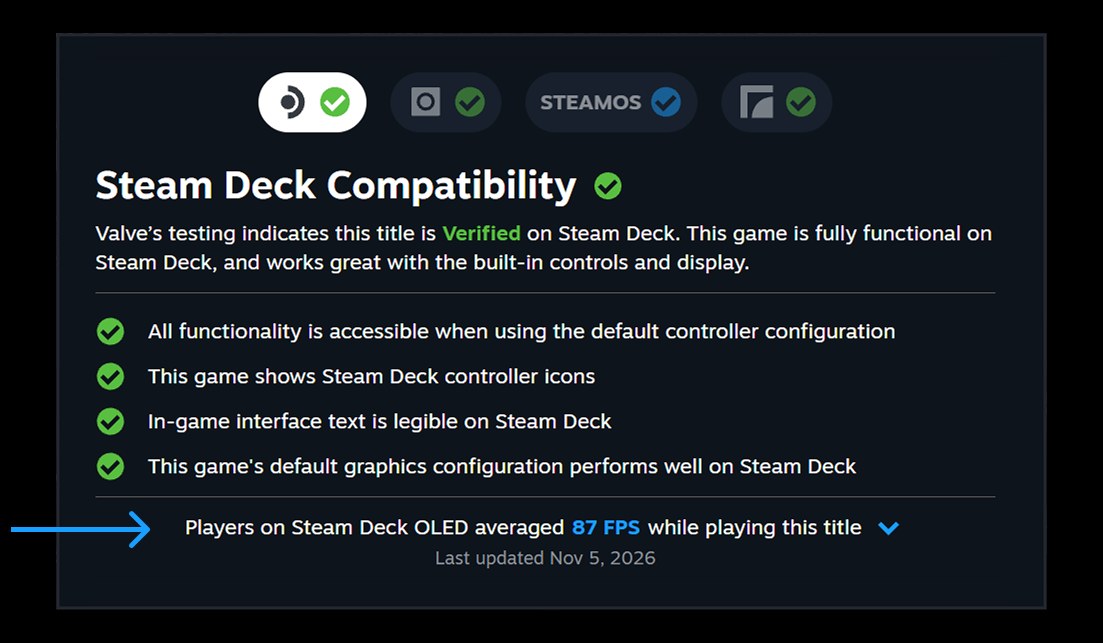
The new FPS feature at a glance
- Where: store page, Steam Deck Compatibility, Learn more
- Source: anonymized data from opted-in Deck players
- Coverage: Verified, Playable and Unsupported games
- Baseline: default frame limit, 90 FPS on OLED and 60 FPS on LCD
- Extra: a histogram of framerate samples
What does the histogram show?
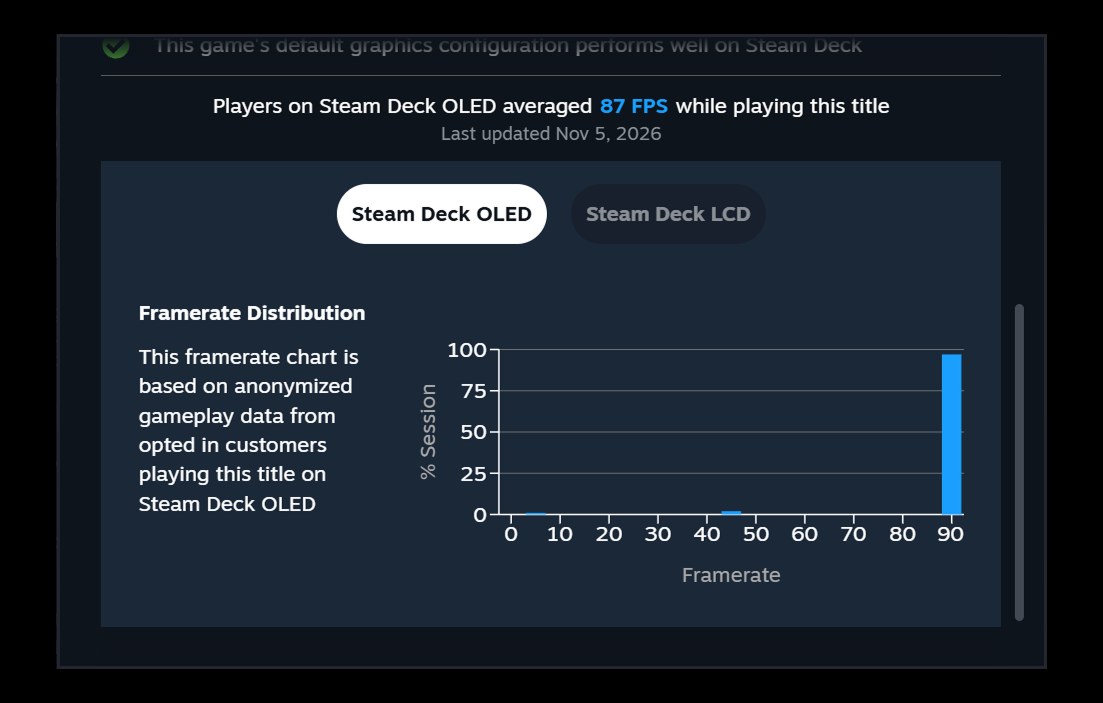
Next to the average, Valve added an expandable histogram. It shows what share of samples landed at each framerate, so you can see how the average was built. Small columns at low values point to hitches or stutter.
Some charts show a gap between 90 and 45. Valve says this comes from VSync: when a game misses its target on a 90 Hz display, it drops to 45 and then recovers to 90, which can average out at 75. Custom in-game graphics settings are not taken into account.
Why did Valve add this?
Valve's official Steam Deck Verified page sorts games into four groups: Verified, Playable, Unsupported and Unknown. Valve admits these ratings follow standard test criteria and may not match every player's bar. An Unsupported game might feel playable to some, while a Verified game might not hit the framerate others want. The average FPS fills that gap.
Eurogamer's report on the Steam Deck framerate data points out why the feature starts with Deck: every unit has the same hardware. Valve wants to offer data for more devices later, and has started asking desktop Steam users to opt in too. For now, that prompt is only in the Steam Client Beta.
What does it mean for players?
Checking how a game runs on Deck before buying is now much easier, which could also cut down on refunds. Valve already gathers a lot of player data, as the Steam Hardware Survey for October 2026 shows.
Valve has been busy with the store in other ways too. Longer Steam review times for new games and the Dead by Daylight review bomb being hidden were among this month's Steam stories. The FPS data, though, is a change players will feel right away.
Frequently asked questions
Where can I see Steam Deck FPS data?
On a game's Steam store page, under Steam Deck Compatibility, then Learn more. It also appears in your Steam Library if you use the Steam Client Beta.
How is the Steam Deck average framerate calculated?
Valve uses anonymized data from Steam Deck players who opt in. Only Decks set to the default frame limit count: 90 FPS on OLED and 60 FPS on LCD.
How do I opt out of sharing framerate data?
You can change it in Steam Account Settings under Data and Browsing, Anonymous Game Framerate Data. Steam also shows a prompt in the Library.
Sources
Frequently asked questions
Questions answered in this article
Sources
External links cited in this article
Newsletter
The week's biggest gaming news, every Friday morning
One email every Friday: the week's most-read stories and what's new. No spam, unsubscribe anytime.
LoL, TFT ve VALORANT sever bir oyun sever ve oyuncu. Mobil platformlarda ise tam bir Clash of clans hastası.