

Hand Simulator: How to Play, Controls, and Requirements
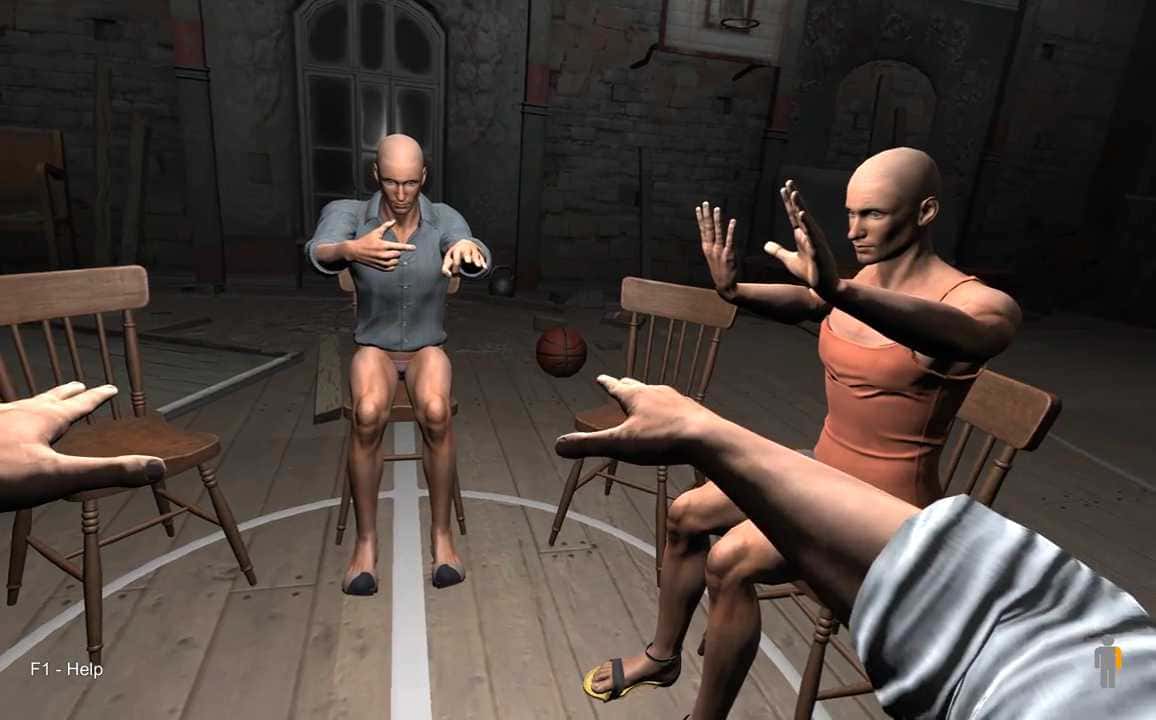
Hand Simulator has players control their own hands to hold weapons, duel, fish, and play chess, and the quirky physics game needs just 2 GB of RAM to run.

- Hand Simulator is a game where players control their own hands to perform activities like using weapons and playing chess.
- The game features multiplayer, level progression, and various quests.
- Hand Simulator has minimum system requirements for 64-bit Windows and doesn't support the Turkish language.
We've got an extremely interesting gaming experience for you today... Hand Simulator is a bit different from other games. That's because in this game, your hands form the core mechanic. In other words, you use your hands to hold weapons, take part in duels, or even play games like chess. But controlling your hand isn't as easy as you'd think. In this article, we'll cover topics like how to play Hand Simulator, what the controls are, and what the system requirements are.
 How Do You Play Hand Simulator?
Hand Simulator is a game where you control your own hands. You can use weapons, take part in a Mexican standoff with your friends, go fishing, and play chess. To do all of this in the game, you need to move your hands correctly. The game has a number of different features:-There are many levels to get through in the game. - It can be played in multiplayer. - Weapon mechanics matter a lot; you need to practice a lot to be able to shoot accurately. - There are many quests. - There are collectible cards.
Hand Simulator Controls, 2022
- Press WASD to move.
- MOUSE (to look around)
- Use MIDDLE MOUSE for voice chat.
- Press L-SHIFT to run.
- Press L-CTRL to crouch. (could also be R)
- Press L-SHIFT to use hand mode or switch hands.
- You can move your hands with the MOUSE.
- Press R to rotate your hand.
- Press L-CTR to move your hand up.
- Press R to move your hand down.
- Press L to move all your fingers.
- Press Z, X, C, V, and SPACE to move individual fingers.
- Press E to eat.
 Hand Simulator System Requirements, 2022
Minimum System Requirements
- OS: 64-bit Windows 7, Windows 8.1, Windows 10
- Processor: Intel Core i3-4340 / AMD FX-6300
- Memory: 2 GB RAM
- Graphics: Intel HD 4000, GeForce 8800, ATI 1950 or better
How Many GB Is Hand Simulator?
The game requires 3700 MB of storage space.
Does Hand Simulator Support Turkish?
Unfortunately, the game doesn't support Turkish. Only English language support is available.
Bazen yazar, bazen tasarlar. Film bağımlısı, oyunlar hakkında yazmayı sever✨
Comments (0)
Log in to leave a comment giriş yap.
No comments yet. Be the first!
Related Posts
All News →
Turkey Game Industry Report 2024 Released
Turkey's 2024 Game Industry Report shows the country's gaming market grew to over $810M with 48M+ active players, alongside a new digital guide to local game companies.

Loldle Answers: Daily League of Legends Puzzle
Loldle is a daily League of Legends guessing game with five modes (Classic, Quote, Ability, Emoji, Splash); December 6, 2024's Classic answer was Fiddlesticks.

Monopoly GO Dice Links: Free Dice Rewards
Monopoly GO's free dice links refresh daily and can be redeemed instantly for 25 or 30 free dice each, plus tips like auto refills every 60 minutes, daily gifts, and sticker trading to earn even more.