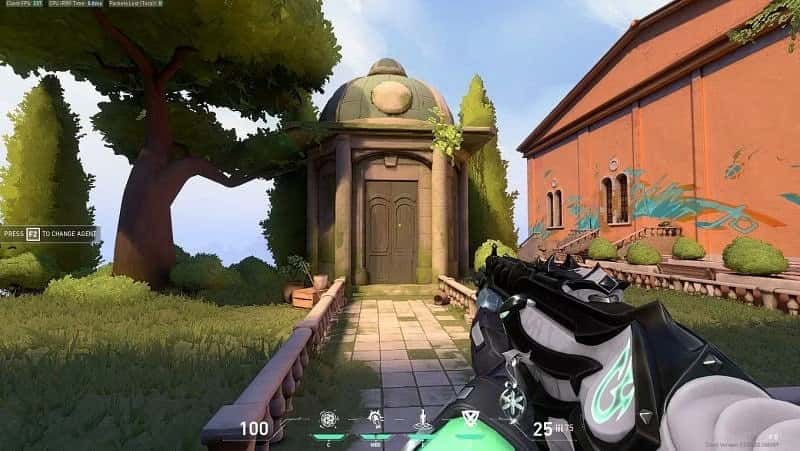
VALORANT Dot Crosshair 2024! Dot Crosshair Code VALORANT!
VALORANT players have plenty of features they can use to customize their gameplay experience and improve their aiming precision. One of these features is the Dot Crosshair. We'll be sharing a detailed guide on everything you want to know about VALORANT dot crosshairs in 2024 and how you can use this feature.
 VALORANT Dot Crosshair 2024
A dot crosshair is a feature that makes a player's aim point more visible and customizable. However, there's no official "Dot Crosshair Code" in the game. Instead, players can use the in-game settings menu to set the crosshair's size, color and other properties. Here are the most commonly used dot crosshair codes:
| Crosshair Type |
Crosshair Code |
| Red square dot |
0;s;1;P;c;7;u;FFFF00FF;o;1;d;1;z;3;0b;0;1b;0 |
| Green square dot |
0;s;1;P;c;1;u;FFFF00FF;o;1;d;1;z;3;0b;0;1b;0 |
| Cyan square dot |
0;s;1;P;c;5;u;FFFF00FF;o;1;d;1;z;3;0b;0;1b;0 |
| Red round dot |
0;s;1;P;c;7;h;0;d;1;z;3;f;0;0t;3;0l;1;0o;1;0a;1;0f;0;1t; 0;11;0;1o;0;1a;0;1f;0 |
| Green round dot |
0;s;1;P;c;1;h;0;d;1;z;3;f;0;0t;3;0l;1;0o;1;0a;1;0f;0;1t; 0;11;0;1o;0;1a;0;1f;0 |
| Cyan round dot |
0;s;1;P;c;5;h;0;d;1;z;3;f;0;0t;3;0l;1;0o;1;0a;1;0f;0;1t; 0;11;0;1o;0;1a;0;1f;0 |
How Do You Make a VALORANT Dot Crosshair in 2024?
Using a dot crosshair is quite simple. You can go to the in-game settings menu, find the "Crosshair" tab, and customize the crosshair's size, color and other properties from there. A dot crosshair lets players make their aim point more visible and eye-catching. Here's how to do it, step by step:
- Go to the settings menu from the main menu.
- Select 'Settings' and then the Crosshair section.
- In the Crosshair Profile list, click the 'Import Profile Code' button.
- Copy a code from our list.
- Paste it into the text field and press the 'Import' button.
You can find our VALORANT news here!
What Is a Dot Crosshair For?
A dot crosshair lets players customize their aim point. This can help players be more precise and focused while aiming. Also, being able to set the crosshair's size based on personal preference lets every player personalize their gameplay experience.
The Importance of the Crosshair in VALORANT
The crosshair plays a pretty important role in VALORANT, an FPS game. A properly customized crosshair can help players improve their aiming and shooting skills. A dot crosshair in particular improves players' aiming skills by making the target clearer and more distinct.
 Frequently Asked Questions About Using a Dot Crosshair
Does VALORANT have an official Dot Crosshair Code?
No, VALORANT doesn't have an official Dot Crosshair Code. However, players can customize a dot crosshair through the in-game settings menu.
Is using a dot crosshair considered cheating?
No, using a dot crosshair is one of VALORANT's legitimate in-game features and isn't considered cheating.
How can I customize my crosshair?
You can customize your aim point's size, color and other properties by going to the "Crosshair" tab in the in-game settings menu.
Your crosshair, your primary aiming tool, can be customized to fit your own playstyle and improve your accuracy and overall performance. Whether you're an experienced player or just starting out, trying different crosshair styles can give your gameplay a fresh perspective. That's why it's really worth trying out different crosshairs in the game.
Don't forget to subscribe and turn on notifications to support our channel ♥️
https://www.youtube.com/@GamerPapers?sub_confirmation=1