

What Is Apple Pay and How Do You Use It?
Apple Pay is Apple's mobile payment and digital wallet service; you can add up to eight cards via Settings, Wallet & Apple Pay on iPhone or iPad, and it needs Touch ID, Face ID or a passcode.

3 min read
In brief
AI summaryApple Pay is a mobile payment and digital wallet service from Apple that works with the iPhone 6 and newer, Apple Watch, iPad Air 2 and iPad Mini 3.
Apple Pay works with Visa payWave, MasterCard PayPass and American Express ExpressPay terminals, and requires Touch ID, Face ID or a working passcode to set up.
You can add eight cards to Apple Pay across supported devices via Settings, Wallet & Apple Pay; each device needs the card added separately.
Contents5 sections
Whether you are shopping online or at the neighborhood grocery store, credit and debit cards have become ubiquitous. If you use a credit or debit card for purchases, Apple Pay can be a perfect solution. Apple Pay lets you store your frequently used credit, debit and rewards cards on your Apple mobile device. If you are new to Apple Pay or have questions about the service, here is information on how to set up and use Apple Pay for online and in-store purchases.

What Is Apple Pay?
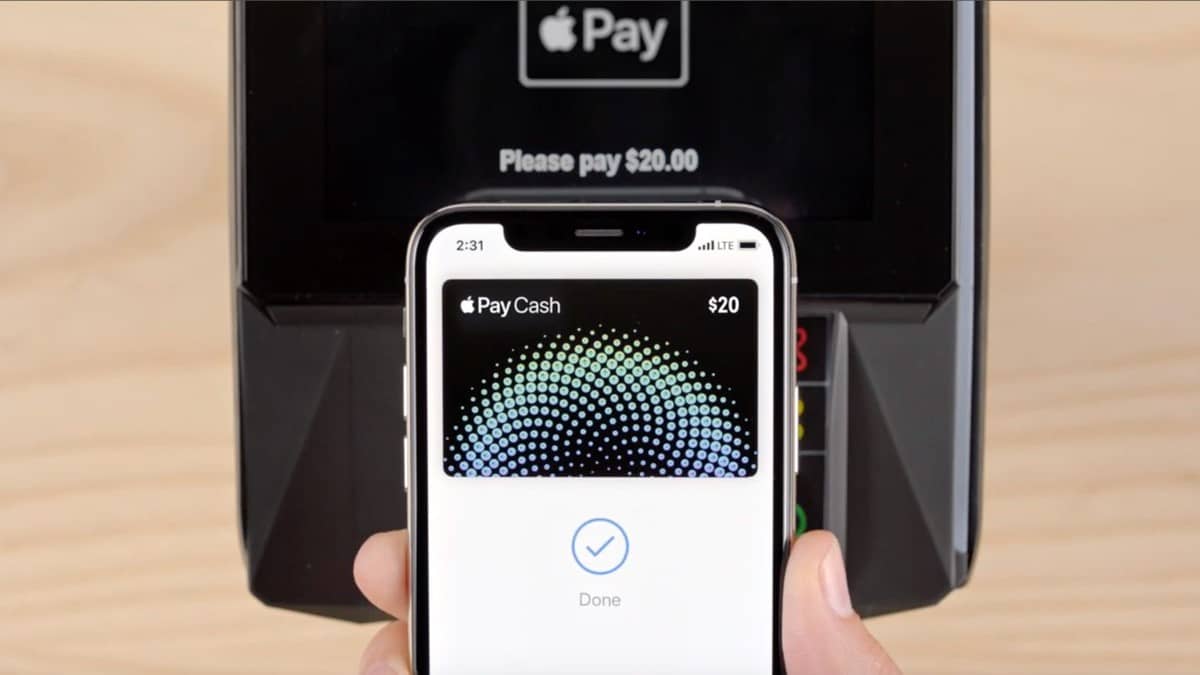
Apple Pay is a mobile payment and digital wallet service offered by Apple. It enables mobile payments with the iPhone 6, iPhone 6 Plus, Apple Watch and other eligible devices (iPhone 6 and newer models, iPad Air 2 and iPad Mini 3). Apple Pay doesn't require an Apple-specific contactless payment system; it works with Visa's payWave, MasterCard's PayPass and American Express's ExpressPay points of sale. At the time of the original writing, Apple Pay was in use only in the US and the UK, and it was expected to become international soon.
How Do You Use Apple Pay?
How Do You Add a Card to Your iPhone and iPad?
You can add eight cards to Apple Pay across your various supported devices. If you want to use Apple Pay with more than one device, you need to add your card details to each device separately. Keep in mind that you need Touch ID, Face ID or a working passcode to set up Apple Pay. If you don't have one, you will be asked to set that up first so you can continue with the steps below.
- On your iPhone or iPad, open the Wallet app via Settings > Wallet & Apple Pay.
- Tap the Plus sign to start adding your credit or debit card to Apple Pay.
- Then tap Add Credit or Debit Card.
- A new pane will appear and you need to tap Continue.
- To add the card, place your card in the frame. The app automatically scans the front of your card to capture your number and saves it to the card details page. Tap Next.
- Save your card's expiration date and enter the security code and any other information requested. This may take a series of screens.
- The Adding Card screen appears while Apple Pay contacts your bank to verify your card.
- A Card Verification page appears showing your email address and phone number. When finished, you get a Terms and Conditions page that you need to accept.
- You have the option to verify your card by phone or complete verification later. If you do it right away, you will receive a verification code by email for entry. You may be asked to contact your bank to complete verification. Verification may involve a short call to your bank and talking to a person who will appear in the app.
It took us less than five minutes to add a debit card to Apple Pay and to a watch. Once verification is approved, a notification will appear on your watch.
- Once verification is complete, tap Next and you are ready to use Apple Pay.
How Do You Add a Card to Your Mac?
To add a card to Apple Pay on your Mac, you will need a Mac with Touch ID. However, on models without built-in Touch ID, you can still use Apple Pay through a connected iPhone.
- On your iPhone, go to Settings > Wallet & Apple Pay.
- Tap Allow Payments on Mac and turn on the control.
More of Our Tech Articles
Frequently asked questions
Questions answered in this article
What Is Apple Pay?
Apple Pay is a mobile payment and digital wallet service offered by Apple. It enables mobile payments with the iPhone 6, iPhone 6 Plus, Apple Watch and other eligible devices (iPhone 6 and newer models, iPad Air 2 and iPad Mini 3). Apple Pay doesn't require an Apple-specific contactless payment system; it works with Visa's payWave, MasterCard's PayPass and American Express's ExpressPay points of sale. At the time of the original writing, Apple Pay was in use only in the US and the UK, and it was expected to become international soon.
Go to sectionHow Do You Add a Card to Your iPhone and iPad?
You can add eight cards to Apple Pay across your various supported devices. If you want to use Apple Pay with more than one device, you need to add your card details to each device separately. Keep in mind that you need Touch ID, Face ID or a working passcode to set up Apple Pay. If you don't have one, you will be asked to set that up first so you can continue with the steps below. It took us less than five minutes to add a debit card to Apple Pay and to a watch. Once verification is approved, a notification will appear on your watch.
Go to sectionHow Do You Add a Card to Your Mac?
To add a card to Apple Pay on your Mac, you will need a Mac with Touch ID. However, on models without built-in Touch ID, you can still use Apple Pay through a connected iPhone. How Do You Reset a Fitbit Versa? • What You Need to Know About YouTube TV • Charging Laptops with USB-C! • Finding Contacts from Your Address Book on Instagram 2022 • How Do You Create Folders in Gmail? • Best Console Emulators 2022
Go to section

