

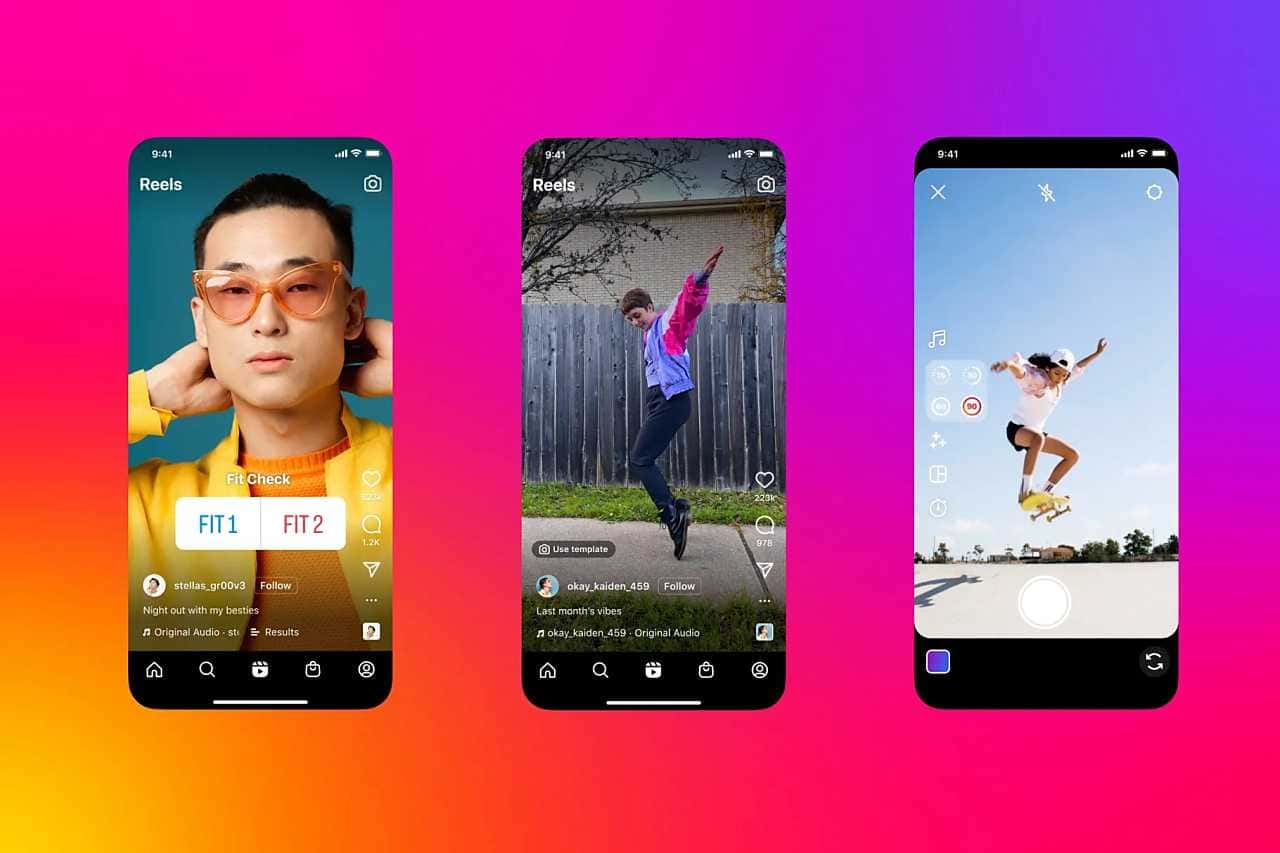
Instagram Reels has no visible pause button, but you can freeze a video by pressing and holding it, tapping the mute icon, or swiping away to the next post.
- Instagram Reels has no visible pause button, unlike other video platforms, so pausing takes a workaround.
- The most common method to pause a video is pressing and holding your finger on the screen.
- Other methods include tapping the mute/sound icon and swiping to the next post to stop playback.
How Do You Pause Instagram Reels?
Social media has been on the rise across the board lately. Alongside Instagram's Reels, YouTube Shorts videos have also been on the rise. But when it comes to Instagram Reels, demand keeps growing every day. The logic behind pausing Instagram Reels works a bit differently than it does on apps like TikTok. How do you pause Instagram Reels?
How Do You Pause an Instagram Video? 2025
What Is Pausing an Instagram Video?
While watching a video on Instagram, users may suddenly want to pause it. Unlike other video platforms, Instagram doesn't have a clear pause button for easily pausing videos you're watching. This can make it hard for users to understand how to pause a video.
Pausing a video on Instagram is necessary, for example, to look closely at a detail or study a piece of text or image content. Pausing is an important function for users who want to rewatch a video or take a break. However, given how the app works and its user experience design, pausing can still be done with a few methods. For users, Instagram has become a very popular choice among social media platforms. Because of this, not clearly offering a way to pause videos can hurt the user experience.
How Do You Pause an Instagram Video? 2025
There are a few different ways to pause a video on Instagram. Here's a step-by-step breakdown of these methods:
Press and Hold the Video With Your Finger
The most common method is to press and hold your finger on the screen while the video is playing. Using this method, you can make the video stop. Here are the steps:
- Open the Instagram app and select the video you want to watch.
- Once the video starts playing, place your finger on the video and hold it down.
- The video will stay paused as long as you keep your finger on the screen. Once you lift your finger, the video resumes from where it left off.
This method is quite practical for short pauses. However, if you need a longer pause, using a different method may be more effective. For example, if you need to examine a video in detail, this method lets you freeze the exact moment you want. Also, one thing to keep in mind while holding your finger down is the screen's sensitivity. Making your finger movements slow and careful can get you better results.

Use the Mute Icon on the Video
Instagram videos are usually played with the sound muted by default. However, when you tap the sound icon on the screen to turn the sound on or off, the video can sometimes pause automatically as well. To use this method:
- Open the video and start watching it.
- Tap the sound icon to change the sound's state.
- Some videos may pause after this action; if the video doesn't stop, you can try holding your finger on the video again to pause it.
The mute method can sometimes be useful for understanding a video's content. For example, while watching a music video, you can focus more on the visual details while the sound is off. This can help direct viewers' attention better, especially in music-related content. However, keep in mind that turning the sound back on may resume the video, so it's worth being careful.
Pause a Video by Scrolling Away From the Post
Another quick way to pause a video is to scroll to a different post while watching it. You can pause a video on Instagram by scrolling through your feed. To do this:
- Start playing the video.
- When you want the video to stop, swipe your finger left or right on the screen to move to the next post.
- Since you've left the video, it will pause at that point. You'll need to go back to it to watch it again.
The advantage of this method is that it lets you pause the video quickly and browse other content. This method can save you time, especially when you want to check out another post. However, keep in mind that in some cases you may need to scroll back to the start of the video. This can create some friction in the user experience.
Our Other Articles About Instagram
- Instagram Nickname Suggestions
- How Do You Download a Video From Instagram? 2022
- What You Need to Know About Instagram Reels Length
- How Do You Use Instagram's Anonymous Question App?
- How Do You Block and Unblock Someone on Instagram?
- How Do You View Instagram Stories Anonymously?
- The Best Instagram Hashtags 2022
- Instagram Posting Times 2022
- Turning On Instagram Dark Mode 2022
- Finding Contacts in Your Instagram Address Book 2022
- How Do You Create Instagram Filters?
- How Do You Change Your Instagram Username? 2022
- What Are the Best Instagram Photo Editing Tricks? 2022
- How Do You Hide Likes on Instagram?
- How Do You Link a TikTok Account to Instagram? 2022
- Archiving Instagram Posts 2022
- Instagram Reels Posting Times 2022!
Comments (0)
Log in to leave a comment giriş yap.
No comments yet. Be the first!
Related Posts
All News →
Turkey Game Industry Report 2024 Released
Turkey's 2024 Game Industry Report shows the country's gaming market grew to over $810M with 48M+ active players, alongside a new digital guide to local game companies.

Loldle Answers: Daily League of Legends Puzzle
Loldle is a daily League of Legends guessing game with five modes (Classic, Quote, Ability, Emoji, Splash); December 6, 2024's Classic answer was Fiddlesticks.

Monopoly GO Dice Links: Free Dice Rewards
Monopoly GO's free dice links refresh daily and can be redeemed instantly for 25 or 30 free dice each, plus tips like auto refills every 60 minutes, daily gifts, and sticker trading to earn even more.