


Category
Page 6 · 441 articles
Tech

Tech
Most-Followed Instagram Accounts (March 2023)
As of March 2023, Instagram's own account is the most followed with 620 million followers, ahead of Cristiano Ronaldo (564 million) and Lionel Messi (444…
3 min

Tech
How to Cancel Spotify Premium on PC and Mobile
To cancel Spotify Premium on desktop, go to spotify.com/account, choose Available plans and click Cancel Premium; on iPhone use Settings, Subscriptions…
3 min

Tech
Best Desktop Gaming PCs (March 2023): HP, MSI, Dell
In March 2023, the article's best desktop gaming PC list is led by the HP Omen 30L 465L1EA (RTX 3060, Ryzen 5 5600X, 16 GB RAM), followed by the MSI MPG…
3 min

Tech
iOS 17: Release Date, Features and Supported iPhones
As of March 2023, iOS 17 is expected to be announced at WWDC in June 2023 and released around September 12, 2023, with support likely dropped for the iPhone 8…
8 min

Tech
How to View Instagram Stories Anonymously
You can view Instagram stories anonymously using airplane mode, a third-party story viewer, careful swiping, or a secondary anonymous account.
3 min

Tech
Does the PS5 Controller Work on PS4? How to Use It
A Brook Converter or MayFlash Pro lets you use a PS5 DualSense controller on PS4, though MayFlash may not support every feature.
2 min

Tech
How Do You Connect PSVR 2 to a PC? Does It Work?
PSVR 2 can be physically plugged into a PC's USB-C port, but it currently outputs no usable signal and does not work with Steam VR games.
2 min
Tech
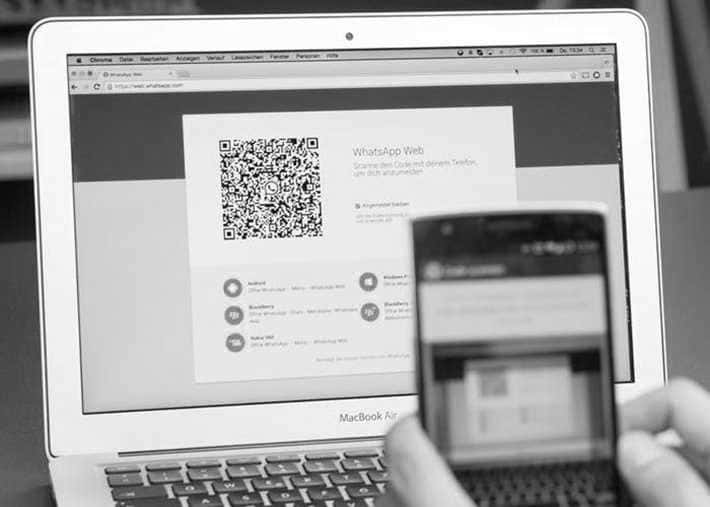
How to Use WhatsApp Web on iPhone and Android
To use WhatsApp Web, go to web.whatsapp.com on your computer, then on your phone open Linked Devices, choose Link a Device and scan the QR code shown on screen.
2 min

Tech
How to Make Instagram Reels From Photos
You can turn gallery photos into an Instagram Reel by adding them as a slideshow with the camera and gallery buttons.
2 min

Tech
Water Spilled on Your Laptop? How to Fix It Step by Step
If water is spilled on your laptop, unplug everything, turn it upside down to drain, dry it and leave it in a warm, dry place for 24-48 hours before turning it…
2 min
Tech
Google Bard: What It Is, How to Use It and How It Compares With ChatGPT
As of February 2023, Google Bard is an AI chatbot from Google, built on LaMDA, that only beta testers can use.
2 min

Tech
How to Check CPU Temperature on Windows, Mac, AMD and Intel
To check your CPU temperature, use HWiNFO (Sensors-only) on Windows, TG Pro on Mac, Ryzen Master on AMD or Intel XTU on Intel; an overheating processor can…
2 min

Tech
How to Turn Off YouTube Autoplay on iPhone and Android
To turn off YouTube autoplay on mobile, open the app, tap your account icon in the top right, go to Settings, find Autoplay and switch it off.
3 min

Tech
How to Check iPhone Battery Health and Protect It
To check iPhone battery health, open Settings, tap Battery, then Battery Health; replacing the battery is recommended when Maximum Capacity falls below 80%.
4 min

Tech
How to Sync Your Outlook Calendar With an iPhone (2023 Guide)
You can sync an Outlook calendar with an iPhone by installing Microsoft Outlook for iOS, adding your Microsoft account under Settings > Passwords & Accounts…
2 min

Tech
How to Charge Your Nintendo Switch Controller
Running out of Joy-Con or Pro Controller battery mid-game is avoidable: dock the Joy-Cons, use a charging grip, or plug a Pro Controller into the Switch dock's…
2 min

Tech
How to Download YouTube Videos to Your PC
4K Video Downloader lets you download YouTube videos to your PC in up to 4K quality, including 3D, 360-degree video, and subtitles, for free.
2 min

Tech
Windows Lock Screen Shortcut: Which Key Locks Your Computer?
The Windows lock screen shortcut is the Windows key + L: hold the Win key and press L to lock your computer instantly, and set a session password so the lock…
2 min

Tech
How to Bulk Delete Instagram Saved Posts
Instagram lets users select and remove multiple Saved posts at once instead of unsaving them one by one, via the Saved section's Select option.
4 min

Tech
How to Turn On Private Browsing in Safari on iPhone
To browse privately in Safari on iPhone or iPad, tap the tab-switcher button and select Private, which stops your browsing history from being saved.
3 min

Tech
How to Delete Your Twitter Search History (Mobile App)
To delete your Twitter search history in the mobile app, tap the search button, tap the x next to Recent searches and choose Clear; swipe left on a single…
4 min
Showing 106–126 of 441