

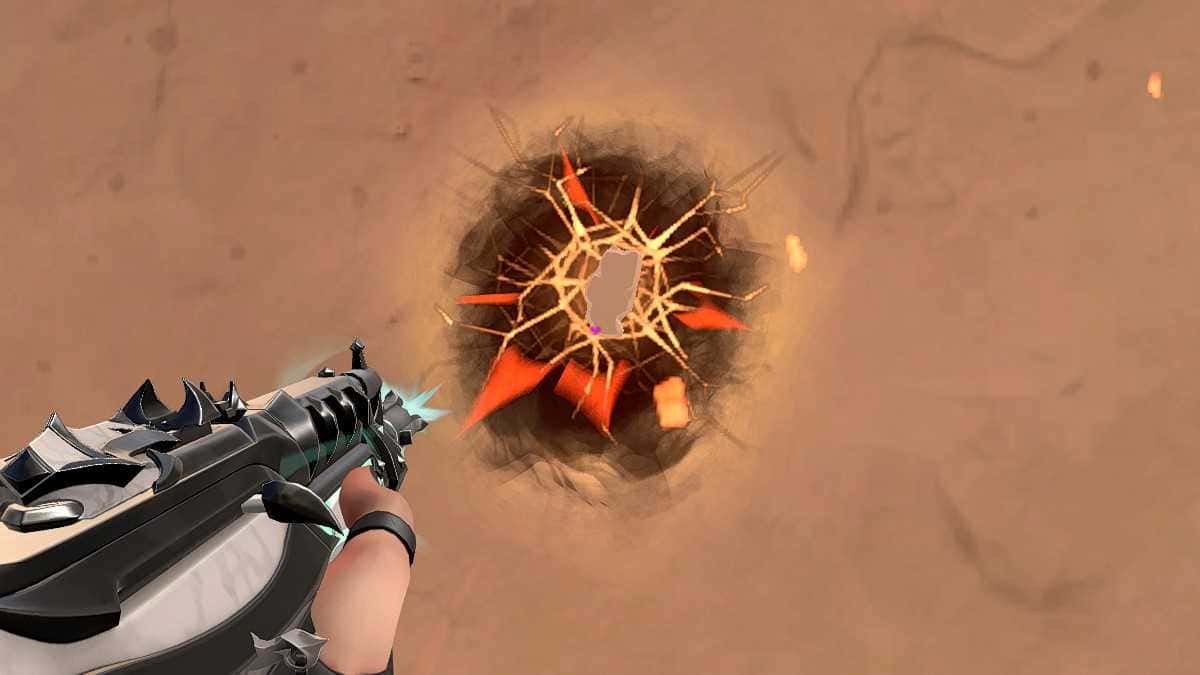
The VALORANT heart crosshair uses a pink or red color with outlines on and center dot off, or the code 0;P;c;6;o;0.1;m;1;0t;5;0l;3;0o;1;0a;0.7;0f;0;1t;1;1l;5;1o;0 ;1a;0.7;1m;0;1f;0.

- The VALORANT heart crosshair uses a pink or red color, outlines turned on, and the center dot turned off.
- Players can import the VALORANT heart crosshair directly with the code 0;P;c;6;o;0.1;m;1;0t;5;0l;3;0o;1;0a;0.7;0f;0;1t;1;1l;5;1o;0 ;1a;0.7;1m;0;1f;0.
- Gamer Papers recommends using the VALORANT heart crosshair in private lobbies with friends rather than in Ranked.
VALORANT keeps getting new content around things like crosshair color and shape changes. Players who want to add some flair to their game can change their crosshair shapes. There are already plenty of crosshair shapes available. The heart crosshair is one of them. In this article, we'll clear up questions like how do you make a heart crosshair in VALORANT? What is the 2023 heart crosshair code? and share the latest settings with you. If you want to make a heart crosshair, you're in the right place!
Here's the video we made for you:
You Can Also Check Out Our Latest Articles on VALORANT Crosshair Codes:
- How Do You Make a Flower Crosshair in VALORANT? 2023
- How Do You Make a Glowing Crosshair in VALORANT? 2023
- How Do You Make a Star Crosshair in VALORANT? 2023
- How Do You Make a Cat Crosshair in VALORANT? 2023
- How Do You Make a Black Crosshair in VALORANT? 2023
- How Do You Make a Round Crosshair in VALORANT? 2023
- How Do You Make a Blue Crosshair in VALORANT? 2023
 How Do You Make a Heart Crosshair in VALORANT? 2023
By copying these in-game settings into your crosshair settings, you can turn your crosshair into a heart shape. It'll give your crosshair's shape a whole different vibe...
General Crosshair Settings
- Color: Pink or Red
- Outlines: On
- Outline Opacity: 0.1
- Outline Thickness: 1
- Center Dot: Off
- Center Dot Opacity: N/A
- Center Dot Thickness: N/A
- Override Firing Error Offset with Crosshair Offset: On
- Override All Primary Crosshair Offsets with My Target Offset: Off
Inner Lines
- Show Inner Lines: On
- Inner Line Opacity: 0.7
- Inner Line Length: 3
- Inner Line Thickness: 5
- Inner Line Offset: 1
- Movement Error: Off
- Firing Error: Off
Outer Lines
- Show Outer Lines: On
- Outer Line Opacity: 0.7
- Outer Line Length: 5
- Outer Line Thickness: 1
- Outer Line Offset: 0
- Movement Error: Off
- Firing Error: Off
Or you can use the crosshair code system:
To do this, go to your crosshair settings and import the code below:
Crosshair Code: 0;P;c;6;o;0.1;m;1;0t;5;0l;3;0o;1;0a;0.7;0f;0;1t;1;1l;5;1o;0 ;1a;0.7;1m;0;1f;0
One thing to keep in mind: this crosshair isn't recommended for Ranked or even regular lobbies. It's better suited for private lobbies with friends.
For our up-to-date VALORANT heart crosshair article 👇
Shape Your Gameplay with the VALORANT Heart Crosshair Code!
Making Colorful Crosshairs in VALORANT Is Super Easy!
In our video, we shared VALORANT's custom color codes and how to make a colorful crosshair.
Sources
External links cited in this article
Bazen yazar, bazen tasarlar. Film bağımlısı, oyunlar hakkında yazmayı sever✨
Comments (0)
Log in to leave a comment giriş yap.
No comments yet. Be the first!
Related Posts
All News →
Turkey Game Industry Report 2024 Released
Turkey's 2024 Game Industry Report shows the country's gaming market grew to over $810M with 48M+ active players, alongside a new digital guide to local game companies.

Loldle Answers: Daily League of Legends Puzzle
Loldle is a daily League of Legends guessing game with five modes (Classic, Quote, Ability, Emoji, Splash); December 6, 2024's Classic answer was Fiddlesticks.

Monopoly GO Dice Links: Free Dice Rewards
Monopoly GO's free dice links refresh daily and can be redeemed instantly for 25 or 30 free dice each, plus tips like auto refills every 60 minutes, daily gifts, and sticker trading to earn even more.