FC 27 Controller Not Working on PC: How to Fix It
Is FC 27 not detecting your gamepad on PC, or does your Bluetooth controller drop when the game starts? Step-by-step fixes from EA Help and the most common community workarounds.

5 min read
In brief
AI summaryFC 27 controller issues mainly affect PC players, especially PlayStation controllers over Bluetooth.
Connect the controller by USB before launching, unplug other input devices, and toggle Steam Input.
Update drivers or firmware, test on console if applicable, and contact EA Help if the problem continues.
Contents9 sections
FC 27 controller not working? The problem is almost always on PC and often involves a PlayStation pad over Bluetooth. Start here: plug the controller in by USB before launching, unplug other input devices, and toggle Steam Input for the game.
Why is my FC 27 controller not working?
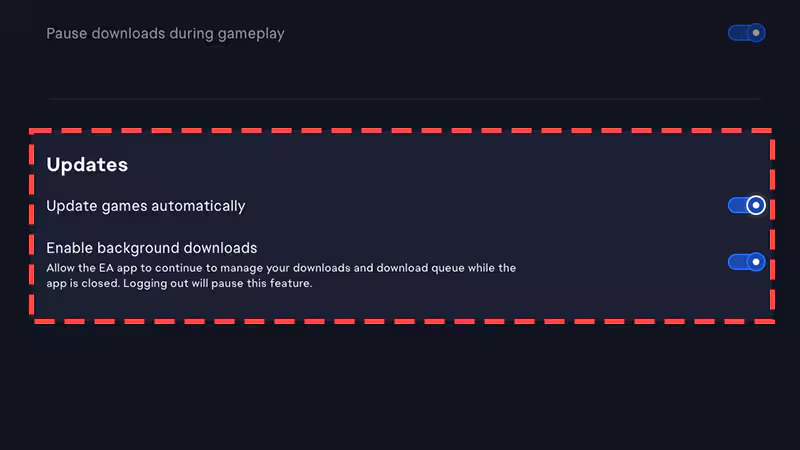
EA Help says most modern Xbox and PlayStation controllers are supported automatically, and that you may need to update the controller's drivers or firmware if it isn't detected. Reports on EA's FC 27 forums add more detail:
- DualShock 4 dropping on Bluetooth: One player says a DualShock 4 that works over Bluetooth in FC 26 on the same PC goes dark and stops responding when FC 27 launches, even though Windows still shows it as connected. The same pad works in FC 27 over USB.
- EA app versus Steam: Another player reports the issue on the EA app version but not on Steam.
- Controller stops in some modes: A Steam player says the pad works in menus and Division Rivals but not in certain Ultimate Team event modes.
- Phantom second controller: In earlier FC games, players reported the game detecting two controllers and the menu scrolling by itself. This usually comes from another input device or a virtual controller driver.
An EA community manager replied on the FC 27 thread that few reports had come in, that the cause is likely on the user's side, and suggested unplugging other input devices and checking Steam controller settings. There is no official patch note or confirmed fix yet.
How to fix FC 27 controller not working, step by step
- Connect by USB before launching. EA Help recommends connecting the controller with a USB cable first, then launching the game. If you plugged it in mid-session, close the game, connect the pad and relaunch.
- Use a cable instead of Bluetooth. In the FC 27 reports, USB is the one setup that consistently works. If Bluetooth drops, test with a cable first.
- Unplug other input devices. A second pad, wheel, flight stick, numpad or other USB accessory can make the game pick the wrong device as player one. This was the EA community manager's first suggestion for FC 27.
- Toggle Steam Input (Steam version). In your Steam library, open FC 27's Properties, go to the Controller tab and switch the per-game Steam Input setting on or off. During FC 25, EA first advised turning Steam Input off and later said it should be on; which works can depend on the update and your controller. Fully restart the game after each change.
- Update controller drivers and firmware. This is EA's official advice. Run Windows Update; update an Xbox controller through the Xbox Accessories app and a DualSense through Sony's PC firmware updater.
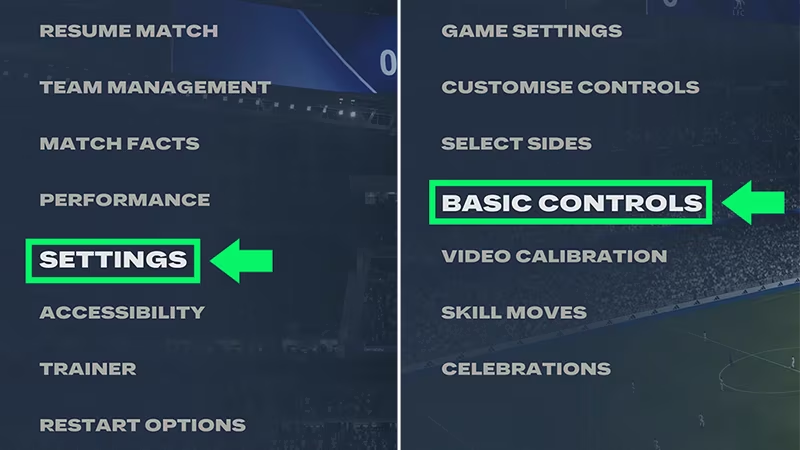
- Check the button prompts in game. EA Help suggests launching the game and confirming in the settings that the on-screen prompts match your controller. Xbox prompts on a PlayStation pad suggest the game hasn't identified it correctly.
- Re-pair over Bluetooth. Remove the controller in Windows Bluetooth settings and pair it again. One forum user replaced their Bluetooth adapter and still had the problem, so this won't always help.
- Report it to EA. If nothing works, post in the FC 27 Technical Issues forum or contact EA Help. EA staff typically ask whether you launch through Steam or the EA app, which controller you use, whether the issue is constant, and for a DxDiag report.
Controller not working on console
On PS5 and Xbox, controller problems usually come from the console or the pad, not the game. Connect by cable and check whether the controller works on the console's home screen. If it doesn't, the problem isn't FC 27. If it only fails in the game, close FC 27 fully, restart it and make sure you are on the latest update.
Playing on keyboard in the meantime
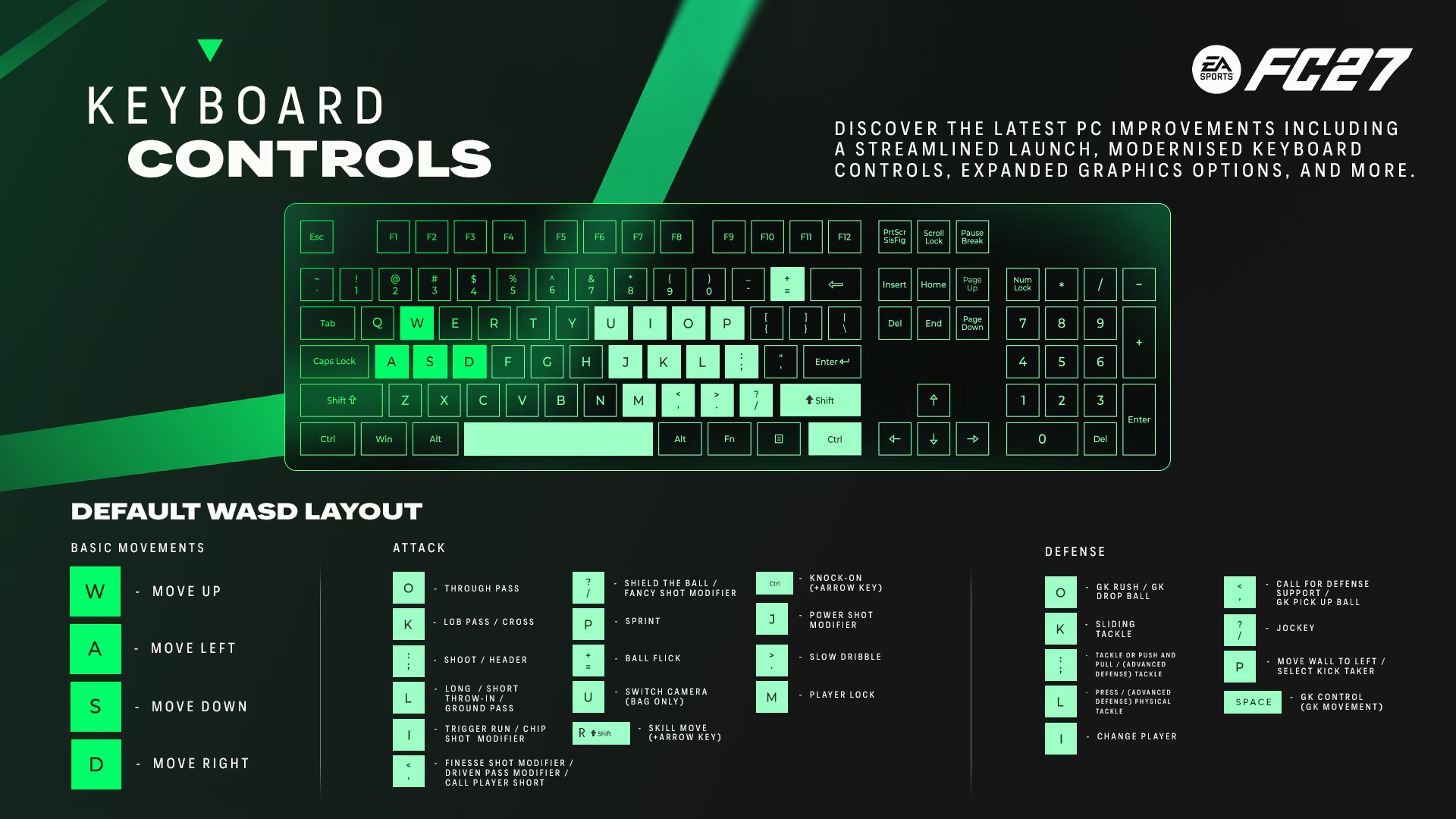
You can play FC 27 with keyboard and mouse until the pad works, but unplug a misdetected controller first so inputs don't conflict. For the older version of this guide, see FIFA 23 controller not detected.
Sources: EA Help - playing games and connecting a controller, EA Forums - FC 27 DualShock 4 Bluetooth issue.
Frequently Asked Questions
Why doesn't FC 27 detect my PS4 controller?
The most common FC 27 report is a DualShock 4 that stops responding over Bluetooth once the game launches, while the same pad works over USB. There is no confirmed fix yet, so a cable is the most reliable option.
Should Steam Input be on or off for FC 27?
There is no single answer. EA gave both pieces of advice in earlier FC games. Try the per-game setting both ways and restart the game each time.
My controller works in menus but not in matches. What now?
Unplug other input devices and restart the game. Some FC 27 reports show the issue only in certain modes; if it continues, report it on the EA forums.
Why does the menu scroll by itself with my controller connected?
The game is probably detecting a second input device. Unplug or disable wheels, extra pads or virtual controller drivers.
Frequently asked questions
Questions answered in this article
Sources
External links cited in this article
Newsletter
The week's biggest gaming news, every Friday morning
One email every Friday: the week's most-read stories and what's new. No spam, unsubscribe anytime.
LoL, TFT ve VALORANT sever bir oyun sever ve oyuncu. Mobil platformlarda ise tam bir Clash of clans hastası.