

In FIFA 23 on PC, W, A, D and S handle through balls, lob passes, shots and short passes in attack, and every key can be remapped under Customize Controls once the control device is set to Keyboard…

- FIFA 23's PC keyboard layout uses W for Through Ball, A for Lob Pass/Cross, D for Shoot and S for Short Pass in attack, with E as Sprint in both attack and defense.
- FIFA 23 keyboard controls can be remapped from the Customize Controls menu after switching the control device to Keyboard Only.
- In FIFA 23, pressing Esc after binding keys brings up a Save option; saving to an empty slot stores the layout in your profile so it loads when the game starts.
FIFA 23 is still going strong. For PC players, key combinations and keyboard options matter a lot. In this article we'll cover the FIFA 23 best keyboard control settings, how to change the keyboard control settings, and FIFA 23's best key combinations. Enjoy the read!
 FIFA 23 PC Keyboard Control Settings
FIFA 23 Key Combinations
Attacking Keys
| W | Through Ball |
| A | Lob Pass/Cross/Header |
| D | Shoot/Volley/Header |
| S | Short Pass/Header (ground pass) |
| Q | Player Run/Modifier |
| Z | Finesse Shot Modifier |
| C | Protect Ball |
| E | Sprint |
| UP ARROW | Upward Movement |
| DOWN ARROW | Downward Movement |
| LEFT ARROW | Left Movement |
| RIGHT ARROW | Right Movement |
| F | Switch Camera |
| K | Attacking Tactics |
| L | Defensive Tactics |
| J | Mentality |
| SPACE | Mentality |
| 1 | Up Movement (Skill/Right-Stick) |
| 3 | Left Movement (Skill/Right-Stick) |
| 2 | Down Movement (Skill/Right-Stick) |
| 4 | Right Movement (Skill/Right-Stick) |
Defensive Keys
| W | Rush GK (Hold Down) (brings the goalkeeper off his line) |
| A | Slide Tackle |
| D | Tackle/Push or Pull (while chasing) |
| S | Contain |
| Q | Change Player |
| Z | Teammate Contain (the teammate nearest the ball presses) |
| C | Jockey |
| E | Sprint |
| UP ARROW | Up Movement |
| DOWN ARROW | Down Movement |
| LEFT ARROW | Left Movement |
| RIGHT ARROW | Right Movement |
| F | Switch Camera [GK Only] |
| K | Attacking Tactics |
| L | Defensive Tactics |
| J | Mentality |
| SPACE | Mentality |
| 1 | Up Movement (Skill/Right-Stick) |
| 3 | Left Movement (Skill/Right-Stick) |
| 2 | Down Movement (Skill/Right-Stick) |
| 4 | Right Movement (Skill/Right-Stick) |
How Do You Change the Keyboard Control Settings in FIFA 23?
- To change the game's key bindings, press Esc during any ongoing match to go to settings. You can also access settings from the main menu. However, you should make these changes from the main menu, under your profile settings.
- Go to the "Main Menu" and then to "Customize". Now click "Settings".
- To make your changes, click "Customize Controls".
- Change the control device to "Keyboard Only".
- Close the window and re-enter.
- Then hold E to open the "Attack" menu.
- From here, choose the keyboard settings you want.
- Once you set your key bindings, this tab will change automatically.
- After binding your keys, press Esc.
- A "Save" option will then appear. It's best to save to an empty slot.
- If you set everything up correctly, it will be saved to your profile and load properly when you start the game.
Some of Our Articles on FIFA 23
- 6 New Features Expected to Be Added to FIFA 23
- Is FIFA 23 Getting Cross-Platform Play? Will PS, Xbox, and PC Play Together?
- Is the FIFA Name Becoming History? What Will We See in FIFA 23?
- What's New in FIFA 23's Career Mode
- FIFA 23's Chemistry System Rework Announced!
- Will FIFA 23 Have a World Cup Mode?
- Will FUT Mode Be Reworked in FIFA 23?
- How Do You Get FIFA 23 Closed Beta Codes?
- Are FIFA 23 Pre-Orders Coming in June?
- FIFA 23 Icon Card List, June 2022
- What Are FIFA 23's FUT Heroes Player Cards?
- When Will FIFA 23's FUT Birthday Happen?
- FIFA 23's Exclusive Licenses: All Leagues, Clubs, and Stadiums
- How Will FIFA 23's Pro Clubs Mode Work?
- Details on FIFA 23's Position Change Cards
- FIFA 23 Rating Rankings: Player Rating Predictions
- Who Are FIFA 23's Best Young Strikers?
- Who Are FIFA 23 Ultimate Team's Best Centre-Backs?
- Who Are FIFA 23's Best Midfielders?
You can also find all our FIFA articles and the latest news about the game here.
Bazen yazar, bazen tasarlar. Film bağımlısı, oyunlar hakkında yazmayı sever✨
Comments (0)
Log in to leave a comment giriş yap.
No comments yet. Be the first!
Related Posts
All FIFA →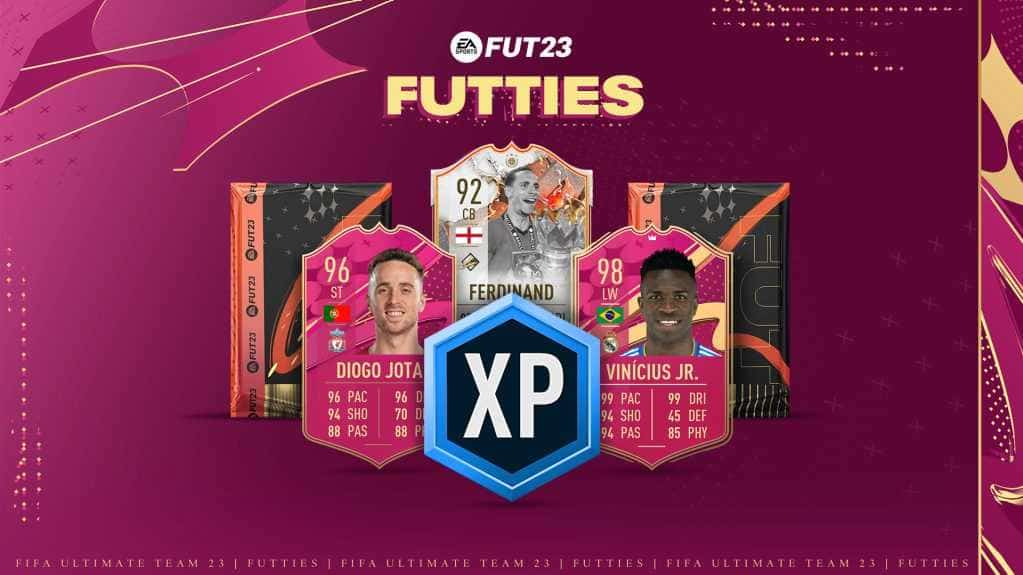
FIFA 23 FUTTIES Team 2: Player Predictions
FIFA 23's FUTTIES Team 2 was predicted to launch July 28, 2023, with Messi, Ibrahimovic, Mudryk, Diaby, and Brahim Diaz tipped for pink cards.
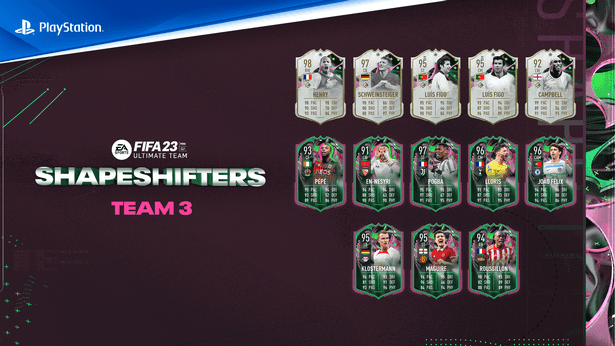
FIFA 23 Shapeshifters Team 3 Review
FIFA 23 Ultimate Team's Shapeshifters Team 3 has arrived, featuring Thierry Henry at RW (98 OVR) and Bastian Schweinsteiger converted to centre-back (97 OVR).

Why Fans Criticized FC 24's Player Faces
EA's FC 24 Ultimate Edition cover drew criticism over face scans of players like Ronaldinho, Marta and Bukayo Saka not matching their real likenesses.