

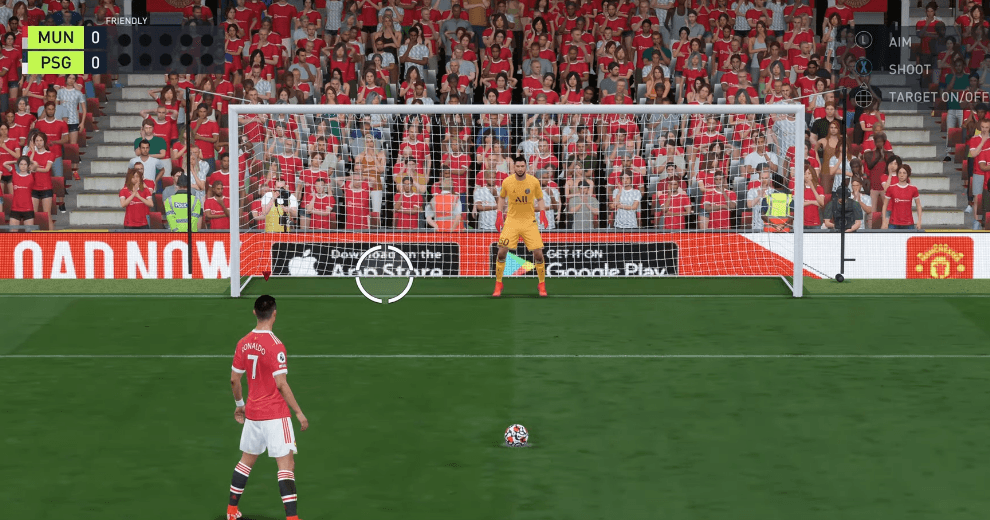
Waiting until after pressing shoot to aim with the left stick is the key to reliably scoring penalties in FIFA 22.
- In FIFA 22, aiming with the left stick before pressing the shoot button lets an alert opponent read your penalty and save it.
- FIFA 22 penalty takers should hold the shoot button no more than 2.5 bars, since a harder shot is tougher to keep on target.
- To turn off the penalty indicator in FIFA 22, press up on the D-Pad while taking the kick, on both PlayStation and Xbox.
How do you take a penalty in FIFA 22 is a question a lot of people think about but don't give the attention it deserves. Yet knowing how to take and save penalties well in FIFA 22 can help you a lot during a match, tilt your opponents off their game, and more importantly, win you those extremely tense matches in FUT Champions that come down to penalties. Now that we can agree we need to learn how to use FIFA 22 penalties, let's get started. How do you take a penalty? How does FIFA 22 penalty saving work? What's the penalty save button? How do you turn off the penalty indicator? Everything you need to know is in this penalty article!

How Do You Take a Penalty in FIFA 22?
To take a penalty, your opponent first needs to commit a foul against you inside the box (or in offline matches, the CPU or your friend needs to handle the ball. By turning on handball settings in the Settings menu, you can make a handball count as a foul/penalty in non-online matches too!). Once that happens, bring your best penalty taker to the ball by pressing R2. After that, there are a few things you need to pay attention to.
Details to Watch Out for When Taking a FIFA 22 Penalty
- NEVER aim with your player before pressing the shoot button. If you aim before pressing shoot, your player's face will turn very slightly toward the spot you're aiming at. If your opponent knows this trick (we'll explain it in the penalty saving section too), they'll save your penalties.
- Press the shoot button, and as your player starts moving toward the ball, pick the corner you want to aim for with the left stick. If you get good at taking penalties, you can actually aim before shooting and trick your opponent into the wrong direction (for example, aiming left and then releasing the left stick) to catch them off guard.
- Don't hold the shoot button for more than 2.5 bars. While that will send the ball faster, it will make it harder to hit the target.
- Once you set the left stick, don't change it again. Say you pressed shoot, then picked the left corner, and suddenly got a bad feeling about it. Get used to sticking with it anyway, because if you try to change the corner, your penalty's accuracy will drop.
How Does FIFA 22 Penalty Saving Work?
In the first part, we walked you through taking penalties. Now let's imagine you're on the other side. In the 120th minute, your opponent has won a penalty and brought their best taker to the ball. First off, stay calm, because all the pressure is on them. Right after that:
Details to Watch Out for When Saving a FIFA 22 Penalty
- Check where your opponent's player's head is looking. If you're having trouble telling whether the head is looking somewhere, here's a trick: if the head turns right just before the shoot button is pressed, the player is actually looking left. If the head turns left right after the shoot button is pressed, that means the player is looking right. That's because as soon as the shoot button is pressed, the player's head resets to center.
- Don't forget to distract your opponent by pressing Triangle and Square :)
- After picking the corner you're going to dive to, lightly nudge the left stick toward the other corner, so that if the penalty ends up going down the middle while you're diving, you'll still have a chance to save it. (This trick won't work if your opponent places the penalty right into the corner.)
How Do You Turn Off the FIFA 22 Penalty Indicator?
Turning off the penalty indicator is simple. While taking the penalty, press up on the D-Pad, the same button you use to set options like ultra attacking, defending, and press. Turning off the FIFA 22 penalty indicator works by pressing up on the D-Pad as shown below. This is the same on both PlayStation and Xbox.

Gamer Papers: More FIFA 22 Content
FIFA Ultimate Team
- Click here to check out the Season 3 objective players!
- Click this link to check out the new FUT Champions system!
- Click here to get the free Prime Gaming pack!
- Click this link to check out our guide on joining the Champions Playoffs!
- Click here to check out the Icon Swaps items!
- Click this link to check out the Winter Wildcards promo!
- If you want to change your FUT team name, click here!
- Click this link to find out when the 2022 TOTY is coming.
- You can click this link for a trick to get rid of your red cards!
- Click this link to check out the Headliners promo!
- Click this link to see the leaked 2022 TOTY team (before it's even released 🙂)!
FIFA Gameplay
- Click this link to check out our defending guide
- Click this link to check out ways to score goals.
- You can reach our article on how to win matches in FIFA 22 by clicking this link.
- What are the ways to take corners in FIFA 22?
- Click this link to check out our free kick guide.
- How do you take a low driven shot in FIFA 22?
- Click this link to learn how to do the Cristiano Ronaldo celebration.
- Click this link to learn how to do the Kylian Mbappe celebration.
- How do you take a Panenka penalty in FIFA 22?
- Click this link to check out which teams have goal music.
Other FIFA 22 News
- How Do You Set Up Keyboard Settings in FIFA?
- How Will Career Mode Training and Player Development Work?
- How Do You Create a Club in FIFA 22 Career Mode?
- Squads and prices for every budget in FIFA FUT 22.
- The worst players in FIFA 22 in every attribute!
- Click this link to find a fix for the jersey number not saving error.
- Click this link to find a fix for the can't-find-opponent issue.
- FIFA 22 Update 4 details are at this link!
- The fix for the transfer market won't open issue is here!
FIFA 22 Career Mode Articles
- FIFA 22 Career Mode Best Young Left-Backs!
- Career Mode Best Young Attacking Midfielders (CAM)!
- Who are FIFA 2022's best under-21 players?
- We've picked FIFA 22's best, cheapest, and highest-potential goalkeepers!
- Ligue 1's top 10 highest-potential players list!
- Click this link to check out the best training methods in FIFA 22 career mode! (As a manager)
- FIFA 22 Career Mode Best Young Turkish Wonderkids!
- FIFA 22 Career Mode Player Recommendations!
- FIFA 22 Career Mode Best Young Süper Lig Wonderkids!
Comments (0)
Log in to leave a comment giriş yap.
No comments yet. Be the first!
Related Posts
All FIFA →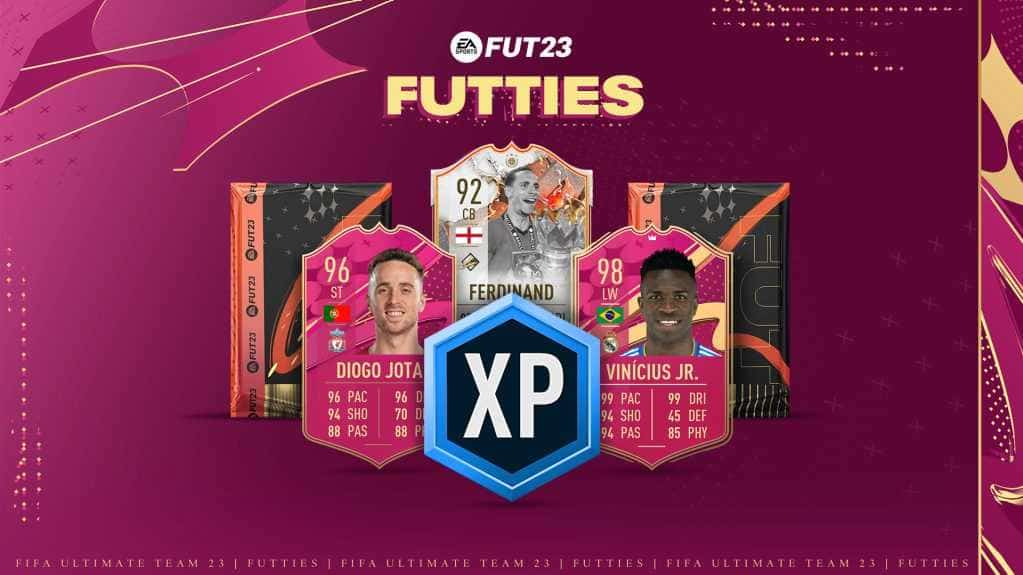
FIFA 23 FUTTIES Team 2: Player Predictions
FIFA 23's FUTTIES Team 2 was predicted to launch July 28, 2023, with Messi, Ibrahimovic, Mudryk, Diaby, and Brahim Diaz tipped for pink cards.
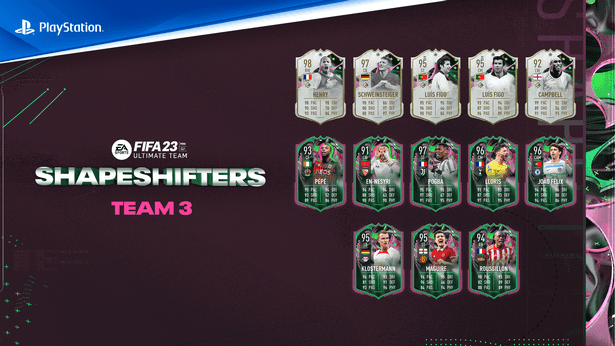
FIFA 23 Shapeshifters Team 3 Review
FIFA 23 Ultimate Team's Shapeshifters Team 3 has arrived, featuring Thierry Henry at RW (98 OVR) and Bastian Schweinsteiger converted to centre-back (97 OVR).

Why Fans Criticized FC 24's Player Faces
EA's FC 24 Ultimate Edition cover drew criticism over face scans of players like Ronaldinho, Marta and Bukayo Saka not matching their real likenesses.