


The best FIFA 22 camera setup uses the Co-op camera with Height 20 and Zoom 0, and a touchpad press fixes the camera not following the ball.
- The best FIFA 22 camera settings use the Co-op camera with Height 20 and Zoom 0 for the widest view of the match.
- You can choose between Tele Broadcast, Co-op, and the new EA Sports Game Cam for FIFA 22.
- Pressing the touchpad button lets you switch the camera's focus between the ball and your player.
FIFA 22 camera settings can change everything when set up properly, no matter who you ask. Whether you're a competitive FIFA 22 player or you just want to capture a realistic football atmosphere, setting up the FIFA 22 camera really matters. We'll try to help you out in this article! What are the best FIFA 2022 camera settings? How do you set up FIFA 22 camera settings? How do you fix the FIFA 22 camera not following the ball issue? Everything you want to know about FIFA 22 camera settings is right here!
How Do You Set Up FIFA 23 Camera Settings? The Best Camera Settings!
 How Do You Set Up FIFA 22 Camera Settings?
If you want to adjust your FIFA 22 camera settings, we've listed exactly how to do it below!
- Go to the main menu
- Go to Customize
- Click Settings
- Click Game Settings
- Press R2 to open the camera settings!
What's the Best FIFA 22 Camera Setting?
You have 3 options for this. You can choose between Tele Broadcast, used by many pro players, Co-op, which lets you see long balls and the whole pitch, or EA Sports' new EA Sports Game Cam introduced this year. In this guide, we'll walk you through the best camera settings using the Co-op camera, which gives you the widest view of the match.
- Camera Settings - CUSTOM
- Camera Height - 20
- Camera Zoom - 0
FIFA 22 Camera Not Following the Ball Issue
If you're playing Player Career Mode/Pro Clubs and want the camera to focus on the ball instead of your player, there's a very easy fix! You can easily switch what the camera focuses on (ball/your player) by pressing the touchpad button. That's how you fix the camera not following the ball!
Gamer Papers: More FIFA 22 Content
FIFA Ultimate Team
- Click this link to access the Season 3 Objective players!
- Click this link to check out the new FUT Champions system!
- Click here to get the free Prime Gaming pack!
- Click this link to see our guide on joining the Champions Playoffs.
- Click here to check out the Icon Swaps items!
- Click this link to check out the Winter Wildcards promo!
- If you want to change your FUT team name, click here!
- Click this link for info on what the FIFA 22 TOTY Honourable Mentions are!
- Click this link to find out when the 2022 TOTY will arrive.
- For the trick to clear your red cards, you can click this link!
- Click this link to check out the Headliners promo!
- Click this link to see the leaked 2022 TOTY team!
- Click this link to learn how to see your club history!
- Click this link to check out the TOTY Honourable Mentions promo!
- Click this link to find out when the Future Stars promo will arrive!
- Click this link to learn how to earn Future Stars swap tokens!
- Click this link to see the Future Stars promo players!
- For the Swap token players list, click here!
- For the FIFA 22 Party Bag SBC, click here!
- For details on the FIFA 22 FUT Captains promo, click here!
- Click for the RTTF Road to the Final task!
- Click for the FIFA 22 Road to the Final event!
- Click for the FIFA 22 Mesut Özil SBC solution!
- Click this link to check out our FIFA 22 Squad Building Challenges guide!
FIFA Gameplay
- Click this link for our defending guide
- Click this link to explore ways to score goals.
- You can find our article on how to win matches in FIFA 22 by clicking this link.
- What are the ways to take a corner kick in FIFA 22?
- Click this link to check out our free kick guide.
- How do you hit a low driven shot in FIFA 22?
- Click this link to learn how to do the Cristiano Ronaldo goal celebration.
- Click this link to learn how to do the Kylian Mbappe goal celebration.
- How do you take a Panenka penalty in FIFA 22?
- Click this link to see which teams have goal music.
- Everything about shooting in FIFA 22!
- How do you take and save a penalty in FIFA 22?
- Click this link to learn how to press.
- Click this link to learn the ball bounce skill move.
- Click this link to learn how to hit a chip shot.
- Click this link to learn skill moves you can pull off with just a 1-star skill move rating!
- Click this link to see which teams have goal music.
- How do you fix defending issues in FIFA 22?
Other FIFA 22 News
- How Do You Set Up Keyboard Controls?
- How Will Career Mode Training and Player Development Work?
- How Do You Create a Club in FIFA 22 Career Mode?
- In FIFA FUT 22, squads and coins for every budget.
- The worst players in every attribute in FIFA 22!
- The best loan players in FIFA 22!
- Click this link for a fix to the jersey number not saving error.
- Click this link for a fix to the not finding opponents issue.
- FIFA 22 Title Update 4 details right here!
- The fix for the transfer market not opening issue is right here!
- Click here to change your kit and logo!
- For the best-looking FIFA 22 kits, click this link!
- For the best-looking FIFA 22 logos, click this link!
- The answer to what will happen to Mason Greenwood's FIFA card? is right here.
- FIFA 22 Title Update 5 details right here!
- FIFA 22 Title Update 6 details right here!
- For the question is Ronaldo retiring?, click this link!
- Click this link to read our article on FIFA 23 cross-platform support coming.
- Our article on Russia being removed from FIFA 22 is right here!
FIFA 22 Career Mode Articles
- FIFA 22 Career Mode Best Young Left-Backs!
- Career Mode Best Young Attacking Midfielders (CAM)!
- Who are FIFA 2022's best under-21 players?
- We picked FIFA 22's best, cheapest, and most potential goalkeepers!
- Ligue 1's top 10 most potential players list!
- Click this link to check out the best training methods in FIFA 22 Career Mode! (As a manager)
- FIFA 22 Career Mode Best Young Turkish Wonderkids!
- FIFA 22 Career Mode Player Recommendations!
- FIFA 22 Career Mode Best Young Süper Lig Wonderkids!
Comments (0)
Log in to leave a comment giriş yap.
No comments yet. Be the first!
Related Posts
All FIFA →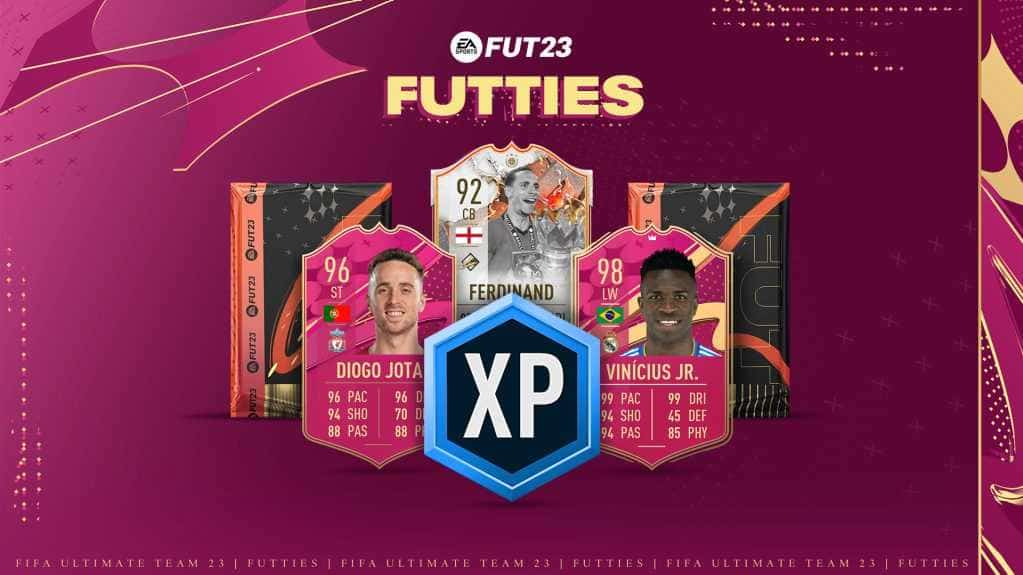
FIFA 23 FUTTIES Team 2: Player Predictions
FIFA 23's FUTTIES Team 2 was predicted to launch July 28, 2023, with Messi, Ibrahimovic, Mudryk, Diaby, and Brahim Diaz tipped for pink cards.
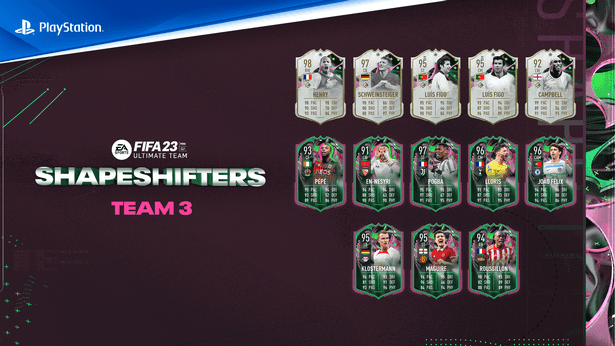
FIFA 23 Shapeshifters Team 3 Review
FIFA 23 Ultimate Team's Shapeshifters Team 3 has arrived, featuring Thierry Henry at RW (98 OVR) and Bastian Schweinsteiger converted to centre-back (97 OVR).

Why Fans Criticized FC 24's Player Faces
EA's FC 24 Ultimate Edition cover drew criticism over face scans of players like Ronaldinho, Marta and Bukayo Saka not matching their real likenesses.